
Selecting the ideal electric drum pad depends heavily on whether your primary environment is a controlled recording studio or a high-energy live DJ booth. For studio-bound producers, a MIDI-focused controller with highly sensitive pads and deep DAW integration streamlines the beat-making process. Conversely, live performers and DJs require rugged, standalone units capable of storing and triggering audio samples directly without relying on a computer.
An electric drum pad serves as the physical bridge between rhythmic intuition and digital sound design. By translating physical strikes into digital signals or audio playback, these devices allow creators to escape the limitations of a computer mouse or keyboard. Understanding the technical nuances of these controllers ensures you invest in hardware that aligns perfectly with your creative workflow.
How to Choose the Right Electric Drum Pad for Your Workflow
To find the right electric drum pad, you must first distinguish between MIDI pad controllers and standalone sample pads. MIDI pad controllers do not generate sound on their own. Instead, they transmit digital control data—such as note values, velocity, and timing—via USB or 5-pin MIDI cables to a computer, hardware synthesizer, or external sound module. This makes them highly dependent on software but incredibly flexible, as they can trigger any virtual instrument or sound library installed on your computer.
Products mentioned in this guide
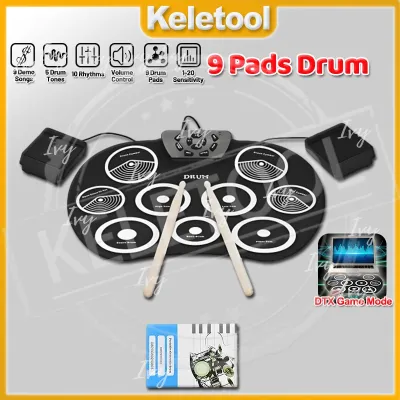
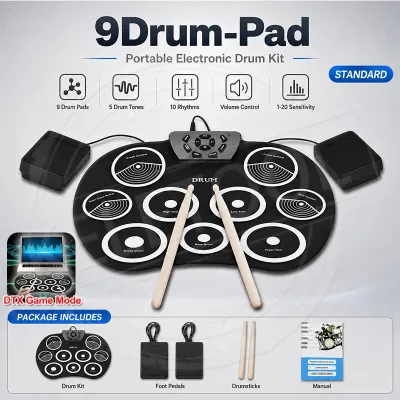
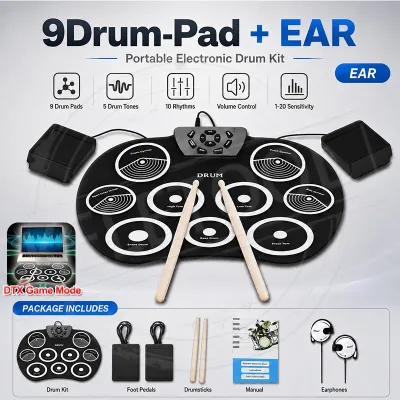
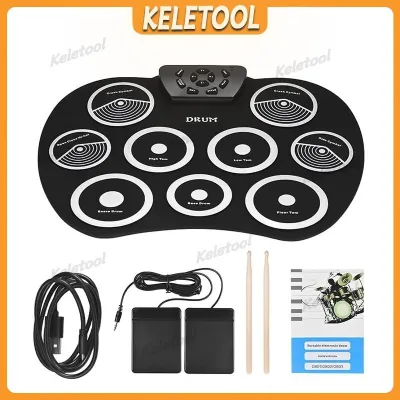
Prices are valid at publication and may change. Please refer to the product page for the latest price.
Standalone sample pads, on the other hand, feature integrated sound engines, digital-to-analog converters (DACs), and onboard flash storage. They can load, store, and play back audio files independently of any external computer. For live performers and DJs, this standalone capability is a significant advantage, as it minimizes the risk of software crashes, latency issues, or laptop overheating during a high-stakes gig. However, these units are generally more expensive and require pre-loading samples via USB drives or dedicated management software.
Pad sensitivity, velocity response, and aftertouch are critical factors that dictate the playability of an electric drum pad. High-quality pads utilize advanced force-sensitive resistors (FSRs) or piezoelectric sensors to detect the precise amount of force applied during a strike. Velocity response translates this physical force into MIDI volume or timbre changes, allowing for dynamic performances that capture the subtle nuances of ghost notes and accents. Aftertouch, specifically polyphonic aftertouch, measures continuous pressure applied to a pad after the initial strike. In electronic music production, this feature is invaluable for modulating parameters like filter cutoff, pitch bend, or effects depth in real-time.
Software compatibility and DAW integration determine how quickly you can translate ideas into recorded tracks. Many modern electric drum pads offer native integration with popular digital audio workstations (DAWs) such as Ableton Live, FL Studio, and Logic Pro. Native integration means the hardware is pre-mapped to the software’s drum racks and session views, allowing you to control transport functions, browse samples, and record loops directly from the controller. Without native mapping, you must manually assign MIDI continuous controllers (CC) to every parameter, which can disrupt the creative flow.
Workflow features like built-in step sequencers and sample loading capabilities further distinguish different models. A built-in step sequencer allows you to program rhythmic patterns directly on the hardware grid, providing a tactile alternative to drawing notes on a computer screen. Additionally, the size and physical layout of the pads affect performance ergonomics. A standard 4×4 grid is highly optimized for finger drumming and step sequencing, while multi-pad layouts with larger, stick-friendly surfaces are better suited for live percussionists and DJs who perform with drumsticks.
Finally, consider the build quality and form factor of the device relative to your performance environment. Desktop studio setups can accommodate lighter, plastic-chassis controllers that prioritize highly sensitive, soft rubber pads. In contrast, live DJ booths and performance stages demand rugged durability. Hardware used in these settings should feature reinforced steel or heavy-duty polymer enclosures, robust input/output (I/O) ports, and pads designed to withstand heavy stick strikes. Additionally, compact footprints are essential for DJ setups where space alongside mixers and media players is highly limited.
Top Electric Drum Pads for Studio Production and Beat Making
Studio production demands high responsiveness, low latency, and seamless DAW control to keep the creative process fluid. In a studio setting, the electric drum pad acts as the central hub for rhythm programming, sample slicing, and arrangement.

Best for Deep DAW Integration and Sequencing
For producers who want to minimize computer screen interaction, controllers with deep DAW integration and built-in screens are highly effective. Devices like the Ableton Push 3 and Native Instruments Maschine MK3 function as comprehensive hardware centerpieces. These models feature high-resolution color displays that allow you to browse sample libraries, edit audio waveforms, adjust synthesizer parameters, and mix tracks directly from the unit.
The inclusion of native step sequencers on these controllers allows for rapid pattern creation. You can easily toggle between real-time finger drumming and step sequencing, enabling precise control over velocity, gate time, and swing parameters. This workflow is particularly beneficial for electronic music genres like techno, house, and hip-hop, where intricate drum patterns and micro-timing adjustments are central to the groove.
The target user for these advanced controllers is the producer who wants an all-in-one hardware experience. By routing all essential DAW functions to physical buttons, encoders, and touch strips, these devices streamline the beat-making process. However, this deep integration often requires using specific software platforms, such as Ableton Live or the Maschine software ecosystem, to unlock their full potential.
Best for Expressive Finger Drumming and Sensitivity
If your primary goal is expressive finger drumming, pad sensitivity and velocity resolution are the most critical specifications. The Akai Professional MPD218 and MPD226 are highly regarded for their thick, ultra-sensitive Fat MPC pads. These pads require very little physical force to trigger, making them ideal for rapid rolls, flams, and complex syncopated rhythms.
Low latency is crucial when recording expressive drum tracks. High-quality MIDI pad controllers feature optimized USB controllers that transmit MIDI data to your DAW with minimal delay, ensuring that what you play is recorded precisely in time. High velocity resolution—typically 128 distinct MIDI levels—allows for organic-sounding drum tracks, capturing the natural volume variations of a real percussionist.
While these dedicated MIDI pad controllers excel in playability, they do have limitations. They lack internal sound engines, meaning they must be connected to a computer or external sound module to produce sound. Additionally, setting up custom MIDI templates for non-supported software can involve a steeper learning curve, requiring manual mapping of MIDI CC messages and channel configurations.
Best Electric Drum Pads for Live DJ Mixing and Performance
The demands of live DJing and stage performance are vastly different from those of a controlled studio environment. On stage, equipment must be exceptionally reliable, physically durable, and capable of quick sample triggering without latency.
Best Standalone Sample Pads for Live Sets
For live DJ sets and stage performances, standalone sample pads like the Roland SPD-SX PRO and Alesis Strike MultiPad are the industry standards. These rugged units feature large, highly durable rubber pads designed to be played with drumsticks or hands. With internal flash storage—often ranging from 16GB to 32GB—DJs can load extensive libraries of high-quality WAV or AIFF audio samples directly onto the device.
The primary advantage of these standalone units is their independent operation. DJs can trigger vocal chops, transition sweeps, backing loops, and sound effects directly from the pad, entirely independent of their DJ software or laptop. This setup provides an extra layer of security, ensuring that even if the primary DJ laptop experiences an issue, the sample pad remains fully operational. Furthermore, these units feature dedicated stereo and auxiliary audio outputs, allowing for precise routing of backing tracks and click tracks to monitor mixes and front-of-house sound systems.
Before purchasing a standalone sample pad, it is crucial to verify the supported audio file formats and storage limitations. While most modern units support standard 44.1 kHz or 48 kHz, 16-bit or 24-bit WAV files, some older or entry-level models may require manual file conversion. Additionally, managing large sample libraries typically requires using the manufacturer’s dedicated librarian software on a computer before the gig.
Best Compact MIDI Controllers for DJ Booths
In cramped DJ booths where space is at a premium, large multi-pads are often impractical. Compact MIDI pad controllers, such as the Akai Professional LPD8 MK2 and Korg nanoPAD2, offer a space-saving alternative. These ultra-portable devices feature small footprints that fit easily alongside digital mixers, media players, and laptops.
Despite their small size, these controllers provide essential physical control for live performance. They can be easily mapped to popular DJ software like Serato DJ, Traktor Pro, and Rekordbox to trigger hot cues, control loops, toggle effects, or launch samples from the software’s internal sampler. Many models also include assignable rotary knobs, giving DJs tactile control over filter sweeps and effect parameters.
The primary trade-off of compact MIDI controllers is the reduced pad surface area. Smaller pads require greater physical precision during live finger drumming, making them less suitable for complex percussive performances. Additionally, because they are strictly MIDI controllers, they require a constant USB connection to a laptop or compatible DJ hardware to function.
Versatile Hybrid and Portable Drum Pads for Any Setup
For creators who split their time between the studio and the stage, hybrid electric drum pads offer the best of both worlds. Devices like the Alesis Strike MultiPad and Roland SPD-SX PRO function as high-end standalone sample players during live gigs, but easily transition into multi-channel USB audio interfaces and MIDI controllers in the studio. This dual functionality allows you to record your physical pad performances directly into your DAW as MIDI notes or high-resolution audio, eliminating the need for a separate audio interface.
Portable, battery-powered drum pads have also gained popularity among mobile producers, buskers, and live-streaming artists. Models like the Yamaha FGDP-50 and FGDP-30 are designed specifically for finger drumming on the go. These devices feature ergonomic layouts optimized for finger placement, built-in tone generators with high-quality drum kit sounds, and integrated speakers. Powered by rechargeable lithium-ion batteries, they allow you to sketch out beats and practice rhythms anywhere without being tethered to a power outlet.
When evaluating portable drum pads, it is important to check the manufacturer’s specifications regarding battery life, charging methods, and mobile device compatibility. Most portable units offer between 4 to 8 hours of continuous play on a full charge, typically utilizing standard USB-C or micro-USB ports for charging. If you plan to integrate the pad with a tablet or smartphone running iOS or Android music apps, ensure the device is class-compliant, meaning it does not require custom drivers to establish a MIDI or audio connection.
Quick Comparison of Recommended Electric Drum Pads
The following table provides a direct comparison of the top electric drum pads discussed, highlighting their primary use cases, physical configurations, and key workflow features to assist in your selection process.
| Model Name | Primary Use Case | Pad Count and Size | Standalone Capability | Key Workflow Feature |
|---|---|---|---|---|
| Roland SPD-SX PRO | Live Performance & Hybrid | 9 large, stick-friendly pads | Yes (32GB internal storage) | Multi-channel audio routing, custom LED pad lights, and color screen |
| Ableton Push 3 | Studio Production & Sequencing | 64 expressive MPE-enabled pads | Yes (Standalone version available) | Seamless Ableton Live integration, built-in audio interface, and step sequencer |
| Alesis Strike MultiPad | Live Performance & Hybrid | 9 large, stick-friendly pads | Yes (32GB internal storage) | Built-in sampler, custom RGB lights, and 2-in/2-out audio interface |
| Akai MPD218 | Studio Production & Finger Drumming | 16 thick, full-sized MPC pads | No (USB MIDI only) | Ultra-sensitive velocity response, 3 pad banks, and assignable control knobs |
| Akai LPD8 MK2 | Compact Live DJing & Travel | 8 slim, portable pads | No (USB MIDI only) | Ultra-compact footprint, 8 assignable rotary knobs, and easy MIDI mapping |
| Yamaha FGDP-50 | Portable Finger Drumming | 18 ergonomically laid-out pads | Yes (Built-in sounds & battery) | Integrated speaker, rechargeable battery, and layout optimized for fingers |
Frequently Asked Questions (FAQ)
Do I need a standalone sample pad or a MIDI controller?
The choice depends entirely on your setup and performance needs. If you work primarily with a computer and a DAW in a studio, a MIDI pad controller is the most cost-effective and flexible option, as it leverages your computer’s processing power and software instruments. If you perform live and want to minimize laptop dependency, or if you need to play with drumsticks on stage, a standalone sample pad is the superior choice due to its onboard audio processing, internal storage, and rugged build.
Can I use a full electronic drum kit for music production?
Yes, most modern electronic drum kits (e-drum sets) feature USB or 5-pin MIDI outputs, allowing them to connect to a computer and trigger virtual drum instruments within a DAW. While e-drum kits provide a highly realistic playing experience for trained drummers, they have a very large physical footprint and are impractical for compact studio desks or DJ booths. Desktop electric drum pads are far more efficient for programming electronic beats, step sequencing, and triggering quick samples during a DJ mix.
What is the difference between velocity sensitivity and aftertouch?
Velocity sensitivity measures the force of the initial strike on a pad, translating that physical energy into volume or tonal brightness for that single note. Aftertouch, or pressure sensitivity, measures the continuous physical pressure applied to the pad after the initial strike has occurred. While velocity sensitivity is essential for natural-sounding drum hits, aftertouch allows you to expressively modulate sustained sounds, such as opening a synthesizer’s filter, adding vibrato, or increasing the feedback of a delay effect by simply pressing harder on the pad.
Community discussion
Share your experience or ask a question. Comments are reviewed before publication.