
Defining the Right Pocket Drum Set for Your Workflow
The landscape of modern music production has shifted dramatically from massive, stationary studio setups to highly mobile, compact workflows. For electronic music producers and live performance DJs, the search for a “pocket drum set” rarely points toward traditional acoustic drum kits or even miniature physical drumsticks. Instead, the focus is squarely on highly compact, portable percussion controllers, standalone samplers, and micro-grooveboxes designed to fit on a crowded DJ deck, a compact studio desk, or inside a travel backpack. These devices serve as the physical bridge between rhythmic intuition and digital sound generation.
Choosing the right compact drum pad setup requires a clear understanding of your primary performance environment and technical needs. The decision-making process generally balances three primary axes: Digital Audio Workstation (DAW) integration, standalone sampling capabilities, and physical portability. A device that excels at triggering pre-recorded clips in a studio environment might lack the immediate tactile response required for live finger-drumming. Conversely, a standalone hardware sampler might offer incredible performance independence but prove cumbersome when trying to map complex parameters to software instruments.
Ultimately, the ideal choice depends on whether your workflow prioritizes seamless studio sequencing, expressive live finger-drumming, or hybrid DJ performances that blend pre-recorded tracks with live percussion. By identifying where your needs fall along these lines, you can avoid overpaying for unnecessary features or buying a device that fails to integrate with your existing setup.
Products mentioned in this guide
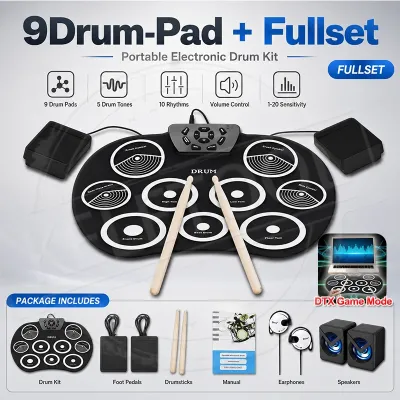
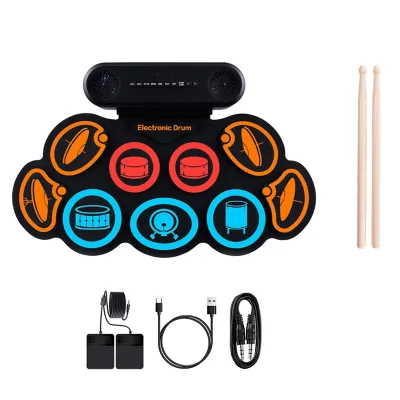
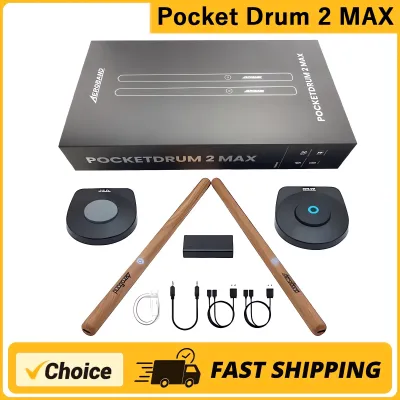
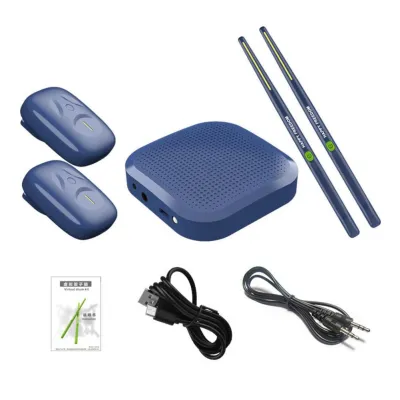
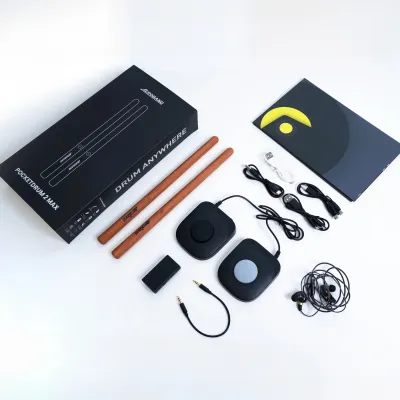
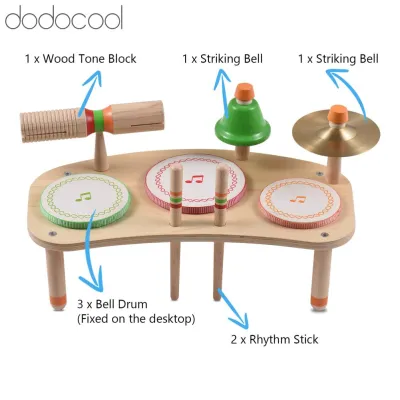
Prices are valid at publication and may change. Please refer to the product page for the latest price.
Categories of Pocket Drum Pads and Controllers
The market for compact drum pads is diverse, offering various form factors to suit different creative approaches. Rather than viewing these instruments as a single category, it is helpful to divide them into three distinct types of hardware. Each category addresses a specific set of technical demands, connectivity options, and performance environments.

MIDI Pad Controllers
MIDI pad controllers are designed to function as input devices, relying entirely on an external host computer, tablet, or smartphone to generate sound. When you strike a pad, the controller sends digital MIDI data—such as note values, velocity, and control change messages—to your software. This data triggers software instruments, virtual drum kits, or audio clips within your Digital Audio Workstation or DJ application. Because they do not require internal sound engines, processing chips, or extensive storage, these devices are exceptionally lightweight, thin, and cost-effective, with entry-level models often priced under S$150, making them highly accessible for tight Singapore HDB home studios where space is at a premium.
For electronic music producers, the primary appeal of a MIDI pad controller lies in its deep integration with software. Many of these controllers feature dedicated integration templates for popular DAWs, allowing you to control transport functions, adjust volume levels, and record MIDI clips directly from the hardware. In a live DJ setup, these pads can be mapped to trigger hot cues, engage performance effects, or launch samples from your DJ software’s secondary decks. The main limitation is their lack of independence; without a connected host device running compatible software, the controller cannot produce any sound on its own.
Standalone Samplers and Grooveboxes
Standalone samplers and grooveboxes represent the opposite end of the portability spectrum, operating as fully independent instruments with built-in sound engines, sequencing capabilities, and internal storage. These devices allow you to import, record, and edit audio samples directly on the hardware, then sequence them into complete tracks without ever connecting to a computer. This independence makes them incredibly popular for live hardware performances and mobile music creation, as they eliminate the risk of computer crashes or software latency during a set.
When evaluating standalone units, you will generally encounter a choice between screenless and screen-based workflows. Screenless grooveboxes rely on immediate, tactile interfaces, using multi-colored LEDs and physical dials to guide your workflow, which encourages muscle memory and intuitive performance. Screen-based samplers offer high-resolution displays that allow for precise waveform editing, detailed step sequencing, and deep menu navigation. These standalone units, ranging from budget-friendly pocket devices around S$200 to professional-grade grooveboxes exceeding S$800, often feature built-in rechargeable batteries and headphone outputs, making them ideal for sketching out beats during a commute on the MRT or while sitting in a local cafe.
Hybrid and Multi-Pad Instruments
Hybrid and multi-pad instruments bridge the gap between simple MIDI controllers and full-fledged standalone production environments. These devices are slightly larger than pocket-sized controllers but remain highly portable, often featuring rugged chassis designed to withstand the physical demands of live stage performances. They typically offer advanced pad sensitivity, such as polyphonic aftertouch or highly customizable velocity curves, allowing for incredibly expressive finger-drumming performances that capture the subtle nuances of your playing.
What distinguishes hybrid instruments is their versatile connectivity and routing options. They often feature multiple physical audio inputs and outputs, allowing you to route external audio sources—such as a synthesizer, microphone, or the output of a DJ mixer—directly through the device’s internal effects processors. This makes them exceptionally powerful tools for hybrid DJ sets, where you can layer live percussion loops over a playing track or process external audio in real time. While they represent a larger financial investment, their robust build quality and professional-grade performance features make them a staple for serious live performers.
Key Technical Features to Evaluate Before Buying
Selecting the right compact drum pad requires a careful examination of technical specifications to ensure the hardware aligns with your performance style and software environment. Below are the key technical features you must verify before making a purchase.
MIDI Mapping and Customization The utility of any MIDI controller or hybrid pad depends heavily on how easily its physical controls can be mapped to your software or external hardware. Look for devices that come with dedicated editor software, which allows you to customize the MIDI channel, note numbers, and control change (CC) messages sent by every pad, knob, and fader. Some advanced controllers offer onboard storage for multiple mapping profiles, enabling you to switch seamlessly between a layout optimized for your DAW and one customized for your DJ software. Without flexible mapping options, you may find yourself locked into rigid factory configurations that do not fit your established workflow.
Sample Triggering and Latency For any percussion instrument, the time delay between striking a pad and hearing the sound—known as latency—must be virtually imperceptible. In standalone samplers, this relies on the speed of the internal digital signal processor (DSP). For MIDI controllers, latency is determined by your computer’s audio interface, driver optimization, and the USB connection protocol. To maintain tight rhythmic timing during live finger-drumming or DJ sets, aim for an overall system latency of under 10 milliseconds. Ensure your computer is equipped with high-performance audio drivers, and prioritize controllers that utilize modern USB protocols to minimize transmission delays.
Pad Sensitivity and Feel The physical construction of the pads directly impacts how expressive your performances can be. High-quality pads feature velocity sensitivity, which detects how hard you strike the surface and translates that force into volume or timbre changes, mimicking the dynamics of an acoustic drum. Expressive performers should also look for pressure sensitivity, often referred to as aftertouch, which allows you to modulate effects, filter cutoffs, or pitch simply by varying the pressure on the pad after the initial strike. Additionally, consider the material composition of the pads; high-grade silicone pads maintain their bounce and responsiveness over years of heavy use, whereas lower-quality rubber can degrade or become sticky, particularly in Singapore’s humid tropical climate.
Power Options and Portability If you plan to use your drum pads on the go or in crowded performance booths, power delivery is a critical consideration. Many MIDI controllers are USB bus-powered, drawing all the energy they need directly from your laptop or tablet, which eliminates the need for extra power cables. Standalone units often offer internal lithium-ion rechargeable batteries or the option to run on standard AA batteries. When evaluating battery-powered options, verify the estimated operating time under real-world conditions, as heavy screen usage and high volume levels can drain batteries quickly. Ensure the physical dimensions and weight of the unit allow it to fit comfortably alongside your existing gear in a standard backpack.
Connectivity Modern compact drum controllers increasingly utilize USB-C ports for both data transmission and power delivery, offering a more robust and reliable connection than older Micro-USB ports. If you intend to connect your drum pads directly to external hardware synthesizers, drum machines, or legacy MIDI gear, check for physical MIDI ports. Because space is limited on compact devices, many manufacturers use 3.5mm TRS MIDI ports instead of traditional 5-pin DIN ports. If your gear uses TRS MIDI, verify whether it conforms to Type A or Type B standards, as mixing these standards will prevent communication between your devices without a specialized adapter.
Matching the Gear to Your Production or DJ Setup
To get the most out of your investment, it is essential to align the hardware category and its technical features with your specific creative environment. Different workflows place distinct demands on drum pad hardware.
The Studio Beatmaker If your primary goal is to compose and produce electronic music within a home studio, your setup will benefit most from a dedicated MIDI pad controller that offers seamless integration with your DAW. In this environment, the priority is workflow efficiency and high-resolution control. Look for a controller that features transport controls (play, stop, record), dedicated buttons for duplicating or quantizing clips, and rotary encoders that automatically map to your software instruments. Because the controller will remain connected to your computer, standalone capability and battery power are secondary concerns. Instead, focus on pad feel, velocity response, and ergonomic design that fits comfortably alongside your master keyboard or computer monitor, maximizing your screen real estate and physical desk space.
The Touring or Hybrid DJ For DJs looking to incorporate live percussion or custom sample triggering into their sets, ruggedness and reliability are paramount. A touring setup demands hardware that can withstand the physical rigors of transport and the unpredictable environment of a performance booth. Standalone samplers or highly durable MIDI controllers with metal chassis are ideal for this scenario. If you are performing in tight spaces, choose a device with a compact footprint that can sit easily next to a DJ mixer or CDJ. Quick sample loading via SD card or USB drive is essential, allowing you to update your performance library on the fly. Furthermore, ensure the device can sync its internal sequencer or effects to the master tempo of your DJ software or mixer, utilizing MIDI clock or network-based synchronization protocols to keep your live drums perfectly in time with the music.
The Hardware Jammer If you prefer to create electronic music without the distraction of a computer screen, your focus should be on standalone grooveboxes and samplers that emphasize tactile, hands-on control. The hardware jammer requires a device with a powerful built-in step sequencer, allowing you to program intricate drum patterns and basslines quickly using physical buttons. Look for units that offer CV/Gate outputs or multiple MIDI channels, enabling you to use the drum pad as the central brain of a larger hardware setup, sequencing external analog synthesizers or modular gear. In this workflow, immediate control over parameters like filter cutoff, decay, and effect sends is crucial, allowing you to build tension and shape the sound dynamically during a live, unscripted performance.
Pre-Purchase Checklist and Compatibility Verification
Before finalizing your purchase, it is vital to perform a thorough compatibility check to ensure your new drum pad integrates flawlessly with your current hardware and software ecosystem. Taking these verification steps beforehand will save you from frustrating troubleshooting sessions and unexpected technical bottlenecks.
- Operating System and DAW Support: Verify that the controller's editor software and drivers are fully compatible with your computer's operating system, paying close attention to native compatibility with modern processor architectures like Apple Silicon. Check if your preferred DAW or DJ software (such as Rekordbox, Serato, or Traktor) offers native control surface scripts for the device, which simplifies the setup process.
- Physical Port Requirements: Examine the available ports on your computer or audio interface. If your laptop only has USB-C ports and the controller comes with a standard USB-A cable, you will need to budget for a high-quality adapter or a compatible replacement cable that supports both data and power.
- Sample Format Limits: For standalone samplers, consult the manufacturer's technical specifications to confirm the maximum supported audio formats. Some older or more compact units can only import 16-bit, 44.1kHz WAV files, requiring you to convert your modern 24-bit or 32-bit sample libraries before they can be loaded.
- Local Warranty and Support: Given the precision electronics, sensitive pads, and internal batteries found in these devices, secure local warranty coverage. Ensure you purchase from an authorized dealer in Singapore so that you have access to official service centers and support in the event of hardware issues.
Frequently Asked Questions (FAQ)
Can I use a pocket drum set directly with DJ software like Rekordbox or Serato?
Yes, most compact MIDI pad controllers can be integrated directly with major DJ platforms like Rekordbox, Serato, and Traktor. Because these software applications support MIDI mapping, you can assign the physical pads on your controller to trigger hot cues, engage performance loops, or launch audio samples from the software’s built-in sampler decks. While some popular controllers have pre-configured MIDI mapping templates available for download, you may need to access the software’s settings menu and manually map each pad to the desired function. Ensure your controller is connected and recognized as a generic MIDI device before starting the mapping process.
Do I need an audio interface for a standalone pocket sampler?
No, standalone pocket samplers do not strictly require an external audio interface to produce sound, as they are designed with internal digital-to-analog converters (DACs) and feature built-in audio outputs, such as headphone jacks or dedicated line-level outputs. However, if you want to record your performances into a DAW with professional audio quality, route individual tracks to separate channels on a studio mixer, or perform live through a venue’s PA system, an audio interface or a DJ mixer with dedicated line inputs is highly recommended. This ensures optimal signal levels and prevents unwanted noise or interference in your audio signal path.
Community discussion
Share your experience or ask a question. Comments are reviewed before publication.