
Selecting the ideal Roland drum kit for producing electronic music tracks at home depends on your production workflow, your budget, and how deeply you plan to integrate the hardware with your Digital Audio Workstation (DAW). While acoustic drummers prioritize physical shell sizes and natural rebound, an electronic music producer must focus on sound module flexibility, MIDI capabilities, and low-latency connectivity. For most home producers, the Roland TD-17 series strikes the optimal balance between cost, custom sample import, and multitrack USB audio capabilities. If you require advanced digital pad triggering and extensive physical routing, the flagship TD-27 series is the professional standard, while the compact TD-07 series serves as an accessible entry point for basic MIDI tracking.
What to Look for in a Roland Kit for Electronic Music
Sound Module Capabilities
Electronic music relies heavily on synthesized sounds, classic drum machine emulations, and hybrid textures. A standard acoustic emulation engine is not enough for modern production workflows. The sound module, often referred to as the drum brain, must allow deep parameter editing—such as adjusting pitch, decay, muffling, and adding digital effects like compression, saturation, and modulation—directly on the hardware. This allows you to shape the raw transients of your drum sounds before they even reach your computer.
Pad Responsiveness and Dynamics
Electronic beats, especially in genres like drum and bass, IDM, or garage, require highly nuanced programming. Mesh heads are essential for a realistic rebound, but the underlying sensor technology is what determines how accurately your performance is captured. Look for multi-zone triggering that distinguishes between head and rim hits, as well as positional sensing, which alters the timbre based on where the pad is struck. This level of responsiveness ensures that ghost notes and rapid rolls are captured with high velocity accuracy.
Products mentioned in this guide
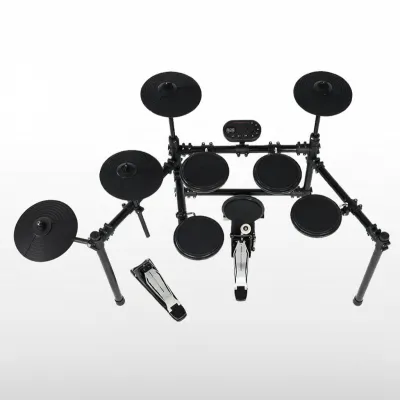
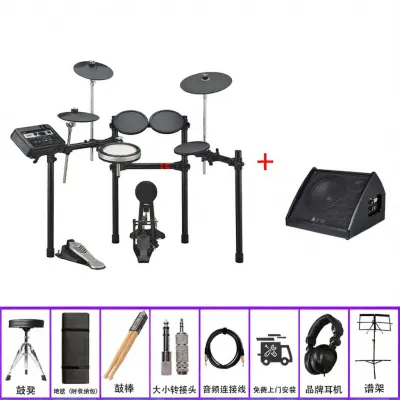
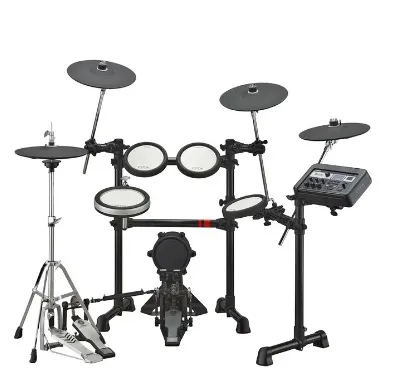
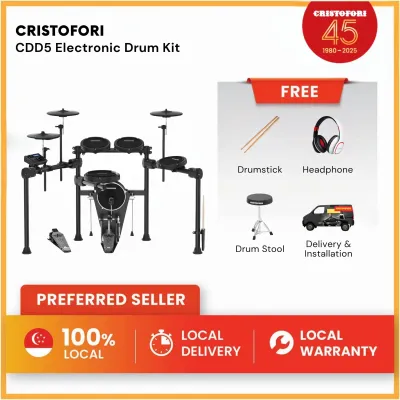
Prices are valid at publication and may change. Please refer to the product page for the latest price.
Connectivity and Integration
For studio work, traditional analog outputs are often secondary to digital connectivity. A robust USB connection that transmits both MIDI data and multi-channel digital audio directly to your computer is a massive advantage. This eliminates the need for complex audio interface routing and allows you to record separate tracks for your kick, snare, and hats simultaneously into your DAW. Bluetooth MIDI is also highly useful for quick wireless connection to mobile devices or tablets for sketching out ideas.
Expandability
Electronic music production setups are dynamic and tend to grow over time. You may start with a standard five-piece kit but later want to add auxiliary pads for triggering vocal chops, external synth lines, or sound effects. Ensure the module features extra trigger inputs to accommodate physical expansion. Having these extra ports allows you to connect secondary cymbals, bar triggers, or external sample pads without needing to upgrade the entire sound module.
Top Roland Drum Kits for Home Studio Production
Essential Home Production (TD-07 Series)
Module Features The TD-07 sound module is a streamlined, budget-friendly option designed for producers who need a reliable, no-nonsense hardware controller. It features a solid collection of pre-configured electronic and acoustic kits, with basic editing parameters like tuning, damping, and three-band EQ. While it lacks the deep sound-shaping capabilities of higher-end modules, it provides a highly stable platform for triggering internal sounds with low latency.

Connectivity It features built-in USB audio and MIDI, allowing you to connect the module directly to your Mac or PC with a single USB cable. You can trigger software instruments inside your DAW or record the stereo output of the module directly into an audio track. This plug-and-play functionality makes it incredibly easy to integrate into any basic home studio setup without requiring an external audio interface.
Footprint and Setup The TD-07 series is built around a highly compact rack design, such as the MDS-Compact. This makes it ideal for smaller bedroom studios or multi-purpose rooms where floor space is at a premium. The lightweight frame allows you to easily move or adjust the kit’s positioning, making it a highly practical choice for tight living spaces.
Limitations The TD-07 does not support importing your own custom WAV samples directly into the module. It also only outputs a stereo mix over USB rather than individual multitrack channels. This means you cannot easily mix the kick, snare, and cymbals on separate DAW tracks after recording the audio, requiring you to rely more heavily on MIDI sequencing for precise mixing.
Advanced Studio Workflow (TD-17 Series)
Enhanced Sound Engine The TD-17 sound module is a powerhouse for electronic music producers, inheriting elements of the Prismatic Sound Modeling engine from Roland’s flagship units. It offers highly responsive, organic sounds alongside a wide array of electronic kits modeled after classic drum machines. The onboard effects processor allows you to apply compression, EQ, and multi-effects to individual pads or the master mix, giving you extensive control over your sound design.
Multitrack USB Audio Unlike entry-level options, the TD-17 supports multi-channel USB audio output. It can send up to 10 channels of audio simultaneously over a single USB cable to your DAW. This means you can record your kick, snare, hi-hat, toms, and cymbals onto separate tracks in real-time. This multitrack capability gives you complete control over mixing, EQing, and adding third-party plugins to each individual drum element in post-production.
Pad Configuration This series features the larger PDX-12 snare pad, which utilizes a dual-mesh head for a highly realistic playing surface. The larger size makes executing complex rudiments, ghost notes, and cross-stick techniques much more natural. The improved pad configuration ensures that your physical playing dynamics are translated accurately into your DAW, which is highly beneficial when programming intricate electronic rhythms.
Sample Flexibility A critical feature for electronic producers is the ability to import custom WAV samples via an SD card. You can layer your own synthesized samples—such as a custom-designed sub-kick or a unique white-noise snare—with the internal sounds using the module’s layering function. You can also assign these custom samples entirely to specific pads to trigger loops, vocal samples, or sound effects during a performance.
Professional Flagship Setup (TD-27 Series)
Prismatic Sound Modeling The TD-27 sound module offers professional-grade sound design capabilities. It uses advanced physical modeling to simulate how acoustic and electronic components interact, resulting in incredibly detailed and dynamic tones. This engine allows you to customize almost every aspect of the drum’s physical properties, including shell depth, head type, and virtual microphone placement, providing an unparalleled level of sonic customization.
Digital Pads This series supports Roland’s advanced digital pads, including the PD-140DS digital snare and the CY-18DR digital ride. These pads connect via USB to the module rather than traditional analog trigger cables. They feature multi-sensor systems that detect the precise location, velocity, and depth of every strike. For electronic music, this means you can trigger subtle modulation or filter sweeps based entirely on how and where you strike the pad.
Extensive I/O The TD-27 features multiple direct analog outputs in addition to its multi-channel USB capabilities, which can stream up to 28 channels of audio. This allows you to route individual drum tracks to external analog hardware processors, such as outboard compressors or hardware tape saturators, before sending them to your DAW. It also includes digital trigger inputs for future expansion with additional digital pads.
Build and Longevity Built around a heavy-duty rack, this kit is designed for rigorous, daily studio use. The hardware is highly adjustable, robust, and stable, ensuring that your pad layout remains perfectly consistent during intense recording sessions. The premium build quality ensures that the kit can withstand years of constant use in a professional production environment.
Connecting Your Roland Kit to Your DAW and VSTs
MIDI over USB vs. Audio over USB
Understanding the difference between MIDI and audio data is crucial for an efficient studio workflow. MIDI over USB transmits only performance data—such as note values, velocity, and timing—to your computer. This is ideal when you want to trigger software samplers or virtual drum instruments (VSTs) like Ableton’s Drum Rack, Native Instruments’ Battery, or XLN Audio’s Addictive Drums. Audio over USB, on the other hand, transmits the actual sound waves generated by the Roland module, which is perfect when you want to capture the module’s internal sounds directly as audio tracks for mixing.
Latency Management
When triggering VSTs in real-time, latency can ruin your performance feel. To manage this, you must configure your DAW’s audio buffer size. A lower buffer size, such as 64 or 128 samples, reduces latency but increases the load on your computer’s CPU. Ensure you are using dedicated ASIO drivers on Windows or Core Audio on macOS, and set your sample rate to 44.1 kHz or 48 kHz for the best balance of performance and stability.
Mapping and Routing
Most modern drum VSTs have pre-configured mapping templates for Roland kits, making setup straightforward. If yours does not, you can manually map the MIDI note numbers sent by each pad to the corresponding slots in your drum sampler. You can also assign unused pads or secondary zones, like the rim of a tom, to send MIDI CC (Continuous Controller) messages. This allows you to control synth parameters like filter cutoff, decay time, or effect wet/dry mixes dynamically as you play.
Monitoring Setup
To eliminate latency completely while recording, you can route the audio output of your DAW back into the Roland module’s external audio input. This allows you to monitor both your live playing and the backing track through the module’s headphone jack. Alternatively, if your computer and audio interface can handle ultra-low buffer sizes without crackling, you can monitor directly through your studio monitors or headphones connected to your computer’s audio interface.
Managing Space and Noise in Singapore Apartments
Vibration Control
In high-density living environments like Singapore’s HDB flats or condominiums, the biggest noise complaint from electronic drums isn’t the acoustic sound of the sticks hitting the mesh heads. Instead, it is the low-frequency physical impact of the kick pedal and hi-hat pedal transferring through the concrete floor structure. This kinetic energy travels easily through building structures, sounding like a dull hammer to neighbors living downstairs. To mitigate this, look into specialized vibration-absorbing solutions. Roland’s Noise Eater products, such as the NE-10 board and NE-1 isolation feet, are specifically designed to decouple the pedals and rack feet from the floor. Alternatively, many home producers construct DIY “tennis ball risers”—two sheets of sturdy MDF wood sandwiching a layer of tennis balls—which highly dampens downward kinetic energy.
Space Optimization
Space is a premium in Singapore apartments, making the physical footprint of your drum kit a key consideration. When selecting a kit, consider how easily it can be folded or tucked away when not in use. Some compact rack designs allow you to fold the arms inward without removing the pads, letting you store the entire kit in a closet or against a wall. Measure your designated studio area carefully before purchasing, keeping in mind that you need extra space for a drum throne and comfortable arm clearance.
Acoustic Monitoring
While you may want to hear your electronic beats through studio monitors, doing so at production volumes can easily disturb those sharing walls with you. Investing in high-quality, closed-back studio headphones is crucial. These headphones isolate you from the physical tapping sound of the plastic sticks hitting the pads while preventing sound leakage into your room. If you do use studio monitors, choose compact near-field monitors and position them close to your ears at low volumes, or use decoupling foam pads underneath them to prevent desk vibrations from transferring to the walls.
Frequently Asked Questions (FAQ)
Can I import my own custom samples into Roland drum modules?
Yes, but this feature depends on the specific module model. Mid-tier and flagship modules, such as the TD-17, TD-27, and TD-50X, fully support user sample import. You can load your custom WAV files (typically 16-bit or 24-bit, 44.1 kHz) onto an SD card or USB flash drive, insert it into the module, and assign those samples to any pad or zone. You can also layer these custom samples with the module’s internal sounds to create completely unique hybrid textures. Entry-level modules like the TD-02 or TD-07 do not support direct user sample import, so you would need to use them as MIDI controllers to trigger samples hosted on your computer.
Do I need an external audio interface if my Roland kit has USB audio?
If your Roland module features built-in USB audio capabilities, you do not strictly need an external audio interface to record your drums or trigger software instruments. The module itself acts as a high-quality audio interface when connected directly to your computer. However, an external audio interface becomes necessary if you plan to record other analog sources simultaneously, such as vocal microphones, electric guitars, or hardware synthesizers, or if you require professional balanced outputs to feed high-end studio monitors. For a simple home studio focused purely on electronic production and MIDI sequencing, the built-in USB audio of a Roland kit is more than sufficient.
Community discussion
Share your experience or ask a question. Comments are reviewed before publication.