
Quick Verdict: Who Should Buy the Boss Katana Mini?
The Boss Katana Mini is a highly practical choice for beginners who want a straightforward, tactile practice experience without getting lost in digital menus or mobile applications. If you prefer physical knobs to dial in your tone and value a simple layout, this compact amplifier is well-suited to your needs.
However, if your practice routine requires modern digital integrations like wireless Bluetooth audio streaming, direct USB recording outputs, or saving digital presets, you will likely find other mini amplifiers more appropriate. Before making a purchase, it is essential to verify local stock availability and the specific warranty terms offered by authorized distributors in Singapore, as grey-market imports may not carry local service support.
Key Comparison Dimensions for Beginner Mini Amps
To choose the right compact amplifier, you must understand the core dimensions that differentiate these small devices. Evaluating these factors beforehand ensures your purchase aligns with your learning goals and living space.
Products mentioned in this guide
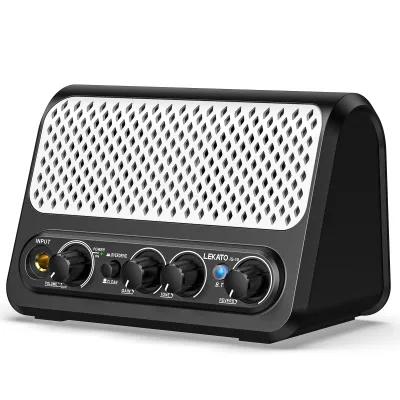
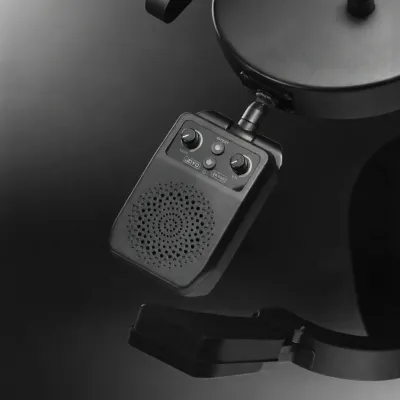
Prices are valid at publication and may change. Please refer to the product page for the latest price.

Tone Shaping and Effects
Beginners often face a choice between analog-style tone shaping and digital modeling. Analog-style interfaces use dedicated physical knobs for equalization and gain, allowing you to hear immediate changes as you turn them. This hands-on approach is highly educational for learning how an amplifier reacts to your guitar’s pickups.
Digital modeling amps, on the other hand, often rely on built-in screens, companion mobile apps, or multi-step button combinations to access a wider library of simulated amplifiers and effects. If you want to learn the fundamentals of tone creation, physical controls are excellent. If you prefer to experiment with dozens of preset sounds, digital modeling might be your preference.
Portability and Power Options
A mini amp’s primary appeal is its small footprint. You should evaluate the physical dimensions and weight to ensure it fits comfortably on a desk, shelf, or in a backpack.
Power versatility is equally critical. Some mini amps run on standard AA batteries, while others use rechargeable lithium-ion packs or require a dedicated AC power adapter. If you plan to practice in different rooms or outdoors, battery operation is a must. However, you must check whether the AC adapter is included in the box or sold separately, as running an amp solely on batteries can become costly over time.
Interface Layout and Ease of Use
For a beginner, a complex interface can be a barrier to practice. An intuitive layout allows you to plug in, turn on, and start playing within seconds. Look for clearly labeled controls and a minimal learning curve so you can focus on playing rather than troubleshooting software.
Connectivity Options
Silent practice is vital for home environments, especially in high-density housing. Ensure the amplifier features a dedicated headphone output that mutes the main speaker when in use. Additionally, an auxiliary input allows you to connect a phone or media player via a cable to play along with backing tracks or online lessons.
Evaluating the Boss Katana Mini Feature Set
When examining the Boss Katana Mini, you should carefully verify its physical layout and specifications to ensure it matches your expectations.
Reading the Control Panel
The Katana Mini features a traditional control layout. You will find a selection switch for different voicing channels (typically clean, crunch, and brown), alongside dedicated knobs for gain, volume, and a three-band equalizer consisting of bass, middle, and treble. It also includes a built-in delay effect with dedicated time and feedback knobs. This layout is entirely physical; there are no digital menus or companion apps required to shape your sound.
Verifying Specifications
To confirm the physical capabilities of the unit, check the manufacturer’s official specification sheet or the label on the back of the amplifier. Look for the rated power output and the speaker size. These specifications dictate how much air the speaker can push and how loud the unit can get before the sound begins to distort naturally. Additionally, verify the power requirements, including the number and type of batteries required, and the specific voltage and polarity of the DC input jack.
Checking Included Accessories
Do not assume that everything you need to power the amplifier is included in the retail packaging. Carefully read the product description from authorized retailers. Many mini amplifiers, including the Katana Mini, do not bundle the AC power adapter as a standard accessory. You will need to verify if you need to purchase a compatible power supply separately to avoid relying solely on batteries.
How to Assess Alternative Mini Amps
When comparing the Katana Mini to other compact amplifiers in the same price tier, you should use a structured checklist to evaluate your options objectively.
Analyze the Spec Sheets
Look closely at the speaker configuration. Some alternatives feature dual speakers for stereo playback, while others use a single larger speaker for better bass response. Check the power output ratings to understand the clean headroom available. Be sure to verify the impedance rating of the speaker if you ever plan to connect external cabinets, though this is rare for mini amps.
Evaluate Physical Portability
Compare the exact dimensions and weight of each candidate. A slightly larger amp might offer a fuller sound but could be too bulky for a small study desk. Ensure the physical handle or carrying options match how you plan to transport the unit.
Identify Connectivity Ports
If you plan to record your playing or use modern playback methods, check the input and output options. Look for a dedicated USB port; some alternative amps function as a direct USB audio interface, allowing you to record straight into a computer without extra hardware. Others may offer wireless Bluetooth connectivity, allowing you to stream backing tracks from your phone without needing a physical auxiliary cable.
Compare Local Pricing and Warranty
Research the retail prices across authorized music stores in Singapore. Ensure you are comparing prices in S$ and factoring in any shipping or local delivery fees. Crucially, review the manufacturer’s warranty terms. Purchasing from an authorized local distributor typically ensures a valid local warranty, whereas buying from unauthorized online marketplaces might leave you without repair support if the unit develops a fault.
Decision Framework: Matching the Amp to Your Practice Routine
Your final choice should depend entirely on how and where you plan to practice your guitar.
When to Choose the Katana Mini
This amplifier is highly suitable if your practice routine is straightforward and tactile. If you want to focus on playing without the distraction of software updates, Bluetooth pairing issues, or menu diving, the analog-style controls and built-in delay of the Katana Mini provide an excellent, immediate platform. It is ideal for players who want to learn how physical EQ knobs interact to shape a guitar’s tone.
When to Choose an Alternative
You should look at alternative mini amps if your practice setup relies heavily on digital convenience. If you want to stream backing tracks wirelessly from your smartphone, save custom presets that you can recall at the press of a button, or plug the amp directly into your computer via USB to record your progress in a digital audio workstation, several alternative modeling amps offer these specific features.
When to Look Beyond Mini Amps
It is important to recognize the physical limitations of all mini amplifiers. If your goal is to play alongside an acoustic drum kit, rehearse with a full band, or perform in small venues, a mini amp will not provide sufficient volume or projection. In these scenarios, you should bypass mini amps entirely and look for larger practice amplifiers, or verify if the venue has a dedicated PA system that you can plug into using a direct box or a multi-effects pedal with cabinet emulation.
Frequently Asked Questions (FAQ)
Can I use the Boss Katana Mini for live performances?
Mini guitar amps are designed primarily for personal, low-volume practice. To determine if a mini amp can be used in a live setting, you must check its rated wattage and speaker size. A small speaker and low wattage cannot compete with the volume of drums or other instruments in a live band. If you must use it in a small venue, you will need to mic the amplifier’s speaker cabinet and run that microphone into the venue’s PA system, or use a dedicated line-out connection if the specific model supports it.
Do I need to buy a separate power adapter for mini guitar amps?
Yes, in many cases, mini guitar amps do not include an AC power adapter in the box. You must check the product packaging details and manufacturer specifications before purchasing. If you choose to buy a third-party power adapter, you must verify that the voltage, current rating, plug size, and polarity match the amplifier’s requirements exactly. Using an incompatible adapter can permanently damage the amplifier’s internal circuitry.
How do I connect a mini amp to my computer for recording?
To connect a mini amp to your computer, first check if the model features a built-in USB audio interface. If it does, you can connect it directly using a compatible USB cable, allowing your computer to recognize the amp as an input device. If the amp lacks a USB port but has a headphone or line-out jack, you can run a cable from that output into an external USB audio interface connected to your computer. Alternatively, you can place a physical instrument microphone in front of the amp’s speaker and connect that microphone to an audio interface.
Community discussion
Share your experience or ask a question. Comments are reviewed before publication.