
Selecting the right Chinese electronic dictionary requires balancing your current language proficiency with the device’s database authority, input methods, and hardware design. Instead of focusing solely on screen size or processing speed, your primary focus should be on the licensed dictionaries pre-installed on the device and how easily you can input unfamiliar characters. A well-chosen tool serves as a distraction-free learning companion that supports your study habits over several years.
Dictionary Databases and Content Authority
The core value of any electronic dictionary lies in its lexical resources. When evaluating devices, check the product specifications to verify if the database uses licensed content from authoritative publishers rather than unverified, crowdsourced, or generic word lists. Authoritative dictionaries ensure that definitions, pinyin transcriptions, and usage examples conform to standard linguistic guidelines.
Depending on your learning goals, look for specialized databases built into the system. Beginners and intermediate students benefit from comprehensive idiom (chengyu) dictionaries, while advanced learners or professionals may require classical Chinese (wenyanwen) references or specialized business and technical terminology.
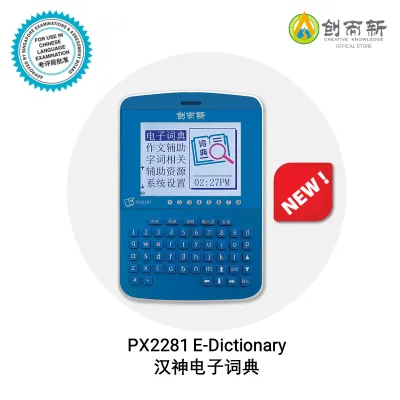
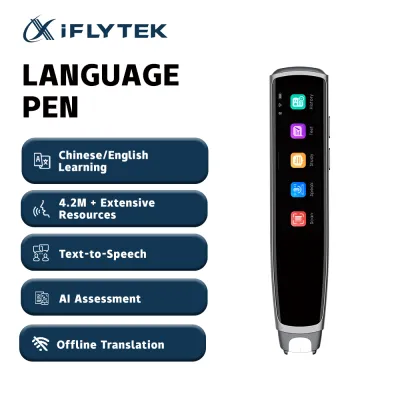
Products mentioned in this guide
![[SG Gizmo Lumi Pro] ✨2026 New Launch✨ Smart AI Scan & Dictionary Translation Pen – Learn Chinese](https://img.lazcdn.com/g/p/6aa7d1e46a5e8b864b3b6030cf76be65.jpg_400x400q80.jpg_.webp)
Prices are valid at publication and may change. Please refer to the product page for the latest price.
Additionally, consider how the device accesses these databases. While some models rely on a Wi-Fi connection to query cloud-based translation engines, a reliable learning tool should offer robust offline databases. This ensures you can study uninterrupted in classrooms, libraries, or transit zones without relying on active internet access.
Input Methods and Recognition Accuracy
How you interact with the device directly impacts your study efficiency. For those still mastering character recognition, handwriting input is an indispensable feature. A responsive touchscreen that allows you to draw characters with a stylus or finger helps reinforce muscle memory and lets you look up characters you do not know how to pronounce.

As your proficiency grows, a physical or virtual pinyin keyboard becomes the faster option for looking up known words. Advanced learners should check the keyboard layout and responsiveness to ensure quick typing during fast-paced study sessions.
Many modern devices also feature optical character recognition (OCR), either through a built-in camera or a scanning pen tip. This technology allows you to scan printed text from books, newspapers, or menus for instant translation. If you plan to read physical media, verify the scanner’s compatibility with different font sizes and orientations. Note that while voice input is often advertised, its accuracy depends heavily on your tonal precision and the ambient noise of your study environment.
Display Features for Character Mastery
Visual and interactive tools on the device can significantly accelerate your character retention. Look for models that offer animated stroke order displays, which guide you through the correct sequence of writing each stroke. Radical breakdowns are also highly beneficial, helping you understand the structural components and semantic origins of complex characters.
To understand how words function in real-world contexts, prioritize devices that highlight example sentences and provide detailed usage notes. Audio pronunciation is another critical feature; ensure the device uses high-quality recordings by native speakers rather than flat, robotic text-to-speech synthesis.
The physical screen itself plays a major role in long-term comfort. Check the specifications for screen resolution and contrast levels. Font scaling options are essential, allowing you to enlarge complex characters to clearly see intricate strokes without straining your eyes during extended study sessions.
Hardware Specs: What Matters and What to Ignore
It is easy to get distracted by high-end hardware specifications, but many of them have little impact on language learning. For instance, excessive processing power, multi-core graphics chips, or gaming-oriented features are unnecessary for running dictionary databases and will only drain the battery faster.
Instead, focus your attention on the screen technology. Electronic ink (E-ink) displays are excellent for eye protection, mimicking the appearance of real paper and reducing glare, making them ideal for long reading sessions. On the other hand, color LCD or OLED screens are better suited if you require color-coded stroke diagrams, multimedia learning materials, or rapid screen refresh rates for scanning.
Physical durability and battery life are also paramount. If you plan to carry the device to school, lectures, or libraries, look for a robust build quality that can withstand daily transport. A long-lasting battery that can run for several days on a single charge ensures your study tool is always ready when you need it.
Matching Features to Your Learning Stage
To make a practical decision, align the device’s specifications with your current learning stage. Beginners should prioritize a highly responsive handwriting input system, clear stroke order animations, and foundational bilingual dictionaries that focus on core vocabulary and pinyin.
Intermediate learners will find the most value in optical character recognition scanning for reading physical books, alongside expanded idiom databases and contextual example sentences that help bridge the gap between basic vocabulary and natural expression.
Advanced students and professionals should target devices equipped with specialized domain dictionaries, rapid pinyin input systems, and comprehensive offline classical Chinese resources. At this level, the ability to quickly cross-reference complex terms across multiple authoritative databases is key to professional-grade comprehension.
Frequently Asked Questions (FAQ)
Do I need a dedicated device, or is a smartphone app sufficient?
Dedicated electronic dictionaries offer a distraction-free environment, free from social media notifications and messages, which helps maintain deep focus during study. They also feature specialized hardware, such as scanning tips or optimized styluses, that smartphone apps cannot easily replicate. However, if portability and budget are your primary concerns, a smartphone app may suffice, provided you can manage digital distractions.
Can Chinese e-dictionaries translate other languages?
Most Chinese electronic dictionaries are designed with robust English-Chinese bilingual databases. While some premium models include multi-language packs for Japanese, Korean, or European languages, this support varies widely by model. Before purchasing, always verify the official product specifications and pre-installed language lists to ensure the device supports your specific language combination.
Community discussion
Share your experience or ask a question. Comments are reviewed before publication.