
Selecting the right Chinese reading pen depends on matching the device’s technical capabilities with the learner’s developmental stage and educational goals. For young children, the priority is tactile engagement and screen-free safety. For school-aged students, the focus shifts to curriculum alignment and stroke-order guides. For adults, the key requirements are scanning speed, dictionary depth, and professional translation accuracy. By identifying these distinct needs, you can choose a tool that effectively supports language acquisition without causing frustration or distraction.
Baseline Features to Check in Any Chinese Reading Pen
Before evaluating age-specific features, several fundamental technical criteria apply to any Chinese reading pen. The first is scanning accuracy and speed. A high-quality pen must recognize characters quickly across various font sizes, paper textures, and lighting conditions. If the optical sensor struggles with glossy textbook pages or slightly curved paper in storybooks, the learning flow is constantly interrupted.
The breadth of the built-in dictionary database is another critical factor. Devices should offer robust offline functionality so learners can study without a continuous internet connection. This is particularly important for maintaining focus and ensuring the pen remains usable during commutes or in classrooms where Wi-Fi access may be restricted or unavailable.
Products mentioned in this guide
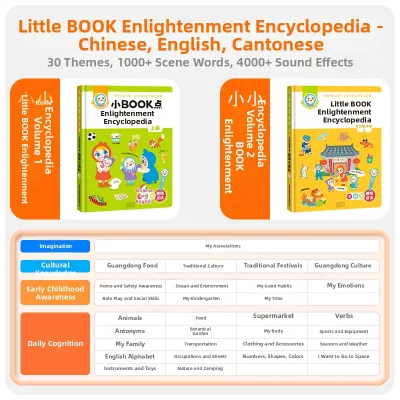
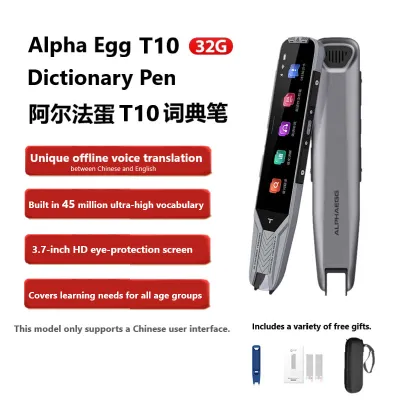
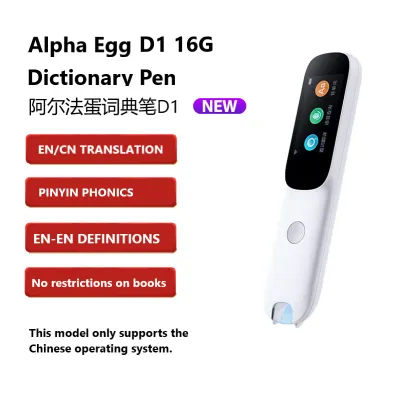
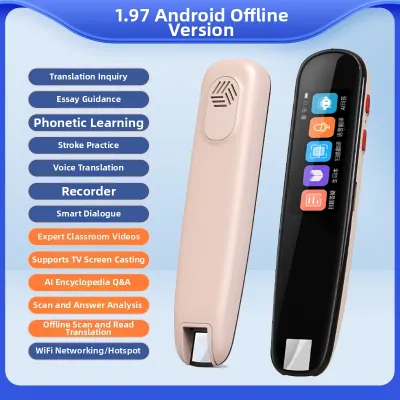
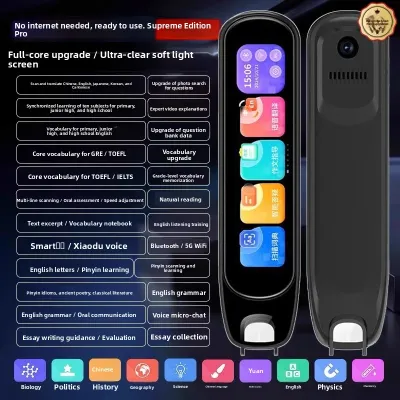
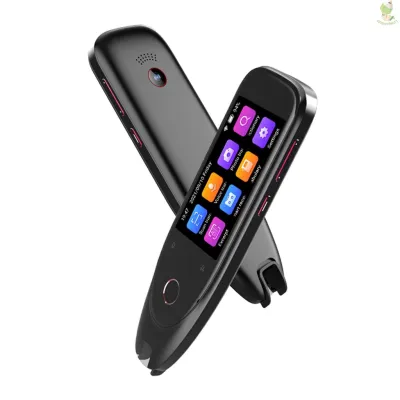
Prices are valid at publication and may change. Please refer to the product page for the latest price.
The display design presents a major trade-off between screen-based visual feedback and screen-free, audio-only interaction. While screens display character stroke orders, pinyin, and definitions, they can also become a source of eye strain or distraction. Conversely, screen-free models rely entirely on high-quality audio, which encourages auditory learning but lacks visual reinforcement.
Finally, battery life and charging convenience dictate daily usability. A reliable pen should support several hours of continuous scanning on a single charge and utilize standard charging interfaces like USB-C. Checking these baseline specifications ensures the hardware remains a practical, long-term companion for language study.
Best Fit for Toddlers: Safety, Durability, and Early Engagement
For toddlers and preschoolers, language acquisition is driven by play, repetition, and sensory interaction. At this stage, parents should prioritize screen-free or strictly limited-screen designs. Minimizing screen exposure protects developing eyes and keeps the child’s attention focused on physical books, fostering a healthy relationship with print media from an early age.

Physical durability is paramount when selecting a device for very young hands. The reading pen must feature drop-resistant materials, a robust casing, and an ergonomic grip that fits comfortably in small hands. Non-toxic, food-grade plastics are highly recommended, as toddlers frequently place objects in their mouths during play.
The content preloaded on the device or supported books must be age-appropriate and highly engaging. Look for pens that read interactive picture books, play nursery rhymes, introduce basic character recognition, and offer simple audio games. The goal is to make the Chinese language feel alive and accessible rather than academic or demanding.
Pronunciation quality is another non-negotiable factor for early learners. The pen must deliver standard, clearly articulated Mandarin with natural pacing. Early childhood is a critical window for phonetic development, and exposure to clear, accurate tones helps toddlers mimic correct pronunciation and build a strong auditory foundation.
Best Fit for Primary Students: Curriculum Alignment and Study Tools
As children enter primary school, their language learning transitions from casual play to structured literacy and formal education. For these students, the reading pen must align with standard school textbooks and local educational syllabi. Having a tool that can scan and define vocabulary directly from school materials makes homework preparation much more efficient.
Advanced literacy features are essential for supporting independent study. The pen should provide clear phonetic guides (pinyin), step-by-step stroke order animations on its screen, and sentence-level translation. These features allow students to decode unfamiliar characters and understand complex sentence structures without constantly asking a parent or teacher for assistance.
Integrated study aids can significantly enhance retention and track academic progress. Many advanced pens include digital vocabulary books where students can save difficult words for later review. Some models also offer pronunciation scoring, which uses voice recognition to evaluate the student’s spoken Mandarin and provide immediate feedback on their tones.
To ensure the device remains a dedicated educational tool, robust parental control settings are highly beneficial. Parents should look for options to restrict non-study entertainment functions, such as built-in games or unrestricted internet browsing. Managing screen time and locking distracting features helps students maintain focus during homework sessions.
Best Fit for Adult Learners: Professional Depth and Portability
Adult language learners face a different set of challenges, often balancing study with professional responsibilities and busy schedules. For this demographic, the depth of the built-in dictionary is the most critical factor. The pen must handle complex texts, including idioms (chengyu), business terminology, and specialized academic or professional vocabularies.
Multi-line scanning capabilities and advanced translation algorithms are vital for reading newspapers, novels, or business reports. Adult learners need a pen that can scan multiple lines of text continuously and translate full paragraphs accurately, preserving the context rather than just translating word-for-word. This capability is essential for understanding sophisticated written Chinese.
Aesthetics and portability also play a significant role in an adult’s choice. A sleek, professional design with a compact form factor is preferred over the brightly colored, bulky shapes designed for children. The pen should fit discreetly into a pocket or laptop bag, making it easy to use during daily commutes, office breaks, or business travel.
Finally, robust cross-language support is highly valuable for adults who may need to translate between Chinese and English or other working languages. Verifying that the device supports bidirectional translation and offers comprehensive definitions in the user’s native language ensures that the pen remains a versatile tool for professional and personal development.
Cross-Stage Compatibility: Can One Pen Grow With the User?
When investing in a Chinese reading pen, many buyers wonder if a single device can serve a learner from early childhood through adulthood. While some core features overlap across all age groups—such as basic text scanning and fundamental dictionary lookups—the practical limits of all-in-one designs often make a single-device solution difficult to sustain over many years.
The primary barrier to long-term compatibility is the user interface and physical design. A pen designed with a simplified, button-free interface for toddlers will lack the screen size and advanced dictionary databases required by a primary school student or adult. Conversely, a highly sophisticated pen with a small touchscreen and complex menus will overwhelm a young child and risk physical damage due to its delicate construction.
A more practical approach is to plan a logical upgrade path based on the learner’s developmental stages. A child can begin with a durable, screen-free audio pen focused on picture books and nursery rhymes. As they enter primary school and begin formal literacy training, they can transition to a screen-equipped scanning pen that supports textbook integration and stroke-order guides.
For adult learners, starting directly with a professional-grade scanning pen is the most efficient choice. Trying to use a child-oriented pen will quickly lead to frustration due to limited vocabulary databases and slow scanning speeds. Understanding these developmental boundaries helps buyers make realistic purchasing decisions that match the learner’s current and near-future needs.
Frequently Asked Questions (FAQ)
Do Chinese reading pens work on digital screens or only printed paper?
Most Chinese reading pens are optimized for printed paper and may struggle when used on digital screens. The optical sensors in these devices rely on the contrast between the printed ink and the matte surface of the paper to recognize characters. Glossy digital screens, such as those on tablets, laptops, or smartphones, reflect light and emit glare that can interfere with the pen’s camera sensor. Additionally, the pixel grid of a digital display can distort the character shapes, leading to scanning errors. If you plan to scan text from digital screens, verify the manufacturer’s specifications, as only specific models with specialized anti-glare optical sensors are designed to support screen scanning.
How often do the built-in dictionaries need to be updated?
The frequency of dictionary updates depends on the manufacturer and the complexity of the device. Basic, offline-only pens may rarely require updates, as standard character definitions do not change frequently. However, advanced pens with Wi-Fi connectivity receive regular software updates to improve scanning accuracy, add new vocabulary, and update translation algorithms. It is advisable to check the manufacturer’s long-term software support policy before purchasing. Regular updates ensure that the device remains compatible with new educational materials and continues to operate smoothly with the latest firmware improvements.

Community discussion
Share your experience or ask a question. Comments are reviewed before publication.