
Selecting the ideal drum machine for live electronic music performances and DJ sets requires balancing immediate tactile control with rock-solid system stability. Unlike studio environments where you have the luxury of stopping to troubleshoot, the stage demands a hardware instrument that responds predictably under pressure. The right device acts as an extension of your hands, allowing you to build tension, drop beats, and transition between tracks seamlessly.
To find the perfect fit for your setup, you must evaluate how you interact with rhythm in a live setting, how the hardware integrates with existing DJ mixers or house sound systems, and how the machine handles the physical rigors of touring. By focusing on these practical performance dimensions, you can select a hardware partner that elevates your live sets without introducing technical vulnerability.
Defining Your Live Performance Workflow
Your performance style dictates the interface layout and sequencing capabilities you need. If your set relies on building complex, evolving rhythms on the fly, a step sequencer with dedicated step keys is essential. This layout allows you to visualize the grid clearly in low-light environments, making it easy to drop steps in and out, adjust velocity per step, and manipulate parameters globally without stopping the playback.
Products mentioned in this guide
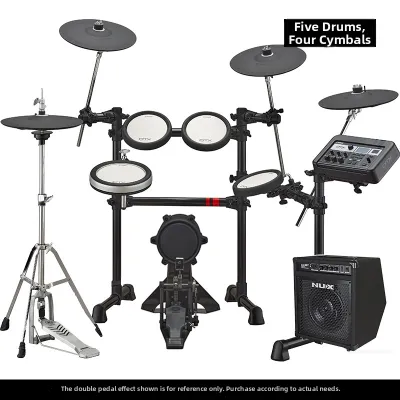
![Yamaha DTX6K3-X Electronic Drums Digital Drum DTX6KX DTX 6K3 X DTX 6K3X DTX6 [LIMITED STOCK]](https://img.lazcdn.com/g/p/eff698a0eedd30e663d759209d4fad53.jpg_400x400q80.jpg_.webp)
Prices are valid at publication and may change. Please refer to the product page for the latest price.
For performers who prefer expressive, real-time rhythm creation, finger drumming requires a completely different hardware design. You will need velocity-sensitive, responsive pads with sufficient spacing to prevent accidental triggers. Look for pads that offer customizable pressure curves and tactile feedback, allowing you to play dynamics naturally during a high-energy set.
If your performance style leans toward sample-based manipulation, your workflow will center on triggering loops, slicing breaks, and launching stems. In this scenario, look for a drum machine that prioritizes quick track mutes, dedicated level faders, and macro controls. These features allow you to perform dramatic arrangement changes instantly, which is crucial when matching the energy of a live crowd.
Regardless of your primary style, the physical interface must support blind operation. During a high-pressure live set, you cannot afford to squint at a tiny screen or menu-dive to find basic functions. Prioritize hardware with dedicated knobs for essential parameters like pitch, decay, and filter cutoff, ensuring that the most critical performance controls are always one physical touch away.
Essential Connectivity for DJ and Stage Integration
Integrating a drum machine into a professional DJ booth or stage setup requires careful planning of your audio routing. A simple stereo mix output is sufficient if you plan to route the entire drum machine into a single channel of a DJ mixer. However, this limits your ability to process individual sounds. If you want to apply a heavy delay to your hi-hats or use the DJ mixer’s EQ to sculpt the low end of your kick drum independently, you must choose a machine with multiple individual audio outputs.

Verify the physical output configurations of your candidate machines. Some compact units offer individual outputs via TRS jacks, while larger, production-focused hardware may feature dedicated assignable outputs. Ensure your DJ mixer or stage snake has enough open channels to accommodate these extra lines, and carry the correct cables—such as TS to RCA or TRS to XLR adapters—to interface with standard club gear.
Synchronization is the backbone of any hybrid live set. To keep your drum machine perfectly in time with your media players or DJ software, you must establish a stable clock connection. Traditional 5-pin DIN MIDI ports remain the gold standard for stage reliability due to their robust physical locking mechanism and isolation from ground loop noise. TRS MIDI (Type A or Type B) is common on modern compact gear, but it requires carrying specific adapters to connect to standard DIN cables.
While USB MIDI is convenient for studio use, routing sync signals through a laptop on stage can introduce latency and jitter. If you are syncing directly to modern DJ media players, check if the drum machine supports network-based sync protocols or analog clock inputs. Always plan for a dedicated hardware MIDI merger or thru-box if you need to distribute clock signals across multiple synthesizers and samplers simultaneously.
Evaluating Reliability and Stage Durability
Stage environments are notoriously harsh on electronic equipment. High humidity, accidental spills, and the physical vibrations of heavy bass can compromise delicate circuitry. When evaluating a drum machine for touring, prioritize chassis constructed from steel or thick aluminum over lightweight plastics. A heavy, metal-encased unit is far less likely to slide around on a slick DJ console during an energetic performance.
Pay close attention to the quality of the physical controls. Knobs should be chassis-mounted or reinforced to prevent side-to-side wobble, which can lead to internal solder joint failure over time. Buttons and pads must be rated for high duty cycles; clicky tactile switches offer excellent physical feedback, while sealed rubber pads prevent dust and moisture from entering the housing.
System stability is a non-negotiable factor for live performance. Before purchasing, research the boot time of the hardware and how it behaves during a power interruption. A machine that takes over a minute to load its operating system or requires a complex shutdown sequence can leave you stranded in silence if a power cable is accidentally tugged on stage.
Furthermore, evaluate the project loading speeds and crash recovery mechanisms. The ideal live drum machine should allow you to load new projects, kits, or samples instantly without interrupting the active audio output. If a system crash does occur, the hardware should feature an automatic state-save function, allowing it to recover your exact performance state immediately upon rebooting.
Sound Engine and Sample Management for Live Sets
Choosing between a synthesis-based drum machine and a sample-playback unit depends on your sonic goals and genre requirements. Synthesis engines, such as analog modeling or frequency modulation (FM), offer unparalleled real-time sound design flexibility. You can sweep the pitch of a kick drum across octaves or morph a snare drum into white noise instantly, all without worrying about digital clipping or running out of memory.
Sample-playback machines, on the other hand, allow you to bring your exact studio sounds and signature acoustic textures to the stage. This is particularly useful for genres that rely on specific, highly processed drum samples. If you choose a sampler, verify the internal storage limits and RAM capacity. Some machines stream samples directly from an SD card, while others load them into volatile RAM, which can limit the total size of your live set.
Managing your sample library effectively is critical for maintaining performance momentum. Look for hardware that supports quick kit-switching, allowing you to transition from a house kit to a techno kit in a single beat. The file structure should be intuitive, enabling you to search, preview, and load sounds quickly in a dark booth.
Additionally, consider how the machine handles sample import workflows. Devices that require proprietary software helper applications to transfer files can complicate last-minute edits on the road. A simple drag-and-drop USB mass storage workflow is generally the most reliable option when you need to load a new sample minutes before your set begins.
Building Your Shortlist: Matching Specs to Stage Needs
To build a practical shortlist, you must align your specific performance style with the physical constraints of your stage setup. Whether you are budgeting S$400 for a compact companion unit or upwards of S$2,000 for a flagship performance workstation, use the following matrix to identify the key features required for your workflow.
| Performance Style | Key Hardware Features | Critical Verification Step |
|---|---|---|
| Hybrid DJ / Live Set | Compact footprint, stereo input, MIDI clock sync, quick mute buttons | Measure available booth space; verify DJ mixer spare channels. |
| Pure Hardware Jam | Individual audio outputs, deep sequencing, multi-engine synthesis | Check mixer channel availability; verify power supply requirements. |
| Sample-Heavy Performance | High RAM capacity, SD card streaming, velocity-sensitive pads | Test sample load times; verify file format compatibility. |
Before finalizing your purchase, always verify the manufacturer’s official specifications rather than relying on marketing descriptions. Check the exact physical dimensions and weight to ensure the unit fits into standard flight cases or backpacks. Finally, confirm the power requirements; devices that run on standard USB power or common DC adapters are much easier to power on the road than those requiring proprietary, hard-to-replace power bricks.
Frequently Asked Questions (FAQ)
Do I need a drum machine if I already use DJ software?
While modern DJ software offers built-in samplers and drum sequencers, a dedicated hardware drum machine provides superior tactile feedback and independent reliability. Controlling software drums with a general MIDI controller often introduces latency and requires you to look at a computer screen, which can disconnect you from the crowd. A standalone drum machine operates on its own processor, ensuring that a software crash or laptop freeze will not silence your rhythm section. Additionally, routing the drum machine through an independent channel on your DJ mixer allows for hands-on EQing, filtering, and leveling that feels much more natural during a live mix.
How do I sync a drum machine with standard DJ gear?
Synchronizing a drum machine with DJ gear requires connecting them via a shared clock protocol. Most professional DJ mixers and media players can output MIDI clock signals either through physical 5-pin DIN MIDI ports or via a shared network connection. You must configure your DJ hardware as the master clock source and set your drum machine to receive external MIDI clock. Before your gig, always perform a thorough soundcheck to test for tempo drift and latency. Adjust the MIDI clock delay or offset settings on your drum machine if you notice the beats drifting slightly out of phase with the playing track over time.
Community discussion
Share your experience or ask a question. Comments are reviewed before publication.