
Transitioning from a traditional guitar cable to a wireless system is one of the most liberating upgrades a beginner guitarist can make. For those starting out, a Lekato wireless guitar system offers an accessible entry point into cable-free playing. To choose the right system, you must first identify where you will play most often and check the physical design of your guitar’s input jack.
For casual bedroom practice, a compact system operating on a stable frequency band is ideal to avoid interference from home networks. If you plan to join band rehearsals or local jam sessions, prioritizing battery longevity and robust signal penetration becomes essential. By matching these environmental needs with the physical compatibility of your instrument, you can confidently select a system that prevents signal dropouts and keeps your practice sessions seamless.
While technical specifications like latency, frequency bands, and plug designs might seem overwhelming at first, breaking them down into observable checks makes the decision straightforward. Evaluating these key technical elements on any product listing before making your purchase will ensure you get the best performance for your specific setup.
Products mentioned in this guide
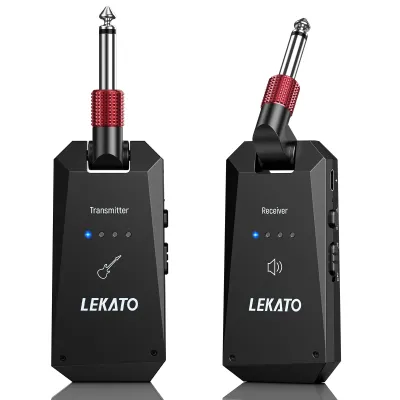
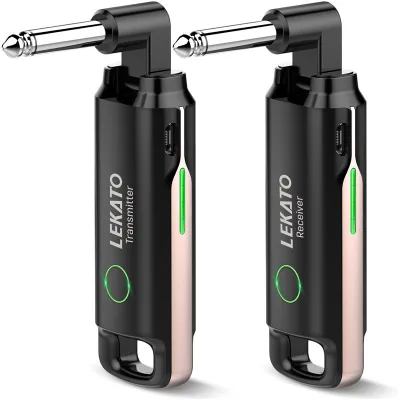
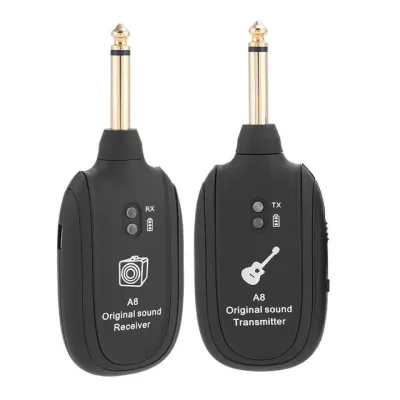
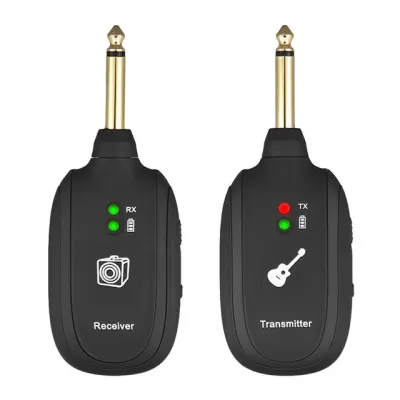
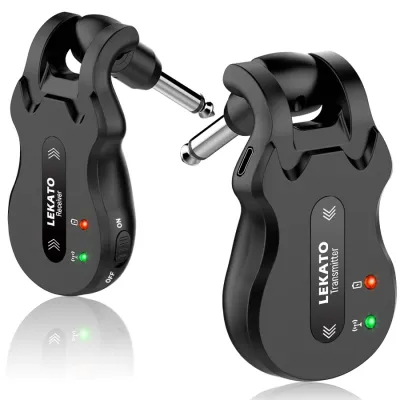
Prices are valid at publication and may change. Please refer to the product page for the latest price.
Key Specifications to Evaluate in Lekato Systems
Frequency Bands
Wireless guitar systems primarily operate on either the 2.4GHz or 5.8GHz frequency bands. The 2.4GHz band is highly common and offers excellent signal range, but it is also the standard frequency for most home Wi-Fi routers, microwave ovens, and Bluetooth devices. If your practice space is crowded with smart home devices, you may experience signal interference or occasional dropouts. Conversely, the 5.8GHz band is generally less congested, providing a clearer path for your audio signal, though it may have a slightly shorter effective range through solid walls. Checking your local wireless environment is a crucial first step before choosing between these two options.
Latency and Audio Quality
Latency refers to the tiny delay between the moment you pluck a guitar string and the moment you hear the sound from your amplifier. For beginners, any latency under 12 milliseconds is virtually imperceptible and perfectly suitable for practice. When browsing product listings, look for systems that specify high-resolution audio transmission, typically indicated by a 24-bit depth and a 48kHz sampling rate. These specifications help ensure that the wireless system preserves the natural tone of your guitar without introducing unwanted digital compression or audible lag.
Battery Life and Charging
Most modern wireless guitar transmitters and receivers feature built-in rechargeable lithium batteries, which are typically charged via a dual USB cable that powers both units simultaneously. When evaluating these systems, check the manufacturer’s labeled playtime, which often ranges from four to eight hours on a single charge. If you plan to practice in locations without easy access to power outlets, verify whether the system supports quick-charging capabilities or if you need to carry a portable power bank. Avoid systems with proprietary charging ports, opting instead for standard USB-C connections that match your existing household cables.
Plug Design and Compatibility
The physical design of the transmitter plug determines whether it will fit securely into your guitar. Many wireless systems feature a 180-degree rotatable plug, which allows the transmitter to fold flat against the body of the instrument. This design is highly versatile and fits standard front-mounted jacks, such as those found on Stratocaster-style guitars, as well as side-mounted jacks common on Les Paul-style models. However, if your guitar features a deeply recessed or angled input jack, you must verify that the plug’s collar is long enough to insert fully and establish a stable electrical connection.
Matching Features to Your Playing Scenarios
Bedroom Practice and Recording
For players practicing in close-quarters apartment spaces, minimizing cable clutter is essential for keeping a tidy practice area. A compact, plug-and-play wireless system allows you to move freely around your room without tripping over cables or pulling your amplifier off its stand. When recording into an audio interface, look for a system that maintains a low noise floor to prevent unwanted hiss or hum from entering your digital audio workstation. Ensuring your wireless receiver is positioned away from your computer monitor and Wi-Fi router will help maintain a clean, interference-free signal during home recording sessions.

Band Rehearsals and Jam Sessions
Moving from the bedroom to a shared rehearsal studio introduces new challenges, such as physical distance and obstacles between your guitar and the amplifier. In these environments, you need a wireless system with a robust signal range and strong penetration capabilities to prevent dropouts when band members walk between you and your receiver. Look for systems that offer multiple selectable channels, allowing you to switch frequencies if another musician in the room is using a similar wireless device. Long battery life is also critical here, as rehearsal sessions can easily stretch over several hours without a break.
Small Gigs and Open Mics
Performing live, even at a small local venue or an open mic night, requires absolute reliability and rapid setup times. A system with one-key pairing allows you to sync the transmitter and receiver in seconds, minimizing setup delays on stage. Physical security is equally important; ensure the transmitter fits tightly into your guitar’s jack so it does not shake loose during energetic performances. Additionally, prioritize systems that feature clear LED indicators for battery life and connection status, allowing you to monitor your power levels at a glance before stepping up to perform.
Pre-Purchase Checklist for Online Orders
Interface and Device Compatibility
Before finalizing your purchase on an online marketplace, double-check the input and output specifications of your gear. Most wireless guitar systems use standard 6.35mm (1/4-inch) audio jacks, which are compatible with standard electric guitars, bass guitars, and amplifiers. However, if you plan to connect the receiver directly to a pedalboard, verify that the physical shape of the receiver does not block adjacent pedals or power inputs. If you are using an acoustic-electric guitar with an active preamp system, check the manufacturer’s guidelines, as some wireless transmitters can experience high-frequency hum when paired with active onboard electronics.
Version and Region Checks
Wireless frequency regulations vary significantly by country, meaning a device that is compliant in one region may operate on restricted frequencies in another. When ordering online, verify that the product listing specifies compliance with local telecommunications standards to ensure legal and interference-free operation. Additionally, check that the user manual is supplied in a language you understand, and confirm whether the package includes the correct charging cables and adapters suitable for your local wall outlets.
Seller Verification
To ensure you receive an authentic product backed by a valid warranty, always purchase from authorized brand stores or highly rated sellers on reputable e-commerce platforms. Be cautious of listings with prices that seem unusually low, as these may be counterfeit units or older, discontinued versions lacking modern features like USB-C charging. Check customer reviews specifically for feedback regarding shipping times, packaging quality, and the seller’s responsiveness to return requests. Budgeting around S$40 to S$90 is typical for a reliable entry-level system, so verify that the seller’s terms include a clear return policy in case of physical incompatibility with your guitar.
Frequently Asked Questions (FAQ)
Can I use a Lekato wireless system with acoustic guitars and bass?
Yes, you can generally use these wireless systems with acoustic-electric guitars and bass guitars, provided you verify a few technical details first. For bass players, it is essential to check the manufacturer’s specified frequency response range to ensure the system can accurately transmit the deep, low-end frequencies of a bass guitar without signal loss or distortion. For acoustic-electric players, the type of pickup installed in your guitar matters. Passive pickups typically pair seamlessly with standard wireless transmitters. However, if your acoustic guitar uses an active pickup system powered by an onboard battery, the transmitter’s impedance may cause a high-pitched hum or signal degradation. In such cases, checking the product specifications for active pickup compatibility or using a short extension cable to separate the transmitter from the guitar’s jack can resolve the issue.
Do I need to buy two systems to use multiple guitars on stage?
If you plan to switch between multiple guitars during a performance, you do not necessarily need to purchase two complete wireless systems, but you must understand how the signal routing works. A single wireless receiver can only process the signal from one active transmitter at a time on any given channel. If you buy two separate systems, you must set them to different channels to avoid signal collision. For players who simply want to swap guitars quickly, the most practical approach is to unplug the transmitter from one guitar and plug it into the next. If you prefer to keep a transmitter permanently plugged into each instrument, you must verify whether the specific model supports pairing multiple transmitters to a single receiver, allowing you to switch instruments by simply powering one transmitter off and the other on.
Will my home Wi-Fi interfere with the wireless guitar signal?
Home Wi-Fi networks can indeed interfere with wireless guitar systems, particularly those operating on the highly congested 2.4GHz frequency band. Because standard home routers, smart TVs, and mobile devices constantly transmit data over 2.4GHz, they can crowd the wireless spectrum and cause brief audio dropouts or static in your guitar signal. To prevent this, you can check if your wireless guitar system features automatic channel switching, which scans for and selects the clearest available frequency. Alternatively, if your home network is heavily congested, opting for a wireless system that operates on the 5.8GHz band is an effective way to bypass home Wi-Fi interference entirely, as fewer household devices utilize this higher frequency range.
Community discussion
Share your experience or ask a question. Comments are reviewed before publication.