
Stepping into the world of guitar effects can feel like entering a labyrinth of endless choices, complex signal paths, and confusing technical jargon. For a beginner, building your very first pedalboard is an exciting milestone, but it is often accompanied by the overwhelming pressure of deciding where to invest your hard-earned money. Mooer has established a significant presence in the musical instrument market by offering two distinct pathways for developing players: ultra-compact, single-function micro pedals and comprehensive, all-in-one multi-effects processors. Navigating these options requires a clear understanding of your personal practice environment, your space constraints, and your long-term tonal goals. By evaluating these factors systematically, you can select an entry point that supports your learning journey rather than complicating it with unnecessary technical hurdles.
Choosing the right starting point is not merely about finding the most popular unit on the market; it is about matching the tool to your current stage of musical development. A beginner practicing in a compact apartment has vastly different requirements than someone preparing to jam with a local band. Mooer’s diverse product catalog caters to both scenarios, but the sheer volume of choices can easily lead to decision paralysis. This guide is designed to demystify the selection process, helping you analyze the practical differences between single pedals and multi-effects units so you can make an informed, confident purchase.
Navigating Mooer's Main Pedal Categories
To make an informed decision, you must first understand how Mooer categorizes its hardware offerings. The brand is widely recognized for pioneering the micro-pedal format—miniature, single-function stompboxes designed to perform one specific task, such as overdrive, delay, or modulation. These micro pedals are highly tactile, featuring physical knobs and a single footswitch, allowing you to adjust your sound instantly without navigating digital menus. They are ideal for players who prefer a traditional, plug-and-play approach where what you see on the faceplate is exactly what you get.
Products mentioned in this guide
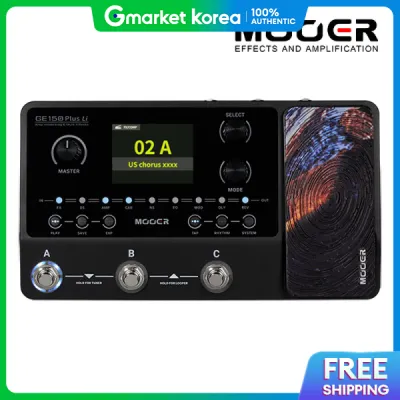
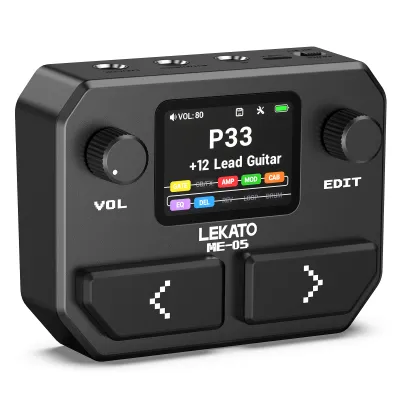
Prices are valid at publication and may change. Please refer to the product page for the latest price.
On the other end of the spectrum are Mooer’s digital multi-effects processors, which pack dozens of virtual pedals, amplifiers, and cabinet simulations into a single chassis. These units rely on digital signal processing (DSP) to emulate entire signal chains, offering a vast library of sounds accessible through onboard screens, menus, and assignable footswitches. While they provide immense tonal variety, they also introduce a steeper learning curve, requiring you to navigate digital interfaces, adjust parameters via encoders, and manage digital presets.
When exploring these categories, it is essential to recognize that product availability, firmware updates, and customer support can vary significantly depending on your location. Before committing to a specific model, always verify its current availability and regional warranty terms through official manufacturer channels or authorized local distributors in Singapore. Purchasing from authorized local retailers ensures you receive a genuine product backed by local consumer protections and reliable after-sales support, which is particularly valuable when dealing with digital processors that may require firmware maintenance.
Multi-Effects Units vs. Individual Micro Pedals: Which Path to Take?
Deciding between a multi-effects unit and a modular board of individual micro pedals is the most critical choice a beginner must make. This decision shapes not only your initial financial investment but also how you interact with your instrument during practice sessions. A multi-effects processor offers unparalleled convenience in terms of physical footprint and logistics. With a single unit, you eliminate the need for multiple patch cables, complex power distribution blocks, and a physical pedalboard frame. This streamlined setup is incredibly advantageous for players living in high-density housing, such as HDB flats in Singapore, where space is at a premium and quick setup and teardown are highly desirable.

From a cost-effectiveness standpoint, a multi-effects unit is almost always the more economical way to explore the vast landscape of guitar tones. For a single upfront cost, often ranging from S$150 to S$400 depending on the model, you gain access to hundreds of combinations of drives, delays, reverbs, and modulation effects. This allows you to experiment with different genres and learn how different effects interact without the financial burden of buying individual pedals. It serves as an educational sandbox, helping you identify which specific effects you genuinely enjoy before you commit to high-end dedicated hardware.
Conversely, building a modular board with individual micro pedals offers a highly intuitive, hands-on learning experience. Each micro pedal has a dedicated, physical control layout, making it easy to understand how parameters like “gain,” “tone,” or “rate” alter your sound in real time. There are no sub-menus to get lost in, and you can swap individual pedals in and out of your chain as your tastes evolve. However, this modular path requires careful planning regarding power supply logistics and cable management, as each additional pedal introduces potential points of failure and signal degradation if not connected properly.
The way you manage presets and switch sounds during play also differs dramatically between the two approaches. Multi-effects units allow you to save complex configurations of multiple effects, amp models, and cabinet simulations as a single preset, which you can recall instantly with a single tap of a footswitch. This is incredibly useful for practicing songs that require rapid transitions from clean, ambient verses to heavy, distorted choruses. With individual micro pedals, achieving a similar transition requires “tap-dancing”—rapidly stomping on multiple individual switches simultaneously—which can be distracting and difficult for a beginner to execute smoothly.
Essential Specifications to Verify Before Purchase
Before finalizing your purchase of any Mooer pedal, you must carefully verify several technical specifications to ensure compatibility with your existing gear and safety for your electronics. The most critical factor to check is the power supply requirement. Mooer micro pedals, due to their miniature size, do not have internal battery compartments and rely entirely on external power adapters. They typically require a regulated 9V DC power supply with a center-negative polarity. Connecting a power adapter with the wrong voltage or incorrect polarity can permanently damage the pedal’s internal circuitry and void your warranty.
In addition to voltage and polarity, you must verify the current draw, measured in milliamperes (mA), required by each pedal. Analog drive pedals generally have low current requirements, often under 20mA, whereas digital delay, reverb, and multi-effects units demand significantly higher current, sometimes exceeding 300mA or 500mA. If you plan to power multiple micro pedals using a single power source, you must ensure the power supply’s total current output exceeds the combined current draw of all connected pedals. Underpowering digital pedals can lead to erratic behavior, unwanted digital noise, or complete failure to boot.
Connectivity features are another vital specification to check, especially for home practice. Many of Mooer’s multi-effects units and advanced digital pedals feature dedicated headphone outputs (usually a 3.5mm jack) and auxiliary inputs (Aux In). These features allow you to plug your headphones directly into the pedal and play along with backing tracks from your phone or computer, enabling silent practice at any hour of the day without disturbing others in your household. Some digital units also include USB connectivity, allowing them to function as basic audio interfaces for direct recording onto a computer.
Finally, consider the physical construction and bypass switching mechanism of the pedals. Mooer pedals generally feature robust metal enclosures designed to withstand regular foot traffic, but you should inspect the physical dimensions to ensure they fit your intended practice space or pedalboard. Additionally, understand the difference between true bypass and buffered bypass switching. True bypass pedals completely isolate the pedal’s circuitry when switched off, preserving your guitar’s natural tone over short cable runs. Buffered bypass pedals actively strengthen the signal, which is highly beneficial if you are running long cables that would otherwise suffer from high-frequency signal loss.
Matching Your Choice to Your Amplifier and Practice Space
Your choice of pedal must align harmoniously with your primary playing environment and the amplifier you currently own. If you practice primarily in a quiet home setting using headphones or small desktop monitors, a multi-effects unit with built-in amp modeling and cabinet impulse response (IR) simulation is highly advantageous. These digital simulations recreate the complex tonal characteristics of classic guitar amplifiers and speaker cabinets, delivering a realistic, full-bodied guitar tone directly to your headphones. Running a traditional drive pedal directly into a clean solid-state amplifier at whisper-quiet volumes often results in a harsh, thin sound, whereas amp modeling provides a much more satisfying practice experience.
If you already own a traditional guitar amplifier, you must consider how your new pedals will integrate into your existing signal chain. Drive pedals, such as overdrives, distortions, and fuzzes, are designed to push the front input of your amplifier, interacting directly with the amp’s preamp stage to generate rich harmonic saturation. On the other hand, time-based and modulation effects, such as delay, reverb, chorus, and flanger, often sound cleanest when placed in your amplifier’s effects loop (if equipped). Placing these effects in the loop keeps them positioned after the amplifier’s preamp distortion, preventing your repeats and modulations from becoming muddy or distorted.
To avoid common issues like excessive background hiss, hum, or tone degradation, always consult the specific product manual for impedance matching and signal routing guidelines. Guitar signals are high-impedance, and connecting them to low-impedance inputs without proper buffering or level matching can result in a dull, lifeless tone. Understanding how to configure the input and output levels of your Mooer gear ensures that you maintain a clean, strong signal throughout your entire setup, allowing the natural character of your guitar and playing technique to shine through.
Frequently Asked Questions (FAQ)
Do Mooer micro pedals require a specific power supply?
Yes, Mooer micro pedals require a regulated 9V DC power supply with a center-negative polarity, as they do not support internal battery power. It is absolutely critical to match these specifications exactly, as using an incorrect voltage or a center-positive adapter can cause permanent electrical damage to the pedal’s internal components. Always check the specific pedal’s user manual or the label on the baseplate to confirm its exact current draw in milliamperes (mA). To prevent unwanted hum and electrical noise, it is highly recommended to use a high-quality, isolated power supply designed specifically for guitar effects rather than generic household adapters.
Can I use Mooer multi-effects units directly with a computer?
Many of Mooer’s digital multi-effects units feature USB connectivity, allowing them to interface directly with a computer for recording, preset editing, and firmware updates. However, the exact capabilities vary by model, so you must verify whether your chosen unit supports USB audio interface functionality or if the USB port is limited to data transfer and firmware management. Before connecting the unit, visit the manufacturer’s official website to download the correct drivers and editing software compatible with your computer’s operating system. Keep in mind that monitoring your audio directly through computer speakers can introduce latency (delay), so it is usually best to connect your headphones directly to the multi-effects unit’s headphone output for real-time, latency-free monitoring.
Are Mooer pedals suitable for live performances as a beginner?
Mooer pedals are highly practical for beginners transitioning from home practice to live performances, jam sessions, or open mic nights. Their compact physical footprint makes them exceptionally easy to transport, and their metal enclosures are built to handle the physical demands of regular foot traffic. Multi-effects units are particularly convenient for live use because they allow you to switch between entirely different tonal setups with a single stomp, eliminating the need to manually adjust multiple knobs between songs. When preparing for a live performance, always test your unit’s output levels and noise floor in a rehearsal setting with your band to ensure your volume levels are balanced and that your signal remains clean and free of interference under stage lighting and power grids.
Community discussion
Share your experience or ask a question. Comments are reviewed before publication.