
Deciding between a dedicated electronic dictionary and a free smartphone app is a common crossroads for language learners. While mobile apps offer unmatched convenience and zero initial cost, they also bring a host of digital distractions and database limitations. A dedicated electronic dictionary, or e-dictionary, represents a physical commitment to your studies, offering a focused environment and authoritative, offline-ready linguistic resources. The right choice depends on your study environment, focus levels, and the depth of linguistic resources you require.
Signs Your Current Free Apps Are Limiting Your Progress
The most common sign that free apps are hindering your progress is the frequency of digital distractions. The smartphone is a gateway to endless notifications, messages, and social media alerts. A quick look-up of a foreign word can easily turn into twenty minutes of aimless scrolling, breaking your cognitive flow and stretching a short study session into an unproductive afternoon.
Offline limitations also present a significant hurdle. Free dictionary apps often rely on an active internet connection to deliver full definitions, stroke-order animations, or audio pronunciations. When you are commuting underground on the MRT, traveling abroad, or studying in a library with spotty Wi-Fi, these apps may fail to load or fall back on basic, low-quality machine translations.
Products mentioned in this guide
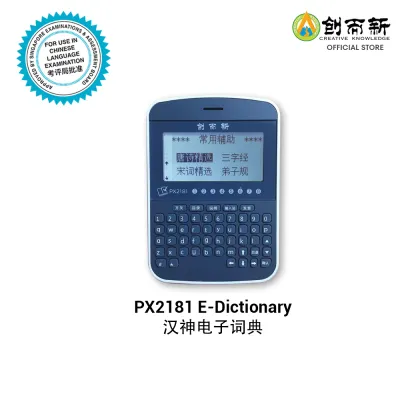
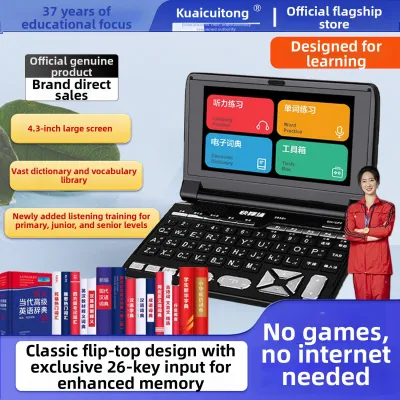
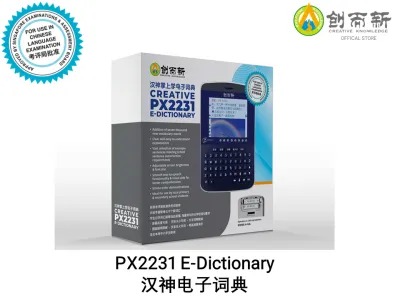
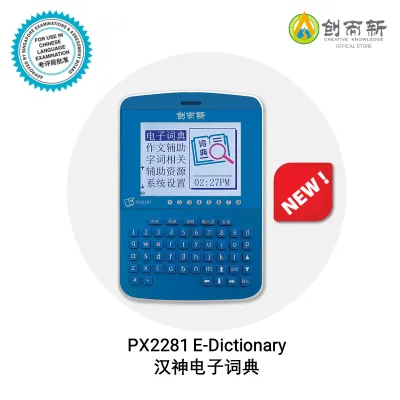
Prices are valid at publication and may change. Please refer to the product page for the latest price.
Furthermore, the database depth in free apps is frequently lacking. Many free tools rely on crowdsourced or simplified databases that omit nuanced sentence examples, etymology, and register markers that indicate whether a word is formal, casual, or literary. If you find yourself repeatedly searching online forums to understand the actual usage of a word because your app’s definition is too brief, your learning tool has reached its limit.
Physical discomfort and device strain are also worth noting. Backlit smartphone screens emit high levels of blue light, which can cause eye fatigue and headaches during long reading sessions. Additionally, keeping your phone screen active for hours of reading and looking up words drains your battery rapidly, leaving you with a dead device when you need it most for daily communication.
Scenarios Where a Dedicated E-Dictionary Adds Real Value
In Singapore, national examinations and school assessments have strict rules regarding electronic devices in the exam hall. Smartphones, tablets, and smartwatches are entirely banned to prevent cheating. However, specific approved models of e-dictionaries are permitted in mother tongue exams, making them an indispensable tool for students who need to look up characters or vocabulary under exam conditions.

Deep reading and translation workflows also benefit immensely from standalone hardware. When you are working through a dense foreign-language novel or translating a document, you need to cross-reference words constantly. Switching back and forth between a reading app and a dictionary app on a single smartphone screen is clunky. A physical e-dictionary sits next to your book or computer, allowing you to type and search instantly without losing your place on your main screen.
For learners who struggle with self-discipline, a dedicated device supports digital minimalism. A single-purpose e-dictionary has no web browser, no social media apps, and no games. It signals to your brain that it is time to focus, helping you build a disciplined study routine. This physical separation of study tools from entertainment tools is highly effective for long-term language retention.
Essential Specifications to Verify Before Purchasing
Before purchasing any e-dictionary, you must verify the exact databases pre-installed on the device. Do not rely on the product packaging or generic titles. Look for licensed editions from reputable publishers like Oxford, Collins, or official language academies. Check if the device matches the specific language variant you are learning, such as British versus American English, or Simplified versus Traditional Chinese characters.
Hardware interfaces and storage capacity are critical for long-term usability. Ensure the device has a standard headphone jack or Bluetooth capability if you need to listen to audio pronunciations in public spaces like libraries. Verify the internal storage capacity and check if there is a microSD card slot, which allows you to load additional text files, custom dictionaries, or audio lessons via a USB connection to your computer.
Screen technology and input methods are major differentiators. E-ink screens are highly readable in direct sunlight, mimic the look of real paper, and cause minimal eye strain, though they have slower refresh rates. LCD screens are vibrant and fast but consume more battery. For input, consider whether you prefer a physical QWERTY keyboard, a specialized layout, or a touchscreen that supports stylus handwriting recognition, which is particularly crucial for stroke-order practice in character-based languages.
Making the Final Decision: Continue, Optimize, or Buy?
If you are a casual learner or on a tight budget, you do not need to buy hardware immediately. You can optimize your smartphone experience by enabling strict focus modes, turning off all non-study notifications, and downloading offline dictionary packs within your preferred apps. This costs nothing and resolves some of the immediate friction points of mobile learning.
If you find that free databases are too basic but you still want to avoid carrying a second device, consider upgrading to a premium, paid version of a trusted dictionary app. This gives you access to professional-grade lexicography and offline audio without the physical footprint of a new gadget. It serves as an excellent middle ground before committing to a hardware purchase.
If you are preparing for official exams that allow e-dictionaries, find yourself constantly sidetracked by smartphone notifications, or require highly specialized offline databases for professional translation, purchasing a dedicated e-dictionary is a worthwhile investment. Prices can range from under S$100 for basic school-approved models to several hundred dollars for professional, multi-language devices, so align your choice with your long-term academic or career goals.
Frequently Asked Questions (FAQ)
Can I use a dedicated e-dictionary without an internet connection?
Yes, this is one of the primary benefits of a dedicated device. E-dictionaries store their entire database locally on internal flash memory, allowing you to search definitions, view grammar guides, and play audio pronunciations completely offline. However, they generally do not support live web translation or real-time cloud-based voice translation without a Wi-Fi connection.
Are dedicated e-dictionaries still updated with new words and slang?
Unlike smartphone apps that update seamlessly in the background, hardware e-dictionaries have rigid update cycles. Some modern models allow you to download firmware or database updates via a computer connection or Wi-Fi, but many basic models are permanently locked to the editions pre-installed at the factory. They prioritize authoritative, academic language over rapidly changing internet slang.

Community discussion
Share your experience or ask a question. Comments are reviewed before publication.