
Selecting the ideal electronic dictionary (e-dictionary) in Singapore requires a clear understanding of your personal learning trajectory, study environment, and the technical specifications of available devices. While smartphones and tablets offer general translation apps, they often fall short when it comes to academic rigor, distraction-free study, and compliance with local examination guidelines. A dedicated e-dictionary provides a focused, high-quality linguistic database that can significantly accelerate language acquisition. Whether you are a parent sourcing an approved device for a child’s primary school mother tongue examinations, a university student analyzing classical literature, or a working professional mastering a new language for career advancement, the right tool can make a profound difference in your learning efficiency.
To make an informed decision, you must look beyond superficial features like screen size or the sheer number of pre-loaded words. Instead, focus on the authority of the licensed dictionaries, the responsiveness of the input methods, and the specific use cases the device is designed to support. By evaluating these factors systematically, you can find a device that not only fits your current proficiency level but also accommodates your long-term learning goals.
Identify Your Language Goals and Study Environment
Before comparing hardware specifications, clarify your primary language targets and the environments where you will do most of your studying. Different languages demand distinct dictionary features. For instance, East Asian languages like Chinese, Japanese, and Korean require robust character-recognition software, stroke-order guides, and phonetic systems such as Pinyin, Furigana, or Romaji. If you are studying English or European languages, your focus should shift toward comprehensive verb conjugation tables, collocations, and etymology databases. A general bilingual dictionary might suffice for casual conversations, but specialized academic or professional work demands dictionaries that include technical glossaries, idioms, and deep contextual examples.
Products mentioned in this guide
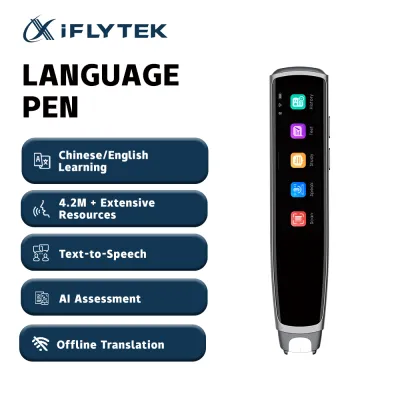
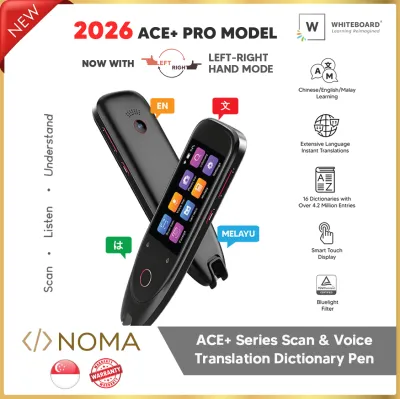
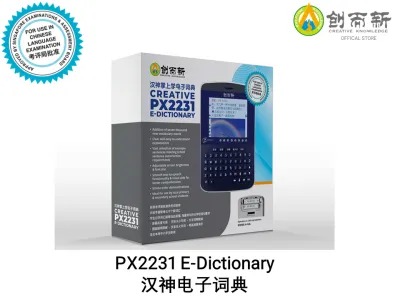
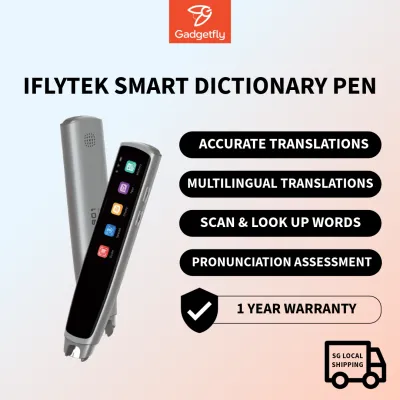
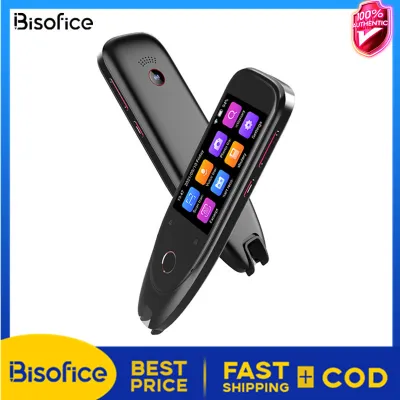
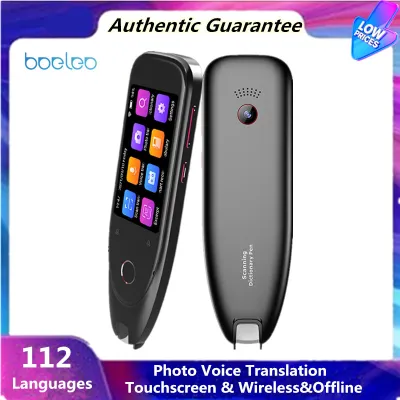
Prices are valid at publication and may change. Please refer to the product page for the latest price.
Your current proficiency level also dictates the depth of the database you require. Beginners benefit most from clear, simplified definitions, stroke-order animations, and high-quality audio pronunciations to master basic phonetics. Intermediate and advanced learners, however, need access to authoritative monolingual dictionaries, extensive example sentences that demonstrate nuance, and comprehensive grammar guides. Using a dictionary that is too advanced can overwhelm a beginner with archaic definitions, while a basic dictionary will frustrate an advanced student by omitting subtle linguistic distinctions and specialized terminology.
Finally, consider where and how you plan to use the device. If your primary study environment is a quiet desk at home or in a library, a larger clamshell-style e-dictionary with a physical QWERTY keyboard and dual screens offers maximum comfort and typing speed. Conversely, if you plan to study during your daily commute on the MRT or while traveling, a compact, lightweight device with a backlit screen and a responsive stylus is much more practical. For classroom environments, especially in Singapore schools, portability must be balanced with strict compliance rules regarding connectivity, as devices with internet access or communication capabilities are generally prohibited during official assessments.
Key Hardware and Software Features to Evaluate
The core value of any e-dictionary lies in its database licensing. Many budget devices or generic translation tools rely on open-source or poorly translated word lists that lack grammatical accuracy and contextual depth. When evaluating a device, verify that its databases are licensed from authoritative publishers and recognized academic institutions. For English, look for databases from Oxford, Cambridge, or Longman; for Chinese, look for authoritative publications from the Commercial Press; and for Japanese, look for Sanseido or Kenkyusha. A device with fewer, highly authoritative licensed dictionaries is infinitely more valuable than one boasting millions of entries from unverified, low-quality sources.

Input methods are another critical factor that directly impacts your study workflow. Traditional clamshell e-dictionaries feature physical QWERTY keyboards, which are excellent for rapid typing but can be cumbersome when looking up unfamiliar characters. For languages that use logographic scripts, such as Chinese characters or Japanese Kanji, a highly responsive touchscreen with stylus support is essential. This allows you to write the character directly on the screen, with the device using handwriting recognition to identify it. Additionally, modern optical character recognition (OCR) scanning pens have become popular, allowing users to scan printed text directly from books or documents for instant translation, though they may struggle with stylized fonts or handwriting.
Display quality and audio output are vital for long-term comfort and accurate learning. A high-resolution screen reduces eye strain during extended study sessions, and backlighting is crucial if you plan to study in low-light environments. When it comes to audio, prioritize devices that offer native speaker recordings for headwords and common phrases rather than relying solely on text-to-speech (TTS) synthesis. TTS technology has improved, but it often sounds robotic and can mispronounce homographs or fail to capture the correct tonal inflections necessary for languages like Mandarin or Vietnamese. Clear, natural audio is indispensable for developing accurate listening and pronunciation skills.
Lastly, consider the expandability and future-proofing of the device. Language is dynamic, and your learning needs will evolve over time. Check if the e-dictionary features an SD card slot or supports official downloadable content (DLC) from the manufacturer’s portal. This allows you to add specialized glossaries, medical or legal dictionaries, or additional language databases as your studies progress. A device with closed firmware and no expansion options may need to be replaced entirely once you outgrow its pre-installed databases, whereas an expandable device can serve you through several stages of your academic or professional journey.
Match the Right Device Profile to Your Learner Type
To simplify your search, it helps to categorize available e-dictionaries into distinct profiles tailored to specific types of language learners. Matching your profile to the right category ensures you do not overpay for advanced features you will never use, or conversely, purchase a basic device that fails to support your academic requirements.
For School Students and Exam Candidates
For primary, secondary, and pre-university students in Singapore, the primary consideration is curriculum alignment and examination compliance. The Singapore examinations board maintains strict guidelines regarding the use of electronic dictionaries in exam halls. Approved devices must operate entirely offline, with no wireless communication capabilities, external storage access during the exam, or unauthorized user-added content. These devices are designed to be distraction-free, focusing solely on approved bilingual dictionaries that assist students in understanding vocabulary without providing unfair advantages or access to external help.
When selecting a device for a student, parents should consult the official list of approved e-dictionary models published by the local educational authorities. These compliant devices typically feature robust, curriculum-aligned Chinese-English or bilingual databases, clear stroke-order guides, and simple, durable physical designs. They lack games, web browsers, and media players, ensuring that the student remains focused on vocabulary building and comprehension during study sessions and assessments.
For University Students and Language Majors
University students, language majors, and professional translators require a vastly different class of e-dictionary. At this level, simple word-for-word translations are insufficient. Learners need to understand historical etymology, register (formal versus informal usage), regional variations, and complex grammatical structures. Consequently, these users should look for premium, high-performance clamshell e-dictionaries that house multiple comprehensive monolingual and bilingual databases simultaneously.
A key software feature for advanced learners is the ‘jump-search’ or cross-referencing function. This allows you to highlight any word within a definition or example sentence and instantly look it up in another dictionary on the device without losing your place. For example, a Japanese major can jump from a bilingual Japanese-English definition to a monolingual Japanese dictionary to grasp the precise nuance of a word, and then jump to a Kanji dictionary to check its stroke order or historical readings. Premium build quality, high-capacity rechargeable batteries, and extensive physical keyboards are standard expectations for this category.
For Casual Learners and Travelers
If your goal is conversational fluency, travel preparation, or casual self-improvement, the heavy academic databases and rigid compliance features of student and major-level devices are unnecessary. Casual learners are better served by compact, highly portable devices that prioritize speed, convenience, and interactive learning. In this scenario, pocket-sized electronic translators or optical scanning pens are highly effective tools.
These devices often emphasize voice recognition and real-time translation features, allowing you to speak into the device and receive an instant translation or pronunciation guide. While they may not offer the deep grammatical explanations or extensive example sentences of academic models, they excel at quick lookups, travel phrasebooks, and situational dialogue practice. Their small form factor makes them easy to slip into a pocket or bag, ensuring you always have a translation tool handy during a commute, a trip abroad, or a casual language meetup.
Purchasing and Verification Tips in Singapore
When you are ready to purchase an e-dictionary in Singapore, it is crucial to buy from authorized retailers, official brand stores, or reputable local bookstores and electronics outlets. Purchasing from unverified third-party sellers on online marketplaces can expose you to counterfeit products, refurbished units sold as new, or devices pre-loaded with unauthorized, low-quality dictionary databases. Authorized local distributors not only guarantee the authenticity of the device but also ensure that you receive a valid local warranty, which is essential for resolving any hardware or software issues that may arise.
Regional compatibility is another critical factor to verify before making a purchase, especially if you are considering importing a device or buying an overseas model online. Many high-end e-dictionaries designed for the Japanese or Chinese domestic markets have user interfaces locked entirely in those languages, which can make navigation extremely difficult for beginners. Additionally, verify the charging requirements and power adapter compatibility to ensure the device can be safely charged using Singapore’s standard voltage and plug types. You should also confirm whether the pre-installed dictionaries are relevant to your specific curriculum or regional linguistic standards, as some overseas models may use different phonetic systems or regional vocabulary variations.
Finally, evaluate the long-term cost-benefit of a dedicated e-dictionary compared to smartphone applications. While high-quality e-dictionaries can range from S$100 to over S$500, they represent a one-time investment in a dedicated, distraction-free learning environment with highly authoritative, fully licensed databases. Smartphone apps often require ongoing monthly subscriptions for premium databases, consume significant battery life, and expose learners to constant notifications and digital distractions. For serious students and candidates preparing for national examinations, the academic focus and exam-hall compliance of a dedicated e-dictionary make it an indispensable tool that easily justifies its initial cost.
Frequently Asked Questions (FAQ)
Are dedicated e-dictionaries still worth buying compared to smartphone apps?
Yes, dedicated e-dictionaries remain highly valuable for serious language learners. Unlike smartphone apps, which often rely on crowd-sourced or basic translation databases, dedicated devices feature fully licensed, authoritative dictionaries from world-renowned academic publishers. They provide a completely distraction-free study environment, free from social media notifications, messages, and ads. Furthermore, dedicated devices are designed with optimized physical keyboards, stylus inputs, and long-lasting batteries that do not drain your phone. Most importantly, they are the only electronic translation tools permitted in official Singapore examination halls, making them essential for school candidates.
How do I update the dictionary databases on my device?
The process for updating dictionary databases depends on the manufacturer and the specific model of your e-dictionary. Generally, modern devices can be updated by connecting them to a computer via a USB cable and using the manufacturer’s proprietary software to download and install official firmware updates or new dictionary packages. Some advanced models with built-in Wi-Fi allow you to check for and install updates directly through the device’s settings menu. Always refer to the official user manual or the manufacturer’s support website to download authorized updates, and avoid installing third-party firmware, which can void your warranty or corrupt the pre-installed databases.
Can I use an e-dictionary purchased overseas in Singapore?
While you can physically use an overseas-purchased e-dictionary in Singapore, you may encounter several practical limitations. Overseas models often feature user interfaces locked in the native language of the country of origin, which can be challenging for beginners to navigate. Furthermore, these devices may lack local warranty coverage, meaning any hardware repairs or software troubleshooting must be handled by shipping the device back to the original country at your own expense. Finally, if you are a student, overseas models are highly unlikely to be on the approved list of devices permitted in Singapore examination halls, as they may not comply with local curriculum standards or offline security requirements.

Community discussion
Share your experience or ask a question. Comments are reviewed before publication.