
A dictionary pen can significantly speed up reading and vocabulary acquisition, but its value depends entirely on how well its features align with your current language learning stage. Whether you are decoding basic texts, preparing for high-stakes exams, or reading professional materials, selecting the right scanning translator requires matching specific hardware and software capabilities to your daily study routines.
Investing in a tool that matches your specific proficiency level ensures you do not overpay for complex features you will not use, or end up with a basic device that fails to parse advanced academic texts. By evaluating core specifications and compatibility beforehand, you can find a reliable device that serves as an effective study companion.
Core Hardware and Software Specifications to Evaluate
Before comparing devices for specific learning scenarios, it is essential to establish a baseline checklist of hardware and software features. The physical design and core processing capabilities of a dictionary pen directly impact how comfortable and efficient your study sessions will be over time.
Products mentioned in this guide
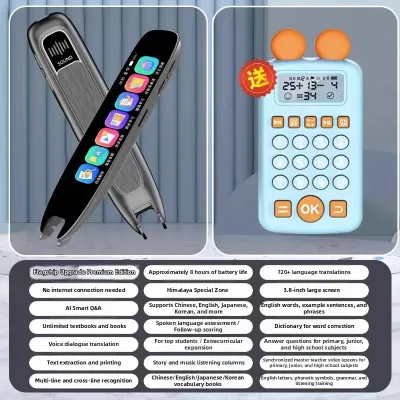

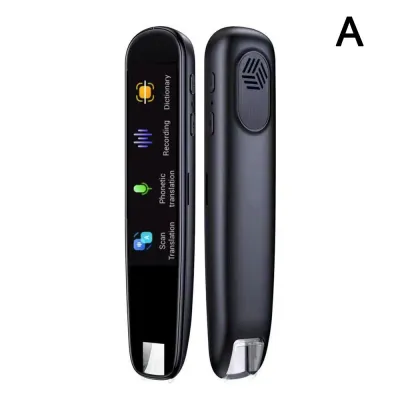
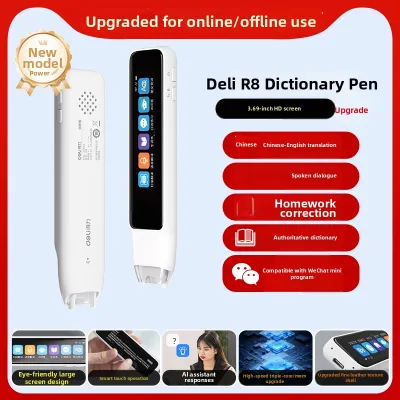
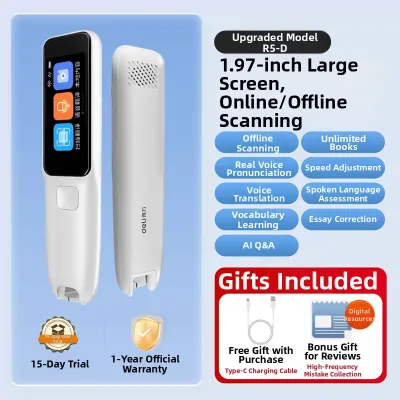
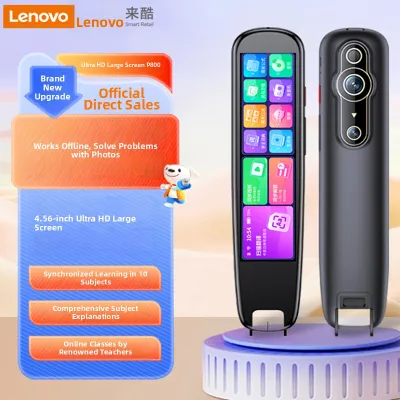
Prices are valid at publication and may change. Please refer to the product page for the latest price.
First, evaluate the screen size and display resolution. A screen that is too small or has low resolution can cause significant eye strain, especially when you need to read long definitions, multiple translation options, or grammatical explanations. Look for a display that clearly presents several lines of text at once so you do not have to scroll constantly.
Second, consider the scanning speed and optical character recognition (OCR) accuracy. While manufacturers often claim high accuracy rates, real-world performance depends on how well the sensor handles different font sizes, stylized typefaces, and paper qualities. A reliable pen should register text smoothly without requiring multiple passes over the same line.
Third, check the battery capacity and charging methods. For long study sessions at a library or during a commute, a robust battery is vital. Verify the estimated operating hours per charge and ensure the device uses a standard charging interface, such as USB-C, which allows you to easily share chargers with your other devices.
Finally, pay attention to the build quality, ergonomic grip, and overall weight. Because you will hold the pen at an angle for extended periods, it must feel balanced in your hand. A pen that is too heavy or has a slippery grip can lead to hand fatigue, particularly for younger learners or those taking timed practice exams.
Matching Dictionary Pen Features to Your Learning Stage
Different learning phases demand distinct software databases, hardware tolerances, and interactive features. Identifying your primary study goals allows you to prioritize the specifications that will actually support your progress rather than distracting you with unnecessary add-ons.

Beginner Students: Building Vocabulary and Pronunciation
For those starting their language journey, the primary focus is on mastering foundational vocabulary and developing accurate pronunciation. At this stage, a dictionary pen serves as an interactive guide rather than just a translation tool.
High-quality text-to-speech (TTS) capabilities and clear native speaker audio are critical. Beginners need to hear words pronounced with natural intonation and correct accentuation to build listening confidence. Look for devices that offer adjustable playback speeds, allowing you to slow down the audio to catch subtle phonetic details.
The user interface should be highly intuitive. Simplified menus, clear icons, and responsive physical buttons make navigation straightforward, preventing novice users or younger students from getting frustrated. A complicated interface can quickly become a barrier to regular study.
Additionally, look for built-in interactive learning modes. Features such as digital flashcards, spelling quizzes, and vocabulary bookmarking help reinforce word retention. Having these tools directly on the device encourages active recall and consistent daily practice without needing to switch to a smartphone.
Exam Candidates: Speed, Offline Access, and Advanced Grammar
Students preparing for standardized language tests or academic examinations operate under strict time constraints and specific study environments. Their requirements center on speed, reliability, and deep grammatical analysis.
Robust offline dictionary databases are non-negotiable for exam preparation. Many school libraries, study halls, and official examination venues restrict internet access to prevent distractions or cheating. A dictionary pen must be able to translate complex vocabulary and provide comprehensive definitions entirely offline.
Candidates also benefit from multi-line scanning and advanced sentence translation features. Exam passages often feature complex sentence structures, idioms, and clauses that cannot be understood through word-for-word translation. The pen must be capable of scanning consecutive lines of text to provide a coherent contextual translation and highlight relevant grammatical rules.
Finally, fast processing speeds are essential to maintain momentum during timed practice tests. A delay of even a few seconds per lookup can disrupt your reading flow and affect your pacing. Choose a device with a responsive processor that displays definitions almost instantly upon lifting the pen tip from the page.
Professional Learners: Specialized Dictionaries and Cross-Language Reading
Adults, researchers, and professionals reading technical, medical, legal, or academic texts require a highly sophisticated tool. Standard bilingual dictionaries often fail to provide the precise terminology needed for professional work.
Ensure the device supports specialized or industry-specific dictionary add-ons. Whether you are translating engineering manuals or legal briefs, the pen needs access to professional glossaries and extensive thesaurus functions to capture exact contextual meanings.
Advanced OCR capabilities are also critical for professional materials. Academic journals, patents, and technical schematics often use dense formatting, multi-column layouts, very small fonts, or glossy paper. The pen’s scanning sensor must be precise enough to isolate text lines without capturing adjacent columns or failing on reflective paper surfaces.
To streamline your workflow, look for cross-device synchronization or export features. The ability to save looked-up words, highlight key sentences, and export them directly to external vocabulary management apps or cloud documents saves hours of manual transcription and integrates seamlessly into your professional research routine.
Cross-Scenario Compatibility and Long-Term Use
As your language proficiency improves, your dictionary pen should ideally adapt to your changing needs. Evaluating a device’s long-term viability before purchasing can save you from needing an expensive upgrade a year down the road.
When choosing a mid-tier device, check if it offers expandable memory or the ability to download additional dictionaries later. A pen that allows you to install advanced databases as your vocabulary expands provides excellent long-term value.
Additionally, assess the manufacturer’s track record for providing over-the-air (OTA) software updates. Regular system updates not only patch software bugs but can also introduce database expansions, improved OCR algorithms, and new system languages. Check user forums or product documentation to see if the brand actively supports its older models.
Balancing your initial budget against the expected lifespan of the device is key. While a budget-friendly pen might suffice for basic vocabulary, investing slightly more in a device with robust hardware and expandable software ensures it remains a useful companion from your beginner steps through to advanced fluency.
Practical Checks for Material and Device Compatibility
Before finalizing your purchase, perform a few practical checks to ensure the dictionary pen is fully compatible with your existing study materials and learning environment.
First, verify the supported languages, regional dialects, and dictionary editions. Do not rely solely on broad language names; check the official product specifications or packaging labels to confirm that the pen supports the specific regional script, dialect, or dictionary edition you are studying, such as Traditional versus Simplified characters, or specific regional accents. Additionally, verify regional restrictions, device compatibility with your existing hardware, content completeness of the pre-installed databases, and ensure you are purchasing from an authorized source to guarantee software support.
Second, consider testing the scanning tip on the actual materials you plan to read. If you primarily study from digital screens, glossy textbooks, or very thin newsprint, verify that the pen’s optical sensor can read those surfaces without glare interference or tearing the paper.
Finally, confirm the device’s connectivity requirements. Read the manufacturer’s manual to check if Wi-Fi is required for the initial activation or if you need Bluetooth compatibility to connect your wireless headphones for quiet study in public spaces.
Frequently Asked Questions (FAQ)
Can a dictionary pen scan text directly from a smartphone or tablet screen?
Standard optical character recognition (OCR) sensors on dictionary pens are primarily optimized for matte paper surfaces and may struggle when scanning digital screens. Glare from glass displays, screen refresh rates, and backlighting can interfere with the sensor’s ability to capture text accurately. Before purchasing, check the manufacturer’s specifications for explicit screen scanning compatibility. If you must scan from a screen, adjusting your device’s brightness, reducing ambient glare, or using a matte screen protector can help improve the pen’s scanning accuracy.
Do I need an internet connection to use a dictionary pen?
Basic word lookups and pre-installed offline dictionaries function perfectly without a Wi-Fi connection once the initial device setup is complete. However, more advanced features—such as real-time voice translation, cloud synchronization, and AI-powered sentence parsing—typically require an active internet connection. To ensure the pen meets your study requirements in offline environments like libraries or exam halls, always verify the size and scope of the pre-installed offline databases before making your purchase.

Community discussion
Share your experience or ask a question. Comments are reviewed before publication.