
Replacing a worn, damaged, or mismatched volume control knob on your guitar is a straightforward project, but finding a replacement that fits perfectly requires checking three critical hardware specifications. You must match the physical shape of your potentiometer shaft, verify whether your guitar uses metric or imperial sizing standards, and ensure the new knob profile provides adequate clearance above the instrument’s body or pickguard. Taking a few minutes to inspect your existing hardware prevents the frustration of purchasing a knob that slips, sits too high, or refuses to slide onto the shaft altogether.
Identify Your Potentiometer Shaft Type
To select a compatible volume control knob, you must first identify the design of the potentiometer shaft protruding from your guitar. Potentiometers, the electronic components that control volume and tone, generally feature either a split shaft or a solid shaft. Each type requires a completely different style of knob to ensure a secure grip and reliable operation.
A split shaft potentiometer is easily recognized by a vertical slot cutting directly through the center of the metal post, dividing it into two semi-circular halves. The outer circumference of these halves features a series of small ridges or teeth, known as splines. These splines are designed to grip the internal ridges of a push-on knob, using the natural spring tension of the split shaft to hold the knob in place without any additional hardware.
Products mentioned in this guide
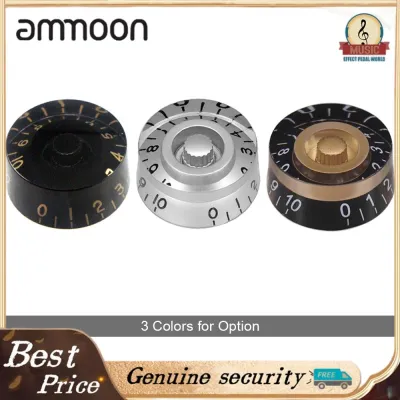
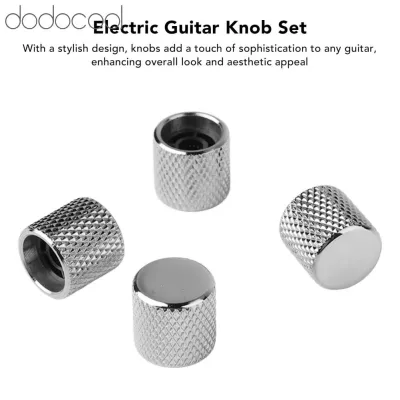

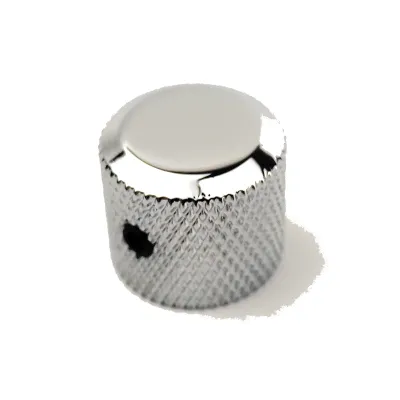
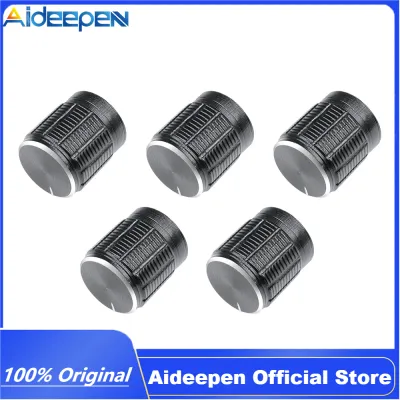
Prices are valid at publication and may change. Please refer to the product page for the latest price.
In contrast, a solid shaft potentiometer consists of a smooth, solid metal cylinder with no vertical slot or ridges. Because there are no splines to provide friction, push-on knobs cannot grip a solid shaft. Instead, solid shafts require knobs equipped with a small set screw threaded through the side of the collar, which is tightened against the smooth metal post to lock the knob securely in place.
When dealing with a split shaft, you must count the individual splines to ensure a correct fit. The easiest way to do this is to take a clear, close-up photo of the top of the shaft with your smartphone and zoom in to count the ridges. Alternatively, you can press a piece of soft paper or cardstock firmly over the top of the shaft to create a clear impression of the teeth, which makes them much easier to count under direct light.
Navigate Sizing Standards: Metric vs. Imperial
Guitar hardware sizing standards vary significantly depending on where the instrument or its electronics were manufactured. This regional variation directly affects the diameter of the potentiometer shafts and the spacing of the splines on split shafts. Matching these standards is crucial to prevent physical damage to your guitar’s controls.

Instruments manufactured in the United States typically utilize imperial measurements. On these guitars, solid shafts generally measure 1/4 inch (approximately 6.35 mm) in diameter, while split shafts feature 24 fine splines. Conversely, guitars built in Asia and Europe almost exclusively use metric measurements, featuring 6 mm solid shafts or split shafts with 18 coarse splines.
Attempting to force an imperial knob onto a metric shaft, or vice versa, can cause immediate damage. For example, trying to press a metric knob with 18 internal splines onto an imperial 24-spline shaft can easily crush the delicate metal teeth or split the potentiometer shaft entirely. Conversely, putting an imperial knob on a metric shaft results in a loose, wobbly fit that slips when you attempt to adjust your volume.
To determine your guitar’s standard, you can measure the shaft diameter using a digital caliper for an exact reading. If you do not have a caliper, you can often identify the standard by checking the brand of the potentiometers inside the control cavity. American brands like CTS typically use imperial dimensions, while Asian-manufactured brands like Alpha generally use metric dimensions.
If you feel any resistance when sliding a new knob onto a split shaft, stop immediately. A compatible knob should slide on with firm, even pressure; if you have to force it, the spline count or shaft diameter is incorrect, and continuing will likely damage the internal components of the potentiometer.
Select a Knob Style with Proper Physical Clearance
Once you have matched the internal dimensions, you must select a knob style that complements your guitar’s body shape and control layout. Guitar knobs generally fall into two main categories: skirted and unskirted. Skirted knobs, such as classic bell or top-hat styles, feature a flared base that sits close to the guitar body, often partially concealing the mounting nut and washer underneath. Unskirted knobs, like speed knobs or heavy metal dome knobs, maintain a uniform cylindrical shape from top to bottom.
The contour of your guitar’s top—whether it is flat like a T-style guitar or carved like an archtop—dictates how much vertical clearance you need. On flat-top guitars with a pickguard, the potentiometer sits flush against the guard, requiring a knob that can sit low without scraping the plastic surface. On carved-top guitars, the angle of the potentiometer shaft relative to the wood surface can cause one side of a wide-skirted knob to rub against the finish, requiring a slightly higher mounting position or a narrower knob profile.
You must also evaluate the vertical gap between the bottom of the knob and the guitar body. If the knob sits too high, it exposes the threaded portion of the potentiometer shaft and the mounting nut, which can look untidy and make the control feel unstable. If it sits too low, the friction against the wood or pickguard will make the volume control stiff and difficult to turn, potentially scratching the instrument’s finish over time.
Finally, consider the visibility of the indicator lines or numbers on the knob. If you frequently adjust your volume mid-performance, you need a style where the pointer or numbering is easily visible from your playing angle. Some speed knobs feature embossed numbers that are highly legible under stage lights, while metal dome knobs may only feature a single small dot or line that requires closer inspection.
Safely Remove the Old Knob and Install the Replacement
Removing an old knob and installing a new one requires patience to avoid scratching the guitar’s finish or pulling the entire shaft out of the potentiometer housing. For push-on knobs that are tightly fitted to split shafts, never use pliers or metal screwdrivers to pry them off, as this can easily chip the wood or crack a plastic pickguard. Instead, use a specialized plastic knob puller tool, or employ the highly effective shoelace or microfiber cloth method.
To use the cloth method, slide a thin, clean microfiber cloth or a sturdy shoelace underneath the base of the knob. Wrap the cloth or lace completely around the shaft under the knob, gather the ends together, and pull straight upward with steady, even pressure. This distributes the lifting force evenly around the circumference of the knob and protects the guitar’s surface from scratches.
For knobs secured with a set screw, locate the small screw on the side of the knob collar. Use the correct size flathead screwdriver or hex key to loosen the screw by turning it counterclockwise several times. Once the screw is loose, the knob should slide off the shaft effortlessly; if it resists, do not force it, but check to ensure the screw is backed out far enough to clear the shaft.
When installing the replacement knob, first rotate the potentiometer shaft fully counterclockwise to the “zero” position. Align the indicator mark or the “0” on the new knob with your preferred reference point on the guitar body, then press the knob down evenly onto the shaft. For set screw knobs, ensure the screw aligns with the solid side of a split shaft (if using a set screw knob on a split shaft) or sits securely against the flat side of a solid shaft before tightening it firmly. Test the rotation to ensure the knob turns smoothly throughout its entire range without rubbing against the guitar body.
Troubleshoot Common Fitment and Function Issues
Even with careful measurement, you may encounter minor fitment issues during installation that require adjustment. If a push-on knob feels slightly loose on a split shaft, you can gently expand the gap between the two halves of the shaft. Insert a thin flathead screwdriver into the split and twist it very slightly to widen the gap by a fraction of a millimeter. Be extremely cautious, as cast metal shafts are brittle and can snap easily if pried too far.
If the knob is installed but the control feels stiff, scratchy, or produces crackling noises through your amplifier, the issue is likely inside the potentiometer rather than the knob itself. This common problem is often caused by dust or oxidation accumulating inside the control casing. You can attempt to resolve this by spraying a small amount of specialized electronic contact cleaner into the openings on the back of the potentiometer housing inside the control cavity, then rotating the shaft back and forth several times to distribute the cleaner.
If the potentiometer shaft wobbles side-to-side, feels completely loose, or spins continuously without stopping, the internal stops or bushings of the control have suffered structural damage. In these cases, swapping the knob will not fix the underlying issue, and the entire potentiometer will need to be replaced. If you are uncomfortable with soldering or working on your guitar’s electronics, it is best to take the instrument to a qualified guitar technician in Singapore to have the hardware professionally replaced.
Frequently Asked Questions (FAQ)
Can I use a push-on knob on a solid shaft potentiometer?
Push-on knobs are designed specifically for split shaft potentiometers, where the internal splines of the knob mesh with the ridges on the shaft to create friction. Because a solid shaft is completely smooth and lacks these ridges, a push-on knob will not grip the metal and will spin freely without turning the shaft. To use a knob on a solid shaft, you must select a style that features a built-in set screw to mechanically lock the knob onto the smooth metal post.
Why does my new volume knob rub against the guitar body?
If your new knob rubs against the guitar body or pickguard, the potentiometer shaft may be sitting too low in the mounting hole, or the knob may be pressed down too far. You can resolve this by adjusting the height of the potentiometer from inside the control cavity. By adding or removing washers on the threaded collar of the potentiometer before it passes through the guitar top, you can adjust how far the shaft extends outward, providing the necessary clearance for the knob to rotate freely.
Community discussion
Share your experience or ask a question. Comments are reviewed before publication.