
Selecting the right wireless in-ear monitor (IEM) system is one of the most critical decisions a performing musician or presenter can make. A reliable monitoring setup ensures you hear yourself and your bandmates clearly, which directly translates to a more confident and precise performance. To find the system that fits your needs, you must evaluate your typical performance environments, understand key technical specifications like latency and frequency bands, and match these features to your specific stage scenarios.
Assessing Your Performance Environment
The physical characteristics of your performance venues dictate the baseline requirements of your wireless setup. In small, enclosed spaces such as local cafes, intimate bars, or basement rehearsal rooms, the physical distance between your transmitter and receiver is minimal. However, these spaces often present unique acoustic and structural challenges, such as concrete walls or metal pillars, which can reflect radio signals and cause dropouts.
In contrast, large open stages, outdoor festival grounds, or historic theaters introduce different obstacles. Large stages require systems with greater signal penetration and longer transmission ranges to cover the physical distance. Additionally, the presence of massive stage structures, lighting rigs, and dense crowds of audience members—whose bodies are primarily composed of water—can significantly absorb and block radio frequency (RF) signals.
Products mentioned in this guide
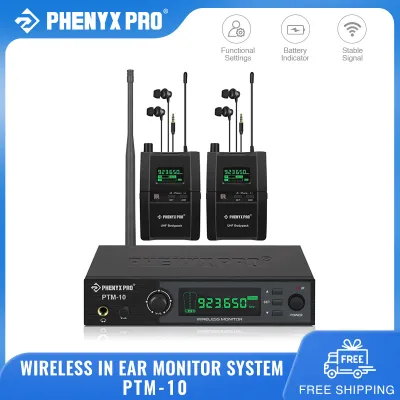
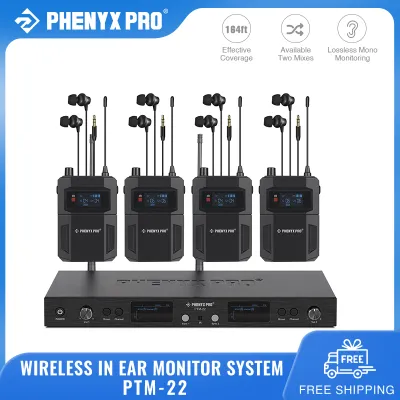
Prices are valid at publication and may change. Please refer to the product page for the latest price.
Your physical movement on stage also determines the type of hardware you need. If you are a stationary performer, such as a drummer or keyboardist, a wired system or a basic wireless setup with a standard whip antenna may suffice. However, if you are a highly mobile vocalist or guitarist who moves across the stage, you will require a bodypack receiver with robust antenna diversity and potentially external directional antennas to maintain a stable connection.
Critical Technical Specifications to Evaluate
When evaluating wireless IEM systems, latency is a primary technical metric that directly impacts your performance. Latency is the slight delay between the moment a sound is produced and when it reaches your ears through the monitor. For vocalists and instrumentalists, any delay greater than a few milliseconds can disrupt timing and cause a disorienting comb filtering effect. You should check the manufacturer’s specifications to ensure the system’s latency is low enough for real-time monitoring, particularly when using digital wireless systems.

Operating range is another critical specification, but it is essential to distinguish between advertised line-of-sight range and practical effective range. Manufacturers typically measure range under ideal conditions with no physical obstacles or competing signals. In a crowded venue filled with mobile phones, wireless routers, and other performance gear, the practical range of your system may be significantly reduced, making it wise to choose a system with an advertised range that exceeds your largest expected stage dimensions.
The frequency band your system operates on determines its susceptibility to interference and its legal compliance. Wireless IEMs generally operate in the VHF, UHF, or 2.4 GHz frequency bands. UHF systems are highly favored for professional use due to their superior signal penetration and lower congestion, but they require careful frequency coordination. In Singapore, it is vital to verify that your chosen UHF frequency band complies with local telecommunications authority regulations to avoid operating on restricted or licensed bands.
Matching IEM Features to Specific Stage Scenarios
For small gigs, acoustic sets, and regular band rehearsals, a straightforward and cost-effective wireless IEM system is often the most practical choice. In these controlled environments, you can prioritize systems with simple frequency management, such as automatic channel scanning, which allows you to find a clear channel quickly without manual coordination. Basic diversity systems, which use a single antenna or simple switching, are usually sufficient for short-range, low-interference settings.
When transitioning to large stages, multi-band festivals, or complex corporate events, your monitoring needs become significantly more demanding. These environments require professional-grade systems featuring true diversity reception, where the bodypack receiver constantly compares signals from two independent antennas and seamlessly switches to the stronger one. Additionally, you will need transmitters with wide frequency switching bandwidths to find open channels in crowded RF environments, alongside robust antenna distribution systems to manage multiple transmitters simultaneously.
If your performance schedule varies, look for a mid-tier system that offers cross-scenario compatibility and scalability. A versatile system allows you to use standard whip antennas for small club gigs, while offering the ability to connect external directional paddle antennas or rack-mounted antenna combiners for larger venues. This scalability ensures that your initial investment remains valuable as your performance venues grow, allowing you to upgrade your antenna setup rather than purchasing an entirely new wireless system.
Managing Interference and Optimizing Your Setup
To ensure a flawless performance, you must actively manage wireless interference and optimize your physical setup before every show. Always conduct a local frequency scan at the venue during soundcheck to identify active television broadcasts, wireless microphones, and local Wi-Fi networks. Modern mid-tier and high-end wireless receivers often feature built-in scanning functions that automatically select the cleanest available frequency, which you can then sync to your bodypack via infrared.
The physical placement of your equipment plays a crucial role in maintaining a stable wireless link. Position your transmitter high enough to maintain a clear, unobstructed line-of-sight to your bodypack receiver, keeping it away from large metal objects, concrete walls, and digital mixing consoles that emit electromagnetic noise. When wearing the bodypack, ensure the antenna is not bent, crushed against your skin, or covered by heavy, metallic clothing accessories, as this can severely degrade signal reception.
While basic troubleshooting can resolve minor signal drops, complex multi-channel setups require a deeper level of technical expertise. If you are coordinating more than four or five wireless systems simultaneously—including wireless microphones and instrument transmitters—the risk of intermodulation distortion increases dramatically. In these scenarios, or when performing in venues with severe structural RF shielding, it is best to consult a professional audio engineer who can use dedicated RF coordination software to calculate safe, intermodulation-free frequency groups.
Frequently Asked Questions (FAQ)
Can I use a 2.4 GHz wireless IEM system for large outdoor festivals?
While 2.4 GHz wireless systems are convenient and license-free globally, they are generally not recommended for large outdoor festivals or high-density venues. The 2.4 GHz band is heavily congested with consumer Wi-Fi networks, Bluetooth devices, and audience mobile phones, which can cause severe signal dropouts and increased latency on a large stage. For large-scale events, check the manufacturer’s guidelines and consider upgrading to a professional UHF system that offers dedicated, clear frequency bands and superior signal penetration.
Do I need a built-in limiter on my wireless in-ear monitor bodypack?
Yes, a built-in audio limiter is an essential safety feature on any wireless IEM bodypack to protect your hearing from sudden, dangerous volume spikes. In a live performance environment, unexpected events such as a dropped microphone, a sudden feedback loop, or an unplugged cable can generate extremely loud audio transients that can cause permanent hearing damage. Always check the product specifications to ensure your system includes an active brick-wall limiter, and consult an audiologist or professional audio engineer to set safe operating volume levels.
Community discussion
Share your experience or ask a question. Comments are reviewed before publication.