
Choosing your first digital drum kit is an exciting milestone, but the sheer variety of technical specifications, pad materials, and hardware configurations can quickly feel overwhelming. Unlike traditional acoustic drums, an electronic setup offers the flexibility of silent practice, customizable sound libraries, and a compact footprint. However, finding the right balance between realistic playing feel, sound quality, and budget requires a clear understanding of what features truly matter for a beginner.
To make an informed decision, you must look beyond the visual appeal of a kit and evaluate how its components align with your living environment, learning goals, and physical space. By focusing on key factors such as pad responsiveness, module capabilities, and physical stability, you can select a kit that not only supports your initial learning stages but also remains a viable instrument as your skills advance.
Assess Your Practice Space and Noise Constraints
Before browsing specific models, you must carefully measure your designated practice area. While a digital drum kit is significantly more compact than an acoustic set, it still requires a dedicated footprint. A standard entry-level electronic rack typically occupies an area of approximately 1.2 meters by 1.2 meters once fully assembled with the throne and pedals in place. Be sure to allow extra clearance around the perimeter so you can comfortably mount and dismount the kit without striking nearby walls or furniture.
Products mentioned in this guide
![Alesis Nitro Pro 8-Piece Electronic Drums Kit for Beginners to Advanced Players with Bluetooth [LIMITED STOCK]](https://img.lazcdn.com/g/p/fba2c7c3ade9763f9c88e42370eb61a5.png_400x400q80.png_.webp)
![Yamaha DTX6K2X Electronic Drums DTX6K2-X DTX 6K2 X Digital Drum DTX 6K2X DTX6 The Music Works [PREORDER]](https://img.lazcdn.com/g/p/dbb03d29e0c686e3e39376ae0c45e5e3.jpg_400x400q80.jpg_.webp)
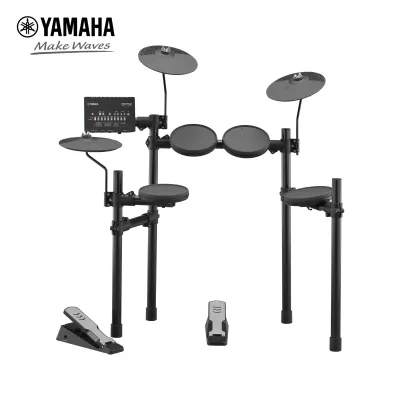
![Yamaha DTX452K Electronic Drums Digital Drum Set DTX-452K DTX 452 K DTX 452K DTX452 [PREORDER]](https://img.lazcdn.com/g/p/af5553ead0032cf1aa86c61dfabcbc22.jpg_400x400q80.jpg_.webp)

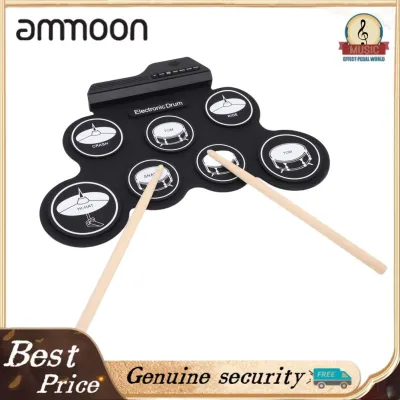
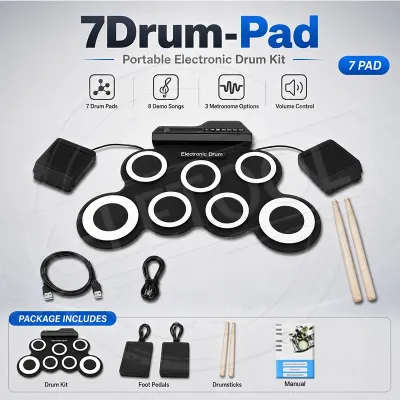
Prices are valid at publication and may change. Please refer to the product page for the latest price.
Noise management is another critical factor, especially if you live in a multi-story apartment or shared housing. Although headphones prevent the airborne sound of drums from disturbing others, they do not eliminate structural noise. The physical impact of your drumsticks hitting the pads, and particularly the downward force of your foot striking the kick pedal, creates low-frequency vibrations that travel directly through floorboards. To your downstairs neighbors, this can sound like a persistent, heavy thudding.
To mitigate structural noise transfer, evaluate the floor construction of your practice space. If you are setting up on a wooden or thin concrete floor, plan to invest in noise-dampening accessories. Placing a thick, non-slip drum mat or interlocking high-density foam tiles beneath the entire rack can absorb a significant portion of the impact. For highly sensitive living arrangements, you may need to construct or purchase a dedicated sound isolation platform—often made of medium-density fibreboard (MDF) separated by acoustic foam or half-cut tennis balls—to decouple the kit from the floor entirely.
Compare Drum Pad Materials and Playing Feel
The material of the drum pads directly dictates the physical feedback, rebound, and acoustic noise level of your kit. Beginner kits generally feature either rubber pads or mesh heads, and each material offers distinct trade-offs in terms of playability and cost. Rubber pads are highly durable, easy to clean, and typically found on budget-friendly entry-level models. However, they provide a very stiff rebound that can cause wrist fatigue during long practice sessions, and they produce a noticeable acoustic “clack” when struck.

Mesh heads, which consist of a woven fabric stretched over a drum shell, offer a far superior playing experience. They mimic the natural tension and rebound of an acoustic drumhead much more closely, allowing you to develop proper stick control and wrist technique. Additionally, mesh heads are significantly quieter to play on than rubber pads. Many modern mesh kits allow you to adjust the head tension using a standard drum key, giving you the flexibility to customize the rebound feel of each individual drum.
When comparing pad specifications, pay close attention to the trigger zones. A single-zone pad triggers the exact same sound regardless of where you strike it. In contrast, a dual-zone pad can differentiate between a strike on the center of the head and a strike on the rim. Having a dual-zone snare pad is highly recommended for beginners, as it allows you to learn essential techniques like rimshots and cross-sticking. For cymbals, look for dual-zone pads that support edge crashes and bow sounds, as well as a physical “choke” function that lets you silence the cymbal sound by grabbing the edge with your hand.
Evaluate the Sound Module and Learning Tools
The sound module, often referred to as the “brain” of the kit, is responsible for translating your physical strikes into digital audio. For a beginner, the module’s built-in learning tools are just as important as the quality of its drum samples. Look for a module that features an intuitive metronome with adjustable time signatures and subdivisions, as timing is the foundation of all drumming. Built-in coaching functions—such as visual timing guides that show whether you are playing ahead of or behind the beat—provide immediate, objective feedback during practice.
Another critical technical specification to verify is the module’s polyphony limit. Polyphony refers to the maximum number of individual sounds or voices the module can play simultaneously. If the polyphony limit is too low, notes will cut off abruptly when you play fast drum rolls, execute complex double-bass patterns, or strike multiple cymbals at the same time. Ensure the module offers sufficient polyphony to handle dense patterns without dropping notes, which preserves the realism of your performance.
Finally, examine the variety of preset drum kits and the level of sound customization available. While you do not need thousands of sounds starting out, having a selection of well-recorded rock, jazz, electronic, and percussion kits keeps practice sessions engaging. The ability to adjust basic parameters such as tuning, muffling, and room reverb allows you to tailor the kits to your personal taste and helps you understand how different acoustic drum setups behave in various physical spaces.
Check Hardware Stability and Connectivity Options
A digital drum kit is subjected to constant physical force, meaning the structural integrity of the rack is paramount. A flimsy, lightweight rack will wobble, slide across the floor, or sag under the weight of your pads during energetic play. Inspect the rack construction for sturdy metal tubing, robust joints, and secure clamps that lock the pads firmly in place. The rack should also offer a wide range of height and angle adjustments so you can position the pads ergonomically, preventing physical strain and promoting good playing posture.
Connectivity options are essential for integrating your kit with modern learning tools and recording setups. Ensure the drum module features USB-MIDI capability. This connection allows you to link your kit directly to a computer, tablet, or smartphone, enabling you to use interactive drumming apps, instructional software, or digital audio workstations (DAWs) to trigger high-quality virtual drum libraries. This feature significantly extends the lifespan and utility of your kit as you progress.
For daily practice, verify that the module includes a dedicated headphone output (typically a 3.5mm or 6.35mm jack) that delivers clean, static-free audio. An auxiliary input (Aux In) or built-in Bluetooth audio connectivity is also highly desirable, as it allows you to stream music or backing tracks from your phone directly through the module, letting you play along with your favorite songs. If you plan to perform or practice with others, ensure there are standard line-out jacks to connect the kit to an external amplifier or mixing console.
Verify Included Accessories and Hidden Costs
When budgeting for your first digital drum kit, it is crucial to read the product specifications carefully to understand exactly what is included in the box. Many manufacturers sell the core drum kit—consisting of the pads, rack, and module—without the essential accessories needed to actually play. This can lead to unexpected expenses if you have to purchase multiple add-ons separately.
One of the most common omissions in beginner packages is the kick pedal. Some entry-level kits use a simple, integrated foot controller that does not require a physical pedal, while others feature a realistic bass drum pad that requires a standard acoustic kick pedal. If the kit you choose uses a physical pad, verify whether a kick pedal is included. Additionally, you will almost certainly need to purchase a sturdy drum throne (stool), a pair of drumsticks, and a high-quality pair of headphones separately, which can easily add S$100 to S$300 to your total initial investment.
If you choose an intermediate-level beginner kit, it may feature a realistic hi-hat pad that mounts onto a traditional, mechanical hi-hat stand rather than using a floating electronic pedal. In this case, check if the physical hi-hat stand is included in the package. Lastly, if you ever want to play without headphones, you will need to budget for a dedicated electronic drum monitor. Standard guitar amplifiers are not designed to handle the wide frequency range and deep bass transients of a digital drum kit, and using one can damage the speaker components.
Frequently Asked Questions (FAQ)
Are digital drums suitable for learning acoustic drum techniques?
Yes, digital drums are highly effective for developing the core physical coordination, rhythm, and stick control required for traditional drumming. Modern mesh heads provide a realistic rebound that translates very well to acoustic drumheads, and the standard layout of the pads helps build accurate muscle memory. However, beginners should be aware that electronic kits have limitations when it comes to replicating highly nuanced acoustic techniques, such as subtle cymbal swells, brush play, and the complex tonal variations achieved by striking an acoustic snare drum at different angles.
Do I need an amplifier for a digital drum set?
No, you do not need an external amplifier if you plan to practice privately. The vast majority of digital drum players practice exclusively using a high-quality pair of studio headphones plugged directly into the module’s headphone jack, which keeps the experience quiet for others. An amplifier, specifically a dedicated electronic drum monitor, is only necessary if you want to play out loud without headphones, perform for an audience, or practice alongside other musicians in a live setting.

Community discussion
Share your experience or ask a question. Comments are reviewed before publication.