
A scratchy or crackling sound when adjusting your DJ mixer’s volume control knob is a common issue that can disrupt performances and degrade audio quality. This frustrating noise is typically caused by dust accumulation, oxidation on internal metal contacts, or physical wear on the resistive track inside the potentiometer. Fortunately, many instances of crackling can be resolved with a simple, non-invasive cleaning process using specialized electronics cleaner. Understanding how to diagnose the root cause, apply safe troubleshooting steps, and recognize when a component requires professional replacement will help you restore clean, reliable audio to your setup.
Identify the Symptoms of a Faulty Volume Control Knob
Before attempting any repairs, isolate the issue to ensure the noise originates from the volume control knob itself rather than other components in your signal chain. A faulty potentiometer—the internal component behind the knob—typically produces a distinct crackling, static, or scratching sound only when the knob is actively being rotated. If the noise occurs continuously when the knob is stationary, the culprit is more likely a damaged audio cable, a loose ground connection, or interference from nearby electronic devices.
Another common symptom of a failing volume control knob is intermittent sound dropouts or sudden jumps in volume. You might notice that the audio cuts out completely at a specific point in the knob’s rotation, or that the left and right channels become unbalanced. To confirm the diagnosis, test different input sources and output channels on your mixer. If the crackling persists across multiple inputs but only occurs when adjusting that specific knob, the potentiometer is almost certainly the source of the problem. Testing the mixer with headphones can also help you determine if the static is present in the internal pre-amp stage or if it is being introduced further down the line by your power amplifiers or active speakers.
Products mentioned in this guide
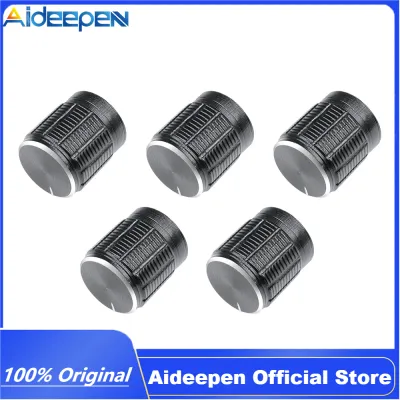
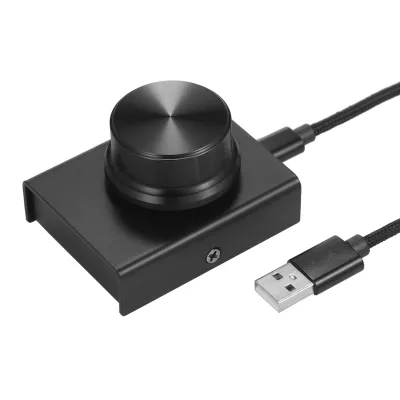
Prices are valid at publication and may change. Please refer to the product page for the latest price.
Common Causes of Scratchy Audio in Mixer Knobs
To effectively address and prevent scratchy audio, it helps to understand how a volume control knob functions mechanically. Inside the mixer, the knob is attached to a potentiometer, which consists of a curved resistive strip (often made of carbon) and a tiny metal wiper that slides across this strip to alter the electrical resistance. Over time, environmental factors and regular use inevitably degrade this delicate mechanical interface.

The most frequent cause of static is the accumulation of dust, dirt, and airborne debris inside the potentiometer housing. Because DJ mixers are often used in open environments, microscopic particles easily settle into the small gaps around the knob shafts. When these particles wedge themselves between the metal wiper and the carbon track, they momentarily interrupt the electrical connection during rotation, resulting in audible crackling.
In addition to physical debris, oxidation and corrosion pose a significant threat to internal metal contacts. In humid climates, moisture in the air reacts with the metal components inside the mixer, forming a thin layer of non-conductive oxide. This oxidation restricts the smooth flow of current. Finally, physical wear and tear from years of frequent rotation will eventually scrape away portions of the internal carbon track. Once this resistive material is worn down, the wiper can no longer make consistent contact, leading to permanent dead spots in the volume sweep.
Safe Cleaning and Troubleshooting Steps
Cleaning a scratchy volume control knob is a straightforward, low-risk procedure that can often restore perfect functionality without requiring you to open the mixer’s chassis. First, completely power off the DJ mixer and unplug it from the wall outlet. Working on live electronic equipment carries safety risks and can cause short circuits that permanently damage the internal circuitry.
Next, gently pull the plastic knob cap straight up and off the shaft. If the cap is tight, use a small plastic pry tool or a piece of string slipped underneath the cap to lift it evenly without scratching the faceplate. Once the shaft is exposed, locate the small gap where the shaft enters the mixer body, which provides a direct pathway to the internal potentiometer.
To clean the contacts, use a specialized electronic contact cleaner formulated for sensitive audio equipment. Ensure the cleaner is fast-evaporating, non-conductive, and leaves no oily residue. Attach the thin straw extension to the spray nozzle, place the tip at the base of the shaft, and apply a very brief, controlled burst of spray. A small amount is highly effective; flooding the component can wash away essential internal damping grease.
Immediately after spraying, rotate the volume control knob back and forth rapidly through its entire range of motion at least thirty to fifty times. This physical action allows the wiper to scrub against the resistive track, spreading the solvent and mechanically dislodging any loosened dust, dirt, or oxidation.
Allow the mixer to dry completely before testing. Even fast-evaporating cleaners require time to dissipate fully from enclosed spaces. Wait at least twenty to thirty minutes before plugging the mixer back in and powering it on.
When to Seek Professional Repair or Replacement
While cleaning resolves the vast majority of scratchy knob issues, certain indicators point to a necessary replacement. If the crackling or audio dropouts persist after cleaning and drying, the internal carbon track is likely worn down past the point of recovery. Once the physical resistive material is scraped away, no amount of cleaning spray can restore the electrical connection.
Physical instability is another sign that the component has reached the end of its lifespan. If the volume control knob feels loose, wobbly, or exhibits significant side-to-side play, the internal shaft or housing is physically damaged. In these cases, continuing to apply cleaning spray will not resolve the underlying mechanical failure.
Before attempting to open the mixer’s outer casing to inspect or replace components yourself, always check the manufacturer’s warranty status. Opening the chassis or performing unauthorized modifications will almost certainly void any active warranty coverage. If the mixer is still under warranty, contact the manufacturer or an authorized service center to arrange for a certified repair.
If the warranty has expired, consult a qualified audio technician. Replacing a mixer’s volume control knob typically requires opening the main housing, desoldering the damaged potentiometer from the printed circuit board (PCB), and soldering a matching replacement component in its place. This task requires specialized soldering equipment and precision to avoid damaging surrounding board traces.
Preventive Maintenance for DJ Equipment
Implementing a few simple preventive habits can dramatically extend the lifespan of your DJ mixer’s volume control knobs and protect them from premature wear. The most effective defense against dust and debris is using a fitted deck saver, dust cover, or padded flight case whenever the equipment is not actively in use. Leaving a mixer exposed to the open air allows dust to settle directly into the fader slots and knob shafts.
Additionally, make a habit of periodically rotating all the knobs and moving the faders across their entire range, even on channels you do not use frequently. This regular movement prevents dust from settling in one spot and helps keep the internal wiper contacts clean and active.
Finally, keep liquids, drinks, and high-humidity environments strictly away from your performance setup. Spilling a sugary drink into a potentiometer is often catastrophic, as the sticky residue attracts dirt and is incredibly difficult to clean. If you perform in humid outdoor venues, consider using dehumidifiers or storing your gear with silica gel packets in sealed cases to minimize the risk of internal metal oxidation.
Frequently Asked Questions (FAQ)
Can I use general-purpose lubricants to clean my mixer knobs?
No, you should never use standard multi-use lubricants, penetrating oils, or household cleaning sprays on your DJ mixer. These general-purpose products are designed for mechanical hinges and rust prevention, meaning they leave behind a thick, wet, or conductive residue. This sticky residue will attract even more dust and debris over time, turning a minor crackle into a severe, permanent clog that can ruin the potentiometer. Always use a dedicated, fast-drying electronic contact cleaner designed specifically for delicate audio components.
Will a scratchy volume knob damage my speakers?
Yes, a severely scratchy volume control knob can potentially damage your downstream audio equipment, including active monitors, power amplifiers, and headphones. When a dirty wiper loses and regains contact with the resistive track, it can generate sudden, high-voltage static pops and spikes. These abrupt audio spikes can easily over-excurse speaker cones or blow delicate high-frequency tweeters if your monitor levels are turned up high. To protect your speakers, always turn down your amplifier or active monitor volumes before troubleshooting or vigorously rotating a faulty mixer knob.
Community discussion
Share your experience or ask a question. Comments are reviewed before publication.