
Selecting the right electronic drum pad for electronic music production requires balancing tactile response, software integration, and physical versatility. Unlike traditional acoustic drummers who prioritize natural stick rebound, electronic music producers and DJs often look for devices that can trigger complex samples, modulate synthesizer parameters in real-time, and integrate seamlessly with digital audio workstations (DAWs). Whether you are programming intricate drum and bass breaks, triggering loops during a live DJ set, or sketching out house beats on a commute, the specifications of your drum pad will directly shape your creative workflow.
To make an informed decision, you must look beyond the sheer number of pads on a device. The internal architecture, connectivity options, and physical materials play a critical role in how a drum pad performs. This guide breaks down the essential technical features, hardware specifications, and workflow considerations to help you choose the ideal electronic drum pad for your beat-making environment.
Core Pad Specifications for Beat Making
The physical playing surface is your primary interface with your music, making pad specifications the most critical starting point.
Products mentioned in this guide
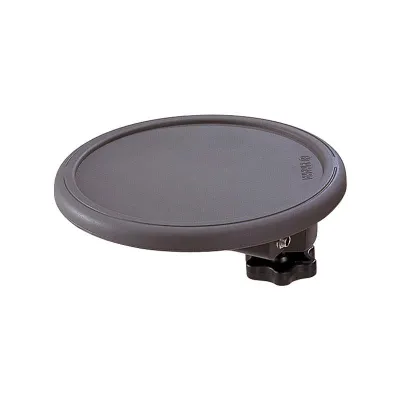
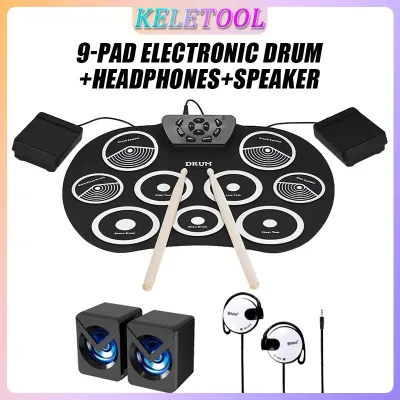
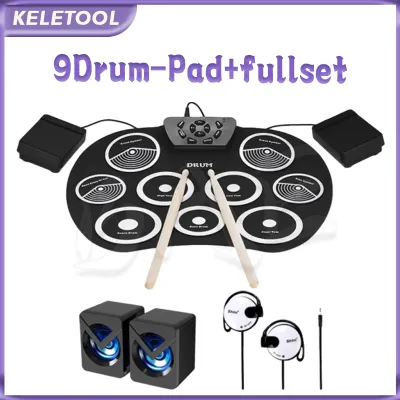
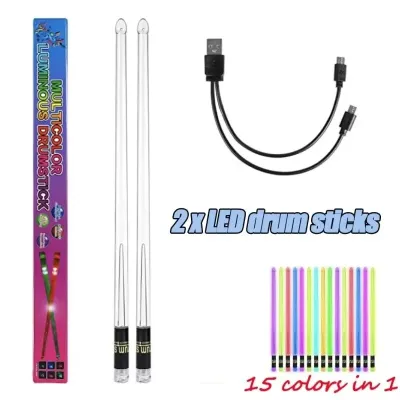
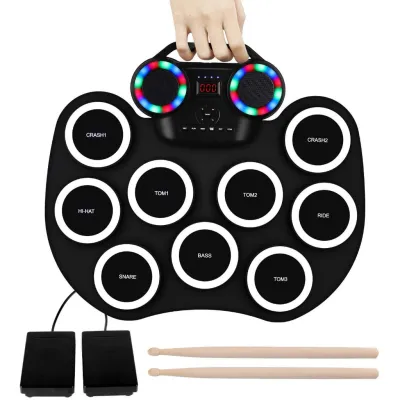
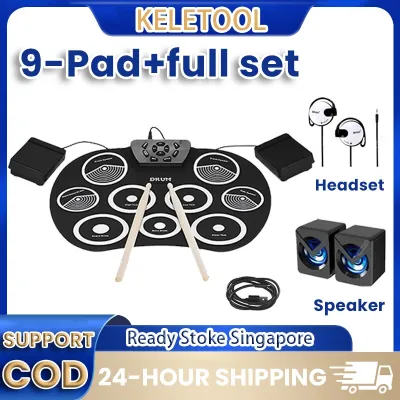

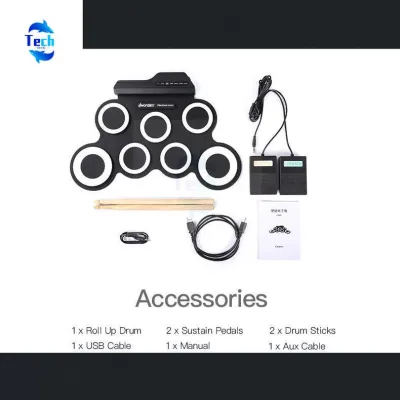
Prices are valid at publication and may change. Please refer to the product page for the latest price.
Pad Materials and Acoustic Noise
Electronic drum pads generally feature either rubber surfaces or mesh heads. Rubber pads are highly common in multi-pad controllers and finger-drumming layouts. They offer a firm, distinct rebound that is excellent for rapid, precise finger strikes and triggering short, punchy samples like electronic snares and claps. However, striking rubber pads with drumsticks produces a sharp, acoustic “thud.” In high-density residential settings, such as typical HDB apartments in Singapore, this low-frequency acoustic noise can easily transfer through walls and floors, potentially disturbing neighbors or family members. Mesh heads offer a much quieter acoustic response and a rebound that closely mimics a tensioned acoustic drum skin. While mesh is excellent for stick play and reducing ambient noise, it is less common on compact, multi-pad grid controllers designed primarily for finger drumming.
Velocity Sensitivity and Aftertouch
Velocity sensitivity determines how accurately the pad translates the force of your strike into MIDI volume or modulation data. For electronic music, where quantized beats can quickly sound sterile or robotic, high-resolution velocity sensitivity is essential for adding humanized dynamics. It allows you to program expressive hi-hat patterns, subtle ghost notes, and building snare rolls naturally. Beyond velocity, look for pads that support aftertouch (either channel or polyphonic). Aftertouch allows you to apply continuous pressure to a pad after the initial strike to modulate parameters like synthesizer filter cutoffs, pitch bends, or effects sends in real-time, adding an extra layer of performance expression to your electronic beats.
Polyphony Limits
If you choose a drum pad with an internal sound engine, you must evaluate its polyphony limit. Polyphony refers to the maximum number of individual notes or sample voices the device can play simultaneously. In complex electronic music production, where you might trigger a long-decaying sub-bass sample, multiple drum hits, vocal chops, and ambient synth pads all at once, a low polyphony limit will cause older sounds to cut off abruptly (known as note dropout). Ensure the device offers sufficient polyphony to handle layered sequences without compromising your sound design.
Connectivity and DAW Integration
How your drum pad communicates with your computer and external hardware determines how easily it fits into your studio.

USB-MIDI vs. Traditional 5-Pin MIDI
Most modern producers rely on USB-MIDI, which sends MIDI data directly to a computer over a single USB cable. This is ideal for controlling software instruments within your DAW. However, if your setup includes hardware synthesizers, standalone samplers, or vintage drum machines, you should look for a drum pad equipped with traditional 5-pin MIDI ports (In, Out, and sometimes Thru). This allows you to route MIDI data directly between hardware units without needing a computer to act as a middleman.
DAW Mapping and Customization
Seamless integration with your software can save hours of tedious setup. Many drum pads feature native mapping templates for popular DAWs like Ableton Live, FL Studio, Logic Pro, and Bitwig Studio. When a device is natively mapped, its pads, knobs, and faders automatically align with the software’s drum racks, volume mixers, and transport controls. If you use a less common DAW or have a highly customized workflow, verify that the manufacturer provides robust MIDI editing software. This software allows you to manually assign specific MIDI CC (Continuous Controller) numbers, MIDI channels, and note values to each pad and control element.
Audio Interfaces and Latency
Latency is the delay between the physical moment you strike a pad and the moment you hear the resulting sound from your speakers or headphones. High latency makes real-time recording and finger drumming nearly impossible. While the drum pad itself sends MIDI data almost instantaneously, the latency is primarily introduced by your computer’s audio processing. To achieve tight, real-time monitoring, you will need a dedicated audio interface with high-performance drivers (such as ASIO for Windows or Core Audio for macOS). Some advanced electronic drum pads feature built-in audio interfaces, allowing them to output audio directly to your monitors or headphones, which can simplify your routing and reduce overall system latency.
Sound Engines and Sampling Capabilities
Deciding whether you need a standalone instrument or a pure MIDI controller is a pivotal choice in your purchasing journey.
Internal Sound Engines vs. MIDI Controllers
A pure MIDI controller does not produce any sound on its own; it must be connected to a computer or hardware synthesizer to function. This is often the most cost-effective option if you plan to work exclusively within a DAW. Conversely, a drum pad with an internal sound engine can generate sound independently. When evaluating built-in sound libraries, ensure they feature high-quality electronic drum kits, synthesizer waveforms, and sound effects tailored to modern electronic genres (such as techno, house, trap, and drum and bass), rather than focusing solely on acoustic drum kit emulations.
Custom Sample Importing
For true creative freedom, look for a drum pad that allows you to import your own custom samples. Verify the import workflow: some devices require proprietary software to format and transfer files, while others allow you to drag and drop standard WAV or AIFF files directly onto an SD card or USB flash drive. Pay close attention to the device’s internal storage capacity and memory limits. Electronic music production often utilizes long vocal phrases, atmospheric pads, and heavy sub-bass samples, which can quickly consume limited internal memory.
VST Controller Advantages
Even if your drum pad has an internal sound engine, using it as a dedicated controller for Virtual Studio Technology (VST) instruments offers massive advantages. Software samplers and drum VSTs on your computer have access to virtually unlimited storage, processing power, and high-fidelity sound libraries that far exceed the hardware limitations of any standalone drum pad.
Matching Features to Your Production Workflow
Your primary production environment should dictate the specific feature set you prioritize.
Studio-Focused Production
If your drum pad will live permanently on your studio desk, prioritize deep DAW integration, high-resolution velocity pads, and an extensive pad count (such as a 4×4 grid of 16 pads or a larger multi-pad layout). Dedicated transport controls (play, stop, record, loop) are highly beneficial, as they allow you to control your DAW without constantly reaching for your keyboard and mouse. Look for pads that offer adjustable sensitivity curves, allowing you to fine-tune how the hardware responds to your specific playing style.
Live DJ and Performance Setups
For performing live or integrating a drum pad into a DJ booth, durability and immediate visual feedback are paramount. Look for a rugged build quality, such as a metal chassis and reinforced input/output jacks, to withstand the rigors of travel and live performance. Bright, color-coded RGB backlit pads are essential for navigating dark club environments, allowing you to color-code your samples, loops, and drum hits for instant visual identification. Standalone sampling and playback capabilities are also highly advantageous here, as they allow you to perform without relying on a laptop, reducing the risk of on-stage software crashes.
Portable and Mobile Beatmaking
If you want to create music while traveling, commuting, or working outside the studio, portability is key. Prioritize compact, lightweight form factors that fit easily into a backpack. Look for devices that can be powered by batteries or via USB bus power from a tablet or laptop. Built-in speakers or a dedicated headphone output are essential for untethered creation, allowing you to sketch out beats wherever inspiration strikes without needing to carry an external audio interface or monitor setup.
Pre-Purchase Verification and Setup Checks
Before finalizing your purchase, perform these essential checks to ensure a smooth setup process.
Operating System and DAW Compatibility
Never assume a drum pad will work out of the box with your current setup. Visit the manufacturer’s official specification page to verify that the device’s drivers and editing software are fully compatible with your specific operating system version (including newer macOS or Windows updates) and your preferred DAW version.
Power and Accessories
Review the list of included accessories carefully. Some drum pads rely entirely on USB bus power, which can drain your laptop’s battery quickly during mobile sessions. If you plan to use the device standalone, verify if a dedicated power adapter is included or if it must be purchased separately. Additionally, if you plan to mount the drum pad on a stand or integrate it into an existing drum kit, check the mounting options and thread sizes to ensure compatibility with standard hardware.
Retailer Return Policies
Because latency issues, driver conflicts, and physical pad feel can be highly subjective and system-dependent, it is wise to purchase from a retailer with a flexible return or exchange policy. This ensures that if the drum pad does not integrate smoothly with your computer hardware or if the physical response does not suit your playing style, you can exchange it for a model that better fits your workflow.
Frequently Asked Questions (FAQ)
Can I use an electronic drum pad without a computer?
Yes, you can use an electronic drum pad without a computer, provided the device features an internal sound engine or standalone sampling capabilities. Standalone drum pads include built-in audio outputs (such as headphone jacks or line outs) and internal storage for pre-loaded sounds or custom samples. Some advanced models also feature built-in sequencers, allowing you to record, edit, and loop patterns directly on the hardware. However, keep in mind that standalone editing and mixing on a small hardware screen are generally more limited and less precise than working within a full computer-based DAW environment.
Do I need special drumsticks for an electronic drum pad?
While you can use standard acoustic drumsticks on most electronic drum pads, choosing the right sticks can protect the playing surface and optimize your performance. For rubber and mesh surfaces, nylon-tipped drumsticks are highly recommended over wood-tipped sticks. Wood tips can splinter over time, and those sharp splinters can easily tear mesh heads or gouge rubber pads. Additionally, always consult the manufacturer’s guidelines regarding recommended stick weights and materials to prevent premature wear or physical damage to the sensitive sensors beneath the pad surface.
Community discussion
Share your experience or ask a question. Comments are reviewed before publication.