
Selecting the right electronic percussion pad requires balancing your performance style, technical setup, and creative workflow. Deciding between the Roland SPD-20 Pro and competing multi-pads on the market depends on verifying your specific sampling needs, pad sensitivity preferences, and connectivity requirements. While one drummer might prioritize a massive library of pre-loaded, highly responsive acoustic and ethnic percussion sounds, another might require extensive user-sample import capabilities to trigger backing tracks or custom electronic layers. By establishing a clear evaluation framework based on hardware specifications and real-world integration, you can identify which instrument aligns with your musical goals.
Core Comparison Criteria for Percussion Pads
When comparing electronic percussion pads, evaluating physical and digital specifications is essential to ensure the instrument fits your playing style. The first major factor is pad sensitivity and trigger response. High-quality pads must accurately register a wide dynamic range, from delicate ghost notes to heavy rimshots, without dropping hits or causing double-triggers. Drummers should look for adjustable velocity curves and threshold settings in the pad’s system menu, which allow you to customize how the hardware responds to your specific drumstick velocity and playing technique.
Another critical element is the balance between built-in sound libraries and user sampling capacity. Some percussion pads function primarily as sound modules, loaded with hundreds of pre-configured, high-fidelity acoustic, electronic, and world percussion instruments. These are ideal for plug-and-play performers who want immediate access to curated sounds. Conversely, sampling pads focus on internal storage and file import capabilities, allowing you to load custom WAV files, backing tracks, and unique sound effects. Before purchasing, verify the supported audio file formats, sample rates, and total internal memory limits of any pad you consider.
Products mentioned in this guide
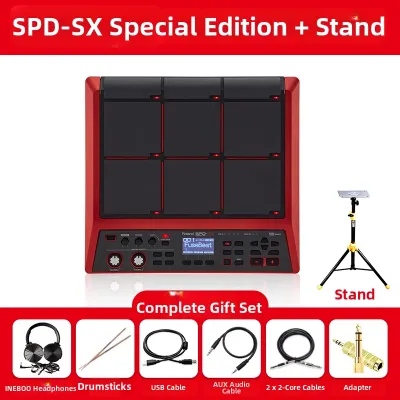
Prices are valid at publication and may change. Please refer to the product page for the latest price.
Connectivity options dictate how easily a percussion pad integrates into your live performance or studio recording rig. Standard connections to look for include stereo audio outputs, headphone jacks, and dedicated auxiliary inputs for external triggers or expression pedals. For digital integration, check whether the pad offers traditional 5-pin MIDI ports, USB-MIDI, or USB-Audio capabilities. These connections determine if you can use the pad as a MIDI controller for your Digital Audio Workstation (DAW) or stream high-quality audio directly to your computer without an external audio interface.
Evaluating the Roland SPD-20 Pro
The Roland SPD-20 Pro is designed as an evolution of a classic percussion pad layout, widely recognized for its straightforward interface and specialized sound library. When evaluating this model, start by checking the official manufacturer specifications regarding its pad configuration. It features an eight-pad layout with cushioned rubber surfaces designed to offer a natural rebound while minimizing wrist fatigue during long playing sessions. You should verify the exact physical dimensions and weight to ensure it fits onto your existing percussion stand or fits into your travel gear.

In terms of sound generation, the SPD-20 Pro focuses heavily on its onboard library, which is particularly renowned for its extensive selection of ethnic, orchestral, and traditional percussion sounds. If your performance style relies on instant access to authentic world percussion instruments, you should review the official instrument list to confirm it includes the specific sounds you need. However, if your workflow requires importing large, multi-layered user samples or long backing tracks, you must check the manual’s specifications regarding user-sample import limitations, as this model is primarily optimized for its internal sound engine.
Ergonomics and physical build quality are also key highlights to inspect. The interface is designed for quick, on-the-fly editing during live gigs, featuring dedicated buttons for direct access to editing parameters like pitch, decay, and effects. This hands-on control is highly beneficial for session musicians who need to tweak sounds quickly between songs without navigating deep digital menus. Verify the layout of the display and buttons to ensure they are easily readable under low-light stage conditions.
Assessing Alternative Percussion Pads
To determine if a competing percussion pad is a better fit for your setup, you must compare alternative hardware layouts and functional designs. Some competitors offer a nine-pad grid with additional raised “bar” triggers along the top edge, which can make it easier to strike specific auxiliary sounds or cymbal crashes without accidentally hitting adjacent pads. Other models might feature a larger grid of smaller pads, which is often preferred by electronic music producers and finger drummers who prioritize compact layouts over traditional stick play.
External trigger expansion is another area where alternative pads vary significantly. If you plan to expand your pad into a compact hybrid drum kit, check how many external trigger inputs the competing models provide. Some alternatives offer multiple dual-trigger inputs, allowing you to connect a dedicated kick trigger, a hi-hat controller pedal, and extra snare or tom pads. This capability turns the multi-pad into the central brain of a highly portable electronic drum kit, which is a major advantage for small-venue gigs.
Finally, research the software ecosystem and community support surrounding alternative models. Many modern sampling pads come bundled with dedicated wave-editing software for your computer, making it simple to drag, drop, and organize your custom sample libraries via USB. Additionally, check the manufacturer’s history of firmware updates. Regular firmware support can introduce new features, improve trigger algorithms, and ensure ongoing compatibility with the latest computer operating systems, protecting your investment over the long term.
Feature and Specification Matrix
To help you compare your options side-by-side, use the following checklist to verify key specifications from official manufacturer manuals or authorized retailer listings before making your purchase.
| Feature / Specification | Roland SPD-20 Pro | Alternative Pad Option A | Alternative Pad Option B |
|---|---|---|---|
| Physical Pad Layout | 8 velocity-sensitive pads | Verify layout (e.g., 9 pads) | Verify layout (e.g., 12 pads) |
| Onboard Sound Library | Extensive world & acoustic | Verify library size/genres | Verify library size/genres |
| User Sample Import | Check manual for limits | Verify flash memory (GB) | Verify flash memory (GB) |
| External Trigger Inputs | Check manual for inputs | Verify number of inputs | Verify number of inputs |
| MIDI & USB Connectivity | MIDI In/Out, USB-MIDI | Verify USB-Audio/MIDI | Verify USB-Audio/MIDI |
| Audio Outputs | Stereo L/R, Headphones | Verify auxiliary outputs | Verify auxiliary outputs |
When using this matrix at your local music retailer, ask to test the pads in person to evaluate the physical rebound of the rubber and the responsiveness of the sensors at low velocities.
Decision Framework: Which Pad Should You Buy?
Choose the Roland SPD-20 Pro if:
- You require an immediate, high-quality library of world, ethnic, and traditional percussion sounds without the need to source or edit your own samples.
- You value a highly durable, road-tested chassis with a straightforward, button-based interface designed for fast editing during live performances.
- Your primary playing style involves traditional drumsticks, and you prefer a classic eight-pad layout with proven physical durability.
Choose a competing pad if:
- Your performance relies heavily on custom backing tracks, long stereo loops, or complex multi-sampled instruments that you must import yourself.
- You want to expand the pad into a full hybrid drum kit and require multiple dual-trigger inputs for external pads and pedals.
- You prefer a different physical layout, such as a nine-pad configuration with raised edge triggers or a compact grid optimized for finger drumming.
Verify first if:
- The pad is fully compatible with your existing mounting hardware, stands, and external triggers, as these accessories are often sold separately.
- The current S$ retail pricing at local music stores fits your budget, keeping in mind the added cost of essential accessories like mounting clamps, carrying bags, and high-quality cables.
- The manufacturer's software tools are compatible with your computer's current operating system version for seamless sample transfer and MIDI control.
Frequently Asked Questions (FAQ)
Can I integrate a percussion pad with my existing acoustic drum kit?
Yes, integrating an electronic percussion pad into an acoustic drum kit is a common way to create a hybrid setup. To do this, you will need a dedicated mounting plate and a heavy-duty multi-clamp to secure the pad to an existing cymbal stand or tom mount. If you want to trigger electronic sounds directly from your acoustic drums, you must verify that the pad has compatible external trigger inputs. You will also need to adjust the pad’s internal crosstalk and threshold settings to prevent the physical vibrations of your acoustic drums from accidentally triggering the electronic pads.
What should I check regarding audio interfaces and MIDI compatibility?
Before purchasing, verify if the percussion pad is USB-MIDI class-compliant, which allows it to connect directly to your computer or mobile device without requiring proprietary drivers. If you plan to use the pad to control external hardware synthesizers or drum machines, ensure it features standard 5-pin MIDI ports. For audio routing, check whether the pad’s outputs are balanced or unbalanced; balanced outputs are highly recommended for live performances to prevent signal noise over long cable runs to the main mixing console. Finally, check if the pad supports USB-Audio, which allows you to record the pad’s internal sounds directly into your DAW over a single USB cable.

Community discussion
Share your experience or ask a question. Comments are reviewed before publication.