
Selecting your first electronic drum pad is an exciting milestone. Unlike acoustic drums, which require a dedicated, soundproofed room, electronic alternatives offer a compact, volume-controlled way to build rhythm, coordination, and stick technique. However, navigating technical specifications, material choices, and hardware configurations can be daunting for a beginner. To make an informed decision, you must evaluate how a drum pad fits into your daily practice environment, matches your physical playing style, and connects with your existing learning tools.
Assess Your Practice Space and Noise Constraints
In high-density living environments, such as apartments or HDB flats, physical space and noise control are critical factors. Before browsing models, measure your designated practice area to determine whether you have room for a full-sized electronic drum kit on a stand or if a compact, tabletop electronic drum pad is more practical. A full kit typically requires a dedicated footprint of at least 1.2 by 1.2 metres, whereas a tabletop multipad can sit on a desk or snare stand and be tucked away when not in use.
While electronic drums are significantly quieter than acoustic ones, they are not silent. The physical impact of wooden drumsticks hitting rubber or mesh surfaces creates an acoustic “clack” that can pass through thin walls. Furthermore, the downward force of your foot pressing a bass drum pedal sends low-frequency vibrations directly through concrete floors, which can disturb neighbors living below you. To mitigate this, look for pads featuring mesh heads, which absorb impact noise much better than hard rubber. If you live in a multi-story building, you may also need to budget for a noise-isolation platform or a thick, vibration-absorbing drum mat. Finally, ensure the unit supports private practice through a dedicated headphone jack, allowing you to play at any hour.
Products mentioned in this guide
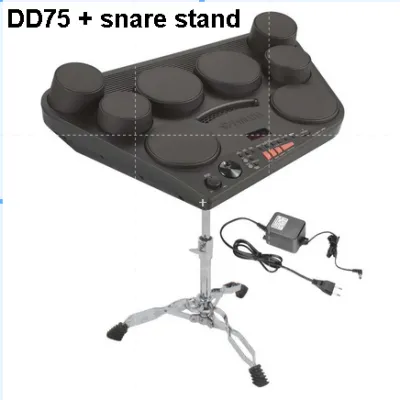
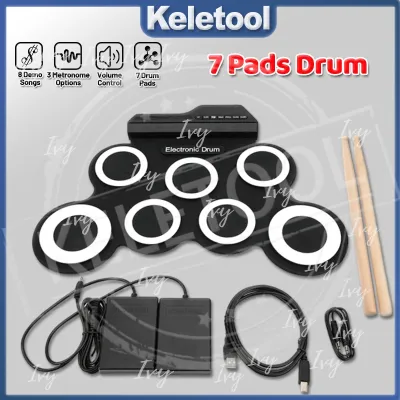
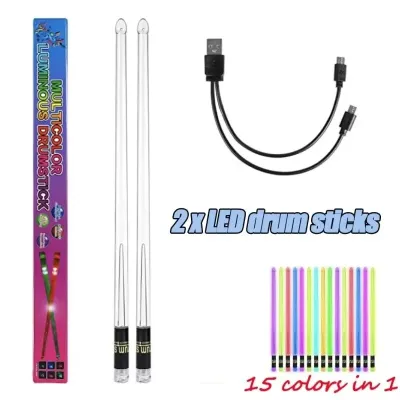
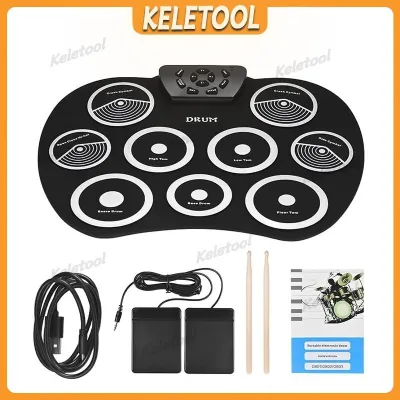
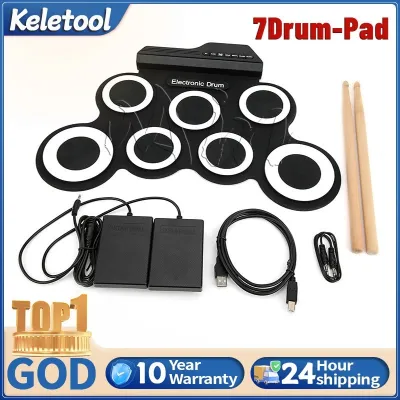
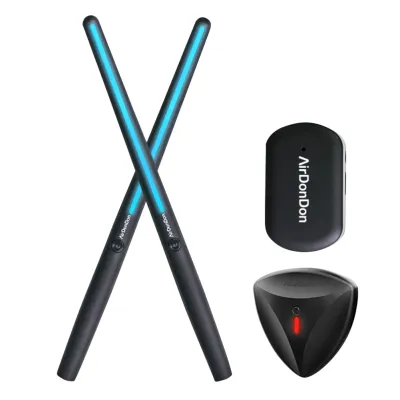
Prices are valid at publication and may change. Please refer to the product page for the latest price.
Choose the Right Pad Material for Your Playing Feel
The material of the drum pad directly influences how the instrument responds to your sticks and how closely it mimics the feel of an acoustic drum kit. Traditional rubber pads are highly durable, budget-friendly, and offer a firm, consistent rebound. However, they can feel stiff to play over long periods, potentially causing wrist fatigue for beginners who have not yet developed relaxed hand techniques. In contrast, mesh heads consist of a woven fabric stretched over a drum shell, providing a springy, realistic rebound that closely resembles a tensioned acoustic drumhead. Mesh heads are also adjustable, allowing you to tighten or loosen them with a standard drum key to customize the stick response.

Beyond the material itself, you must consider the trigger zones of the pads. Basic, entry-level pads are often single-zone, meaning they produce the exact same sound regardless of where you strike the surface. More advanced dual-zone pads can differentiate between a strike in the center of the head and a strike on the outer rim, which is essential for learning techniques like rimshots. For cymbal pads, look for dual-zone or triple-zone capabilities that support “choking”—the ability to grab the edge of the cymbal with your hand to instantly silence the sound. Always check the manufacturer’s specifications for adjustable sensitivity and velocity curves, which allow you to fine-tune how the pad translates soft, delicate ghost notes versus heavy, accented strokes.
Check Sound Module Features and Connectivity Needs
The sound module, often referred to as the “drum brain,” is the control center of your electronic drum pad. For a beginner, the quality and variety of the built-in sound library are less important than the educational tools integrated into the module. Look for a module that includes a highly adjustable metronome with various time signatures and rhythm patterns, as timing is the foundation of all drumming. Interactive coaching functions, which analyze your timing accuracy and provide real-time feedback, are incredibly valuable for self-directed learners.
Digital connectivity is another crucial consideration for modern drum education. A USB-MIDI port is a must-have feature, allowing you to connect the drum pad directly to a computer, tablet, or smartphone. This connection lets you trigger high-quality virtual instruments, record your practice sessions into digital audio workstations (DAWs), or interact with gamified drum learning applications. Some modern modules also offer Bluetooth audio connectivity, enabling you to stream backing tracks wirelessly from your phone through the module, so you can play along to your favorite songs in your headphones. For physical audio connections, verify that the module has a standard 3.5mm or 6.35mm headphone output, as well as dedicated line-out ports if you plan to connect to an external drum amplifier or active speaker system.
Evaluate Size, Portability, and Hardware Requirements
When purchasing your first electronic drum pad, you must distinguish between all-in-one portable multipads and modular electronic drum kits. All-in-one multipads feature several small pads built into a single, compact chassis. These units are highly portable, making them ideal for students who need to carry their instrument to music lessons, jam sessions, or school performances. They can be mounted on a standard snare drum stand or placed directly on a tabletop.
Modular kits, on the other hand, consist of separate pads mounted on a metal or plastic rack system. While they offer a more realistic layout that prepares you for playing an acoustic kit, they are much harder to transport and require a dedicated assembly process. Regardless of which style you choose, pay close attention to what hardware is included in the box. Many beginner packages do not include essential accessories such as a drum throne, a kick drum pedal, a hi-hat controller pedal, or even drumsticks. Purchasing these items separately can add anywhere from S$80 to over S$200 to your total startup cost, so always verify the package contents before finalizing your purchase. If portability is a priority, check the weight of the module and rack, and look for frames that feature quick-release clamps or folding mechanisms for easy storage.
Match Your Budget to Essential Beginner Features
It is easy to get distracted by premium, high-end features when shopping for your first instrument, but beginners should focus on maximizing value by prioritizing core learning tools. Features like positional sensing or massive multi-gigabyte sample libraries are excellent for professional studio recording, but they are unnecessary for mastering basic rudiments and hand-foot coordination. Instead, allocate your budget toward a sturdy rack that will not wobble during intense practice, responsive mesh pads that protect your wrists, and a reliable sound module with a solid metronome.
When planning your budget, remember to account for the total cost of ownership rather than just the price of the drum pad itself. A complete beginner setup should include the drum pad or kit, a comfortable drum throne that supports proper posture, a pair of durable wooden or nylon-tip drumsticks, and a pair of closed-back headphones designed for monitoring instruments. Closed-back headphones are particularly important because they block out the physical acoustic clicking of your sticks, allowing you to focus entirely on the synthesized drum sounds. To help you compare different models on online marketplaces or at local music shops, use this simple checklist:
- Does the kit use mesh heads for the snare and tom pads?
- Is a physical kick drum pad and pedal included, or does it use a silent foot switch?
- Does the sound module feature a USB-MIDI port for computer connectivity?
- Are the cymbal pads dual-zone with choke capabilities?
- Does the package include a drum throne and headphones, or must they be bought separately?
Frequently Asked Questions (FAQ)
Do I need a kick pedal for my first electronic drum pad?
Whether you need a physical kick pedal depends on your drum pad’s design and your learning goals. Many compact, tabletop electronic drum pads use simple, button-like foot switches to trigger bass drum sounds. While these switches are highly portable and quiet, they do not replicate the physical feel, resistance, or rebound of a real bass drum pedal. If your goal is to eventually transition to a full acoustic drum kit, learning on a setup with a physical kick pad and a mechanical bass drum pedal is highly recommended to build proper ankle strength and four-limb coordination.
Can I use an electronic drum pad with my computer or tablet?
Yes, almost all modern electronic drum pads and modules can connect to computers, tablets, and smartphones. Look for a USB-MIDI port (often labeled as USB to Host) on the back of the sound module. This connection allows you to use your drum pad as a MIDI controller for educational software, interactive drumming games, and digital audio workstations (DAWs). While some modules support Bluetooth MIDI, a wired USB connection is generally preferred for real-time practice to avoid audio latency (delay).

Community discussion
Share your experience or ask a question. Comments are reviewed before publication.