
For a beginner guitarist, the best NUX pedalboard is not a physical metal board for mounting individual pedals, but rather an all-in-one digital multi-effects processor. These compact, digital units provide an affordable, versatile, and highly educational entry point into the world of guitar effects. Instead of buying multiple expensive individual pedals, patch cables, and a power supply, a beginner can access dozens of simulated amplifiers, cabinets, and classic effects like delay, reverb, distortion, and modulation within a single device. Choosing the right model depends on your primary practice environment, your budget, and how easily you want to edit your sounds.
By starting with a digital multi-effects unit, you gain a comprehensive toolkit to explore different musical genres and discover which effects suit your playing style. NUX offers several entry-level and intermediate processors designed specifically to simplify this learning curve. These units combine intuitive physical controls with modern digital features, making them highly accessible for players who are still developing their finger strength and basic chord transitions. Understanding the differences between these options will help you make an informed decision that supports your long-term musical growth.
Clarifying Your Needs: Multi-Effects Processors vs. Physical Pedalboards
When starting your guitar journey, the terminology surrounding “pedalboards” can easily lead to confusion. A physical pedalboard is simply a metal or wooden frame designed to hold individual, standalone analog effects pedals. To use a physical board, you must purchase each pedal separately, connect them with individual patch cables, and power them using a dedicated multi-outlet power supply. While this approach offers maximum customization and a highly tactile experience, the cumulative cost can quickly exceed S$500 or more, which is often impractical for someone just learning the basics of the instrument.
Products mentioned in this guide
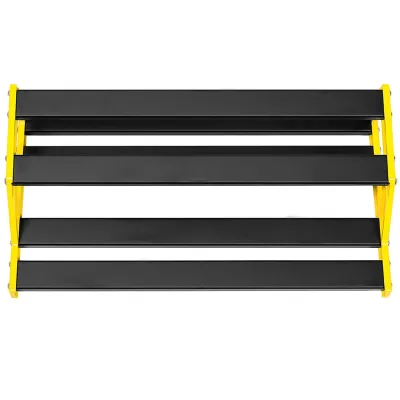
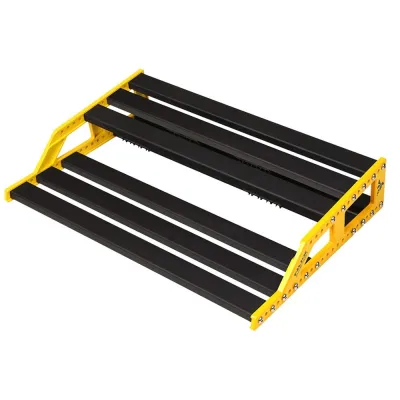
Prices are valid at publication and may change. Please refer to the product page for the latest price.
In contrast, a digital multi-effects processor houses dozens of different virtual pedals, amplifiers, and speaker cabinets inside a single electronic chassis. These units use digital signal processing to replicate the circuitry of classic analog gear, allowing you to switch between entirely different sound setups with the press of a single footswitch. For a beginner, this all-in-one design eliminates the technical headaches of troubleshooting noisy patch cables, managing power polarity, and figuring out the correct physical order of your effects chain.
Furthermore, digital multi-effects units frequently include built-in practice tools that are rarely found on individual analog pedals. Features such as integrated drum machines, metronomes, and phrase loopers are invaluable for developing your timing, rhythm, and improvisational skills. These tools allow you to practice playing along with a steady beat or record a chord progression to solo over, turning your practice sessions into a much more engaging and productive experience.
Your decision should ultimately align with your current equipment, budget flexibility, and learning goals. If you already own a high-quality amplifier and prefer the simplicity of turning physical knobs on individual boxes, a small physical board might appeal to you down the road. However, if you want to experiment with a vast library of tones, practice silently with headphones, and keep your initial investment manageable, a digital multi-effects processor is almost always the more practical and educational choice for your first year of playing.
Essential Features to Look for in a Beginner NUX Unit
Navigating the specifications of digital processors can feel overwhelming, but focusing on a few key features will help you identify a user-friendly model. The most critical element for a beginner is an intuitive user interface. Look for units that feature a clear, color screen and a straightforward physical layout, ideally with dedicated knobs for adjusting gain, level, and three-band equalization. A simple interface ensures you spend your valuable time practicing guitar rather than getting lost in complex digital menus or sub-folders.

Another essential feature to prioritize is built-in amplifier modeling and cabinet impulse responses, commonly referred to as IRs. Amp modeling simulates the tonal characteristics of famous tube and solid-state amplifiers, while cabinet IRs replicate the acoustic behavior of specific speaker cabinets and microphones. This technology allows you to achieve realistic, high-quality guitar tones even when you are not plugged into a physical amplifier. Having access to realistic simulations helps you understand how different historical amp designs shape your overall sound.
Integrated practice tools are equally vital for accelerating your musical development. A built-in drum machine with various genre patterns helps you practice playing in time, which is far more beneficial than practicing in isolation. Additionally, a phrase looper allows you to record a short passage of your playing and play it back on a continuous loop. This feature is excellent for practicing lead techniques, understanding harmony, and self-evaluating your playing posture and timing.
Finally, look for a unit that functions as a USB audio interface. This capability allows you to connect the processor directly to your computer or mobile device using a standard USB cable. Once connected, you can record your guitar directly into digital audio workstation software without needing a separate external interface. This connection also enables you to use the manufacturer’s desktop editing software, which simplifies the process of organizing your presets, loading custom cabinet simulations, and keeping your device’s firmware up to date.
Matching the Form Factor to Your Practice Environment
The physical design and size of your processor should match where and how you plan to practice. If you primarily practice in a bedroom, apartment, or shared living space, your main priority should be silent practice capabilities. Look for compact units that feature a dedicated headphone output and a small footprint that fits easily on a desk or next to your computer. These smaller models are designed to deliver full, rich tones through headphones, allowing you to practice late at night without disturbing family members or neighbors.
If you anticipate jamming with friends, attending lessons, or participating in small rehearsals, you will need a more robust physical setup. In these environments, look for a unit equipped with standard 1/4-inch output jacks that can connect directly to a guitar amplifier, a PA system, or active studio monitors. A built-in expression pedal is also highly beneficial for these scenarios, as it allows you to control volume, wah-wah effects, or pitch-shifting in real time using your foot while keeping both hands on your guitar.
For casual, mobile, or outdoor playing, portability and power flexibility become the primary considerations. Some compact processors can be powered by standard AA batteries or via a portable USB power bank, eliminating the need to be near a wall outlet. These lightweight models are highly convenient for traveling, taking to school, or moving quickly between different rooms in your home. However, keep in mind that battery-powered units may have slightly fewer physical controls or smaller screens to conserve energy.
Ultimately, choosing the right form factor requires balancing physical durability with convenience. A heavy metal chassis with multiple footswitches is ideal for regular transport and foot control during live play, but it may be unnecessarily bulky if your unit never leaves your desk. Conversely, an ultra-compact plastic unit is highly portable and affordable, but it may require more careful handling if you plan to use it on the floor during energetic practice sessions.
Pre-Purchase Checks and Compatibility Verification
Before finalizing your purchase from an authorized dealer or online marketplace, it is essential to verify several technical specifications to ensure a smooth setup. First, check the power supply requirements of the specific model you are considering. Some units include the appropriate AC power adapter in the box, while others may require you to purchase a compatible power supply separately. Always verify the required voltage, current draw in milliamperes, and plug polarity to prevent damaging the sensitive digital circuitry of your device.
Next, verify the operating system compatibility for the manufacturer’s official editing software. Most modern processors rely on desktop or mobile applications to allow deep editing of effects parameters, preset organization, and the loading of third-party impulse responses. Ensure that your computer’s operating system version is officially supported by the software. If you plan to use a mobile app for editing via Bluetooth, confirm that your smartphone or tablet meets the minimum hardware and software requirements.
You should also confirm that the physical input and output jacks on the processor are compatible with your existing gear. Standard electric guitars use 1/4-inch mono instrument cables, which are universally supported, but your headphones may use a smaller 1/8-inch mini-jack. If your headphones have a different plug size than the processor’s headphone output, you will need to purchase a simple adapter. Additionally, if you plan to connect the unit to a computer, check what type of USB port the processor uses so you can obtain the correct cable.
Finally, review the manufacturer’s documentation regarding firmware updates before your first use. Digital multi-effects processors are essentially specialized computers, and manufacturers frequently release firmware updates to fix software bugs, improve amp modeling algorithms, or add new features. Understanding how to perform these updates safely using a computer will ensure your device operates reliably and performs at its best from the moment you plug it in.
Frequently Asked Questions (FAQ)
Can I use a NUX multi-effects unit directly with headphones?
Yes, almost all digital multi-effects units from this manufacturer feature a dedicated headphone output designed specifically for silent practice. This output allows you to hear your guitar, along with all selected effects, amplifier models, and cabinet simulations, directly through your headphones. Before connecting, check the product specifications to confirm the connector size, which is typically either a 1/8-inch or 1/4-inch jack, and ensure your headphones match or that you have the correct adapter. It is also wise to check the recommended headphone impedance range to ensure optimal volume and audio clarity.
Do I need an external amplifier if I buy a NUX digital pedalboard?
No, you do not strictly need a traditional guitar amplifier to use a digital multi-effects processor. Because these units feature built-in amplifier modeling and cabinet simulations, they can output a fully realized guitar tone directly to headphones, active studio monitors, a home stereo system, or a PA system. If you do choose to connect the unit to a traditional guitar amplifier, you should consult the user manual for proper routing instructions. You may need to disable the unit’s cabinet simulations or plug into the amplifier’s effects return port to avoid double-amplification, which can make your tone sound muddy or overly harsh.
How do I update the firmware and edit presets on a NUX unit?
To update the firmware and edit presets, you should visit the official manufacturer’s website and navigate to the support or downloads section for your specific model. Download the official desktop editing software and the latest firmware file compatible with your computer’s operating system. Connect your processor to your computer using the appropriate USB cable, and follow the manufacturer’s step-by-step instructions precisely. Never disconnect the USB cable or power off the device during a firmware update, as this can interrupt the process and cause the unit to become unresponsive.

Community discussion
Share your experience or ask a question. Comments are reviewed before publication.