
Quick Answer: Which Brand Should a Beginner Choose?
Choosing the right beginner keyboard piano is a highly personal decision because there is no single brand that outperforms the others in every category. The ideal choice depends on whether you prioritize classical technique, space-saving portability, or expressive sound dynamics. Each of the three major manufacturers has developed a distinct design philosophy to address these varying needs.
- Yamaha is generally the preferred choice if you want a traditional, structured learning experience with a key touch and sound sampling that closely mimic a classic acoustic piano.
- Casio excels at providing high feature density, ultra-compact frames, and excellent value for money, making it ideal for budget-conscious buyers or those with limited space.
- Roland focuses on premium key action and advanced, responsive sound modeling, making it the top option for beginners who want a highly expressive instrument that they will not quickly outgrow.
Because individual models within each brand’s lineup can vary significantly, you must always verify specific product specifications rather than relying solely on brand reputation. Factors such as the exact key weight, connectivity options, and physical dimensions should guide your final purchase.
Key Comparison Dimensions for Beginner Keyboard Pianos
When shopping for a keyboard piano, it is easy to get distracted by flashy digital extras like hundreds of synthesized sounds, automatic accompaniment rhythms, or illuminated keys. While these features can be entertaining, they do not contribute to developing fundamental playing techniques. To make a lasting investment, you should focus your evaluation on three core dimensions: touch response, sound generation, and functional learning connectivity.
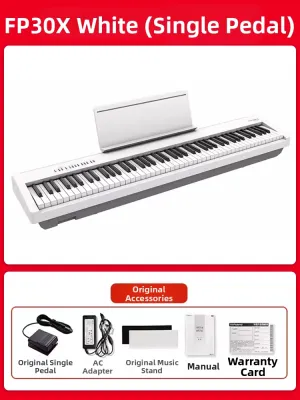
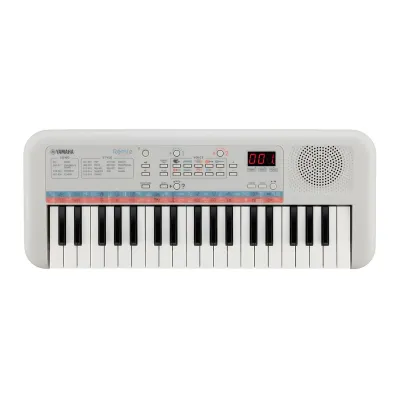
Products mentioned in this guide
![Yamaha NP-15 Portable Keyboard Piano 61-Key Black/White Piaggero Digital Musical Instrument NP15 [LIMITED STOCK]](https://img.lazcdn.com/g/p/aff5a2a6d544d118d346871a4153a7e2.jpg_400x400q80.jpg_.webp)
![[✅SG Ready Stock] 61 Key High Quality Music Keyboard Piano kids toys new player beginner Electric Piano](https://img.lazcdn.com/g/p/1f34b80fc1c4ffa462a06ed0ad2ca2fd.jpg_400x400q80.jpg_.webp)
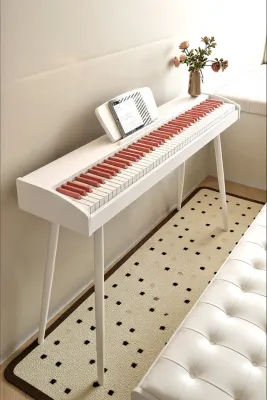
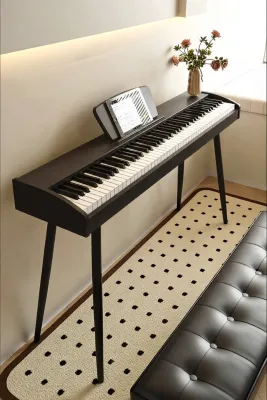
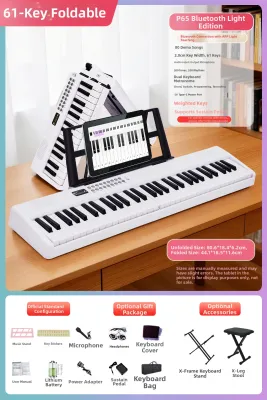
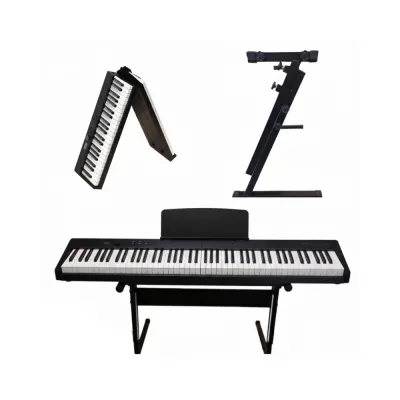
Prices are valid at publication and may change. Please refer to the product page for the latest price.

Evaluating these technical baselines ensures that the instrument supports proper hand posture, finger strength, and ear training. By understanding how these components function, you can look past marketing jargon and compare different models on a level playing field.
Key Action and Touch Response
The physical feel of the keys is the most critical element of any keyboard piano. Acoustic pianos use a complex system of wooden keys, felt hammers, and metal strings, which creates a natural resistance when pressed. To replicate this, digital keyboards utilize different types of key actions:
- Hammer Action (Fully Weighted): These keys use actual mechanical weights to simulate the resistance of a real piano hammer. This is essential for building finger strength and control.
- Semi-Weighted: These keys use springs combined with light weights. They offer some resistance but lack the authentic mechanical feel of an acoustic instrument.
- Synth Action (Unweighted): These keys rely purely on light springs. They are highly responsive for playing fast synthesizer lines but are not suitable for learning proper piano dynamics.
Within weighted keyboards, look for graded or scaled hammer action. This technology ensures that the lower keys feel slightly heavier than the higher keys, precisely mimicking the physical characteristics of an acoustic grand piano. Before purchasing, check the manufacturer’s spec sheet for the specific key action technology used, as entry-level models within the same brand may use unweighted keys while mid-tier options feature advanced graded hammer systems.
Sound Engine and Polyphony
A keyboard’s sound engine determines how realistic and pleasant the instrument sounds. Most beginner keyboards use sampling, which involves playing back high-quality digital recordings of real acoustic grand pianos. Higher-end models may use physical modeling, which uses digital algorithms to generate the sound in real-time based on how hard you strike the key, how long you hold it, and how the virtual strings interact.
Another critical specification is polyphony, which refers to the maximum number of individual notes or voices the keyboard can produce at the exact same time. When you play a chord while holding down the sustain pedal, each note continues to ring out, quickly consuming the keyboard’s polyphony limit.
If you exceed this limit, older notes will abruptly cut off, ruining the flow of your music. For a beginner, a minimum polyphony threshold of 64 to 128 notes is highly recommended. This range ensures you will not experience note dropouts as your pieces become more complex and you begin using the sustain pedal regularly.
Built-in Learning Features and Connectivity
Modern digital technology offers several tools that can accelerate your practice sessions. Essential built-in utilities include a metronome for rhythm training, tempo adjustment for slowing down difficult passages, and split or dual keyboard modes. Dual mode divides the keyboard into two identical pitch ranges, allowing a teacher and student to sit side-by-side and play the same notes simultaneously.
Physical and wireless connectivity options are equally important for modern learners. Look for keyboards equipped with USB-MIDI ports, which allow you to connect the instrument directly to a computer, tablet, or smartphone. This connection lets you interact with popular sheet music apps, interactive lesson platforms, and digital audio workstations (DAWs).
Some models also offer Bluetooth MIDI or Bluetooth Audio. Bluetooth MIDI allows for wireless connection to learning apps, while Bluetooth Audio lets you stream backing tracks from your phone directly through the keyboard’s built-in speakers. Always verify operating system compatibility (iOS, Android, Windows, macOS) on the product packaging or official website to ensure the keyboard will work seamlessly with your existing devices.
Brand Profiles: What Each Manufacturer Does Best
Yamaha, Casio, and Roland are the dominant forces in the digital keyboard industry. While all three brands offer reliable instruments, they approach entry-level design from different angles. Understanding these general brand philosophies will help you narrow down your options based on your personal priorities.
Keep in mind that these profiles describe general brand tendencies. You should still evaluate the exact specifications of individual models within your budget to ensure they meet your specific requirements.
Yamaha: Balanced Acoustic Realism and Education
Yamaha’s design philosophy is deeply rooted in its heritage as a premier manufacturer of acoustic grand pianos. This background heavily influences their digital keyboard lineup, which focuses on delivering highly consistent, authentic acoustic piano samples and reliable, standardized key actions. Their entry-level instruments often feature samples recorded directly from their world-renowned CFX concert grand piano, providing a bright, clear, and classical tone.
To support beginners, Yamaha has built a robust educational ecosystem. Their proprietary apps, such as Smart Pianist, allow users to control keyboard settings, view chord charts, and follow interactive scores on a connected tablet. This structured digital integration makes self-directed practice highly engaging and easy to manage.
Yamaha also offers an exceptionally wide variety of physical form factors. Beginners can choose from highly portable, lightweight slab keyboards (such as the P-series) or elegant, furniture-style digital pianos (such as the Arius YDP-series) that blend seamlessly into a living room or study. This versatility makes it easy to find an instrument that matches both your musical goals and your home decor.
Casio: Accessibility, Portability, and Value
Casio has carved out a powerful reputation by making musical education accessible to everyone. Their primary strength lies in creating compact, lightweight instruments that maximize space efficiency. This makes Casio a highly popular choice for apartment living or small bedrooms, where a bulky instrument is impractical. Many of their modern portable models feature ultra-slim profiles that can be easily stored under a bed or in a closet when not in use.
In terms of value, Casio typically packs a high density of features into highly competitive price points. Even their entry-level models often include a wide variety of instrument tones, built-in rhythm accompaniments, and creative digital effects. This variety keeps practice sessions fun and engaging, especially for younger players or casual hobbyists who want to explore different musical genres.
However, because Casio’s lineup spans a wide spectrum, you must look closely at the key action specifications of your chosen model. Their catalog ranges from basic, unweighted keys on budget-friendly travel keyboards to highly advanced, tri-sensor scaled hammer actions on their premium digital pianos. Ensuring you select a model with the right key action for your learning goals is vital to your long-term progress.
Roland: Expressive Action and Modern Sound Modeling
Roland approaches beginner instruments with a strong focus on professional-grade performance and expressive capability. They are highly regarded for their exceptionally responsive key actions, which are designed to capture the subtle, microscopic nuances of a player’s touch. Many of their entry-level weighted keyboards utilize advanced sensor technology and key surfaces that mimic the texture of real ivory, preventing fingers from slipping during long practice sessions.
Instead of relying solely on standard audio playback, Roland utilizes advanced sound modeling technology. This approach simulates the physical behavior of a piano’s strings, soundboard, and cabinet in real-time. The result is a highly organic, dynamic tone that reacts naturally to how hard or soft you strike the keys, giving beginners a more authentic feel for musical dynamics and expression.
Because of this emphasis on touch and tone, Roland keyboards are highly favored by beginners who plan to stick with the instrument long-term. They are also an excellent fit for those who eventually want to transition to professional stage pianos, synthesizer performance, or digital music production, as Roland’s MIDI integration and sound engines are standard fixtures in professional studios.
Feature Comparison Matrix: What to Verify Before Buying
To avoid relying on generalized brand assumptions, you should compare the exact specifications of the specific models you are considering. The table below serves as a template to help you organize your research. You can find these details on the official manufacturer spec sheets for your shortlisted models to perform a direct, apples-to-apples comparison.
| Feature | Yamaha (Verify Model Specs) | Casio (Verify Model Specs) | Roland (Verify Model Specs) | Why It Matters for Beginners |
|---|---|---|---|---|
| Key Action Type | Check for graded hammer actions (e.g., GHS or GHC) versus unweighted synth keys. | Check for scaled hammer actions versus basic spring-loaded keys. | Check for weighted hammer actions (e.g., PHA-4 Standard) versus unweighted keys. | Fully weighted, graded keys build correct finger strength and ease the transition to acoustic pianos. |
| Polyphony Count | Typically ranges from 64 to 192 notes depending on the model tier. | Typically ranges from 64 to 256 notes on compact digital lines. | Typically ranges from 96 to 256 notes (or unlimited on modeled tones). | Higher polyphony prevents notes from cutting off abruptly when playing complex chords with the sustain pedal. |
| Speaker Wattage | Often ranges from 6W to 12W per speaker on portable models. | Often ranges from 8W per speaker, optimized for slim cabinet designs. | Often ranges from 6W to 11W per speaker, tuned for rich projection. | Higher wattage provides a cleaner, louder sound that fills a room without distorting at high volumes. |
| Weight & Dimensions | Standard portable dimensions; weight typically ranges from 11kg to 15kg. | Ultra-slim footprints; weight often ranges from 10kg to 12kg for high portability. | Standard portable dimensions; weight typically ranges from 12kg to 15kg. | Crucial for ensuring the instrument physically fits your designated practice space or is easy to transport. |
| Connectivity Options | Check for USB-to-Host, dedicated headphone jacks, and proprietary app support. | Check for USB-to-Host, headphone jacks, and Bluetooth MIDI/Audio adapters. | Check for USB-to-Host, headphone jacks, and integrated Bluetooth MIDI/Audio. | Essential for practicing silently with headphones and connecting to educational software or DAWs. |
Use this matrix as a checklist when browsing local music showrooms or online catalogs. Filling in these exact details will quickly reveal which model offers the best balance of features for your budget.
How to Make Your Final Decision
To make your final choice, evaluate your personal circumstances, learning objectives, and physical space. You can use this conditional decision framework to guide your purchase:
- Choose Yamaha if: You want a highly traditional learning path, prefer a bright and clear classical piano tone, want access to structured proprietary educational apps, and value a standardized, reliable key touch that closely mirrors a classic acoustic instrument.
- Choose Casio if: You are working with a strict budget, have limited physical space in your home, need a highly portable instrument that is easy to pack away, or want a wide variety of built-in instrument sounds and rhythms to keep casual practice sessions engaging.
- Choose Roland if: You are willing to invest a bit more upfront for superior touch responsiveness, prioritize a highly expressive and dynamic key feel, want advanced sound modeling that reacts organically to your playing style, and want an instrument that will support you well into intermediate and advanced levels.
Verify physical and technical compatibility first:
- Measure Your Space: Before purchasing, always measure your designated practice area. Be sure to check the keyboard's exact physical dimensions, including the width and depth of its matching stand. In Singapore, where apartment space in HDB flats or condominiums is often at a premium, opting for an ultra-slim model can save valuable floor space.
- Check Software Compatibility: If you plan to use specific interactive learning apps or software, double-check the keyboard's operating system compatibility and connection requirements. Ensure you have the correct cables or wireless adapters to connect the instrument to your tablet or computer.
- Consider the Local Environment: Unlike acoustic pianos, which are highly sensitive to Singapore's tropical humidity and require regular tuning or dedicated heater rods, digital keyboards are highly stable and virtually maintenance-free. However, keeping your digital keyboard away from direct sunlight and using a simple dust cover when not in use will significantly extend the lifespan of its internal electronics and key sensors.
Whenever possible, visit a local music showroom in Singapore to test your shortlisted models in person. Pressing the keys and hearing the sound projection yourself is highly subjective, and spending even ten minutes sitting at each instrument will give you the ultimate confidence that you are choosing the perfect keyboard piano for your musical journey.
Frequently Asked Questions (FAQ)
Do I need 88 weighted keys for my first keyboard piano?
If your primary goal is to learn classical piano, prepare for formal music examinations, or eventually transition to playing an acoustic piano, starting with 88 fully weighted keys is highly recommended. An 88-key layout covers the full standard range of piano literature, while weighted keys build the necessary finger strength, hand posture, and dynamic control required for advanced playing.
However, if you are a casual hobbyist, a music producer focused on electronic tracks, or purchasing an instrument for a very young child with smaller hands, a 61-key or 76-key keyboard with semi-weighted or synth-action keys can be a highly practical alternative. These smaller options are more compact, lighter, and budget-friendly, making them an excellent entry point before committing to a full-sized instrument.
Can I use a keyboard piano with music learning apps?
Yes, almost all modern beginner keyboard pianos can connect to interactive music learning apps, but the specific connection methods and compatibility will vary. Most entry-level models feature a USB-to-Host port, which requires a physical USB cable and a compatible adapter (such as a USB-to-Lightning or USB-to-USB-C adapter) to connect to your smartphone or tablet.
Some mid-tier and premium beginner models feature built-in Bluetooth MIDI, allowing you to connect to learning apps wirelessly. When evaluating these wireless features, keep in mind that Bluetooth MIDI (used for transmitting note data to apps) and Bluetooth Audio (used for streaming music through the keyboard’s speakers) are distinct technologies. Always check the product specifications to confirm which Bluetooth features are supported by your chosen model.
Community discussion
Share your experience or ask a question. Comments are reviewed before publication.