
Starting your journey in keyboard music is an exciting step, but the sheer variety of instruments available can easily lead to choice paralysis. To build a solid foundation without overspending, a beginner needs to focus on a few non-negotiable specifications. Your first keyboard should have at least 61 full-sized, touch-sensitive keys, a clean acoustic piano sound, and a dedicated headphone jack for silent practice.
Additionally, look for a USB-to-Host port to connect the instrument to learning apps on your tablet or computer. While advanced models offer thousands of synthetic sounds and complex production tools, these often distract from core practice. Prioritizing key response, adequate key count, and basic connectivity ensures you invest in an instrument that supports proper finger technique and keeps you engaged from your very first scale.
Key Count and Size: Choosing the Right Range
The number of keys on a keyboard directly dictates what kind of music you can play and how easily you can transport or store the instrument. Standard keyboards generally come in three sizes: 61 keys, 76 keys, and 88 keys. Understanding the practical limits of each size will help you match the instrument to your living space and musical ambitions.
Products mentioned in this guide
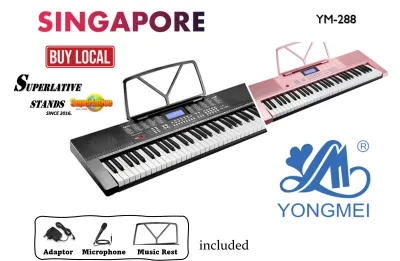
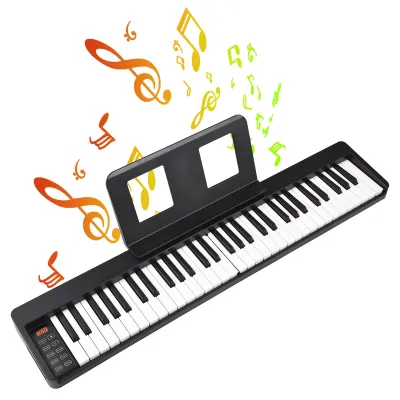
![[ammoon]61 Keys Digital Electronic Keyboard / Piano With MicrophoneUSB CableUser Manual](https://img.lazcdn.com/g/p/e4a8e0dd7c6374c271afdc54fc91cc43.jpg_400x400q80.jpg_.webp)
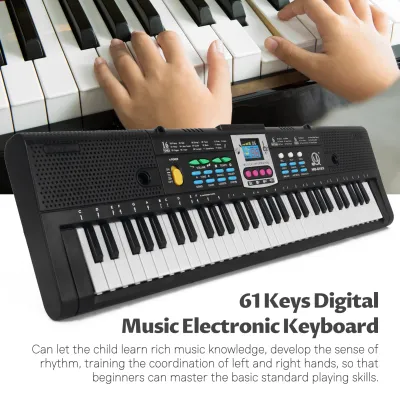
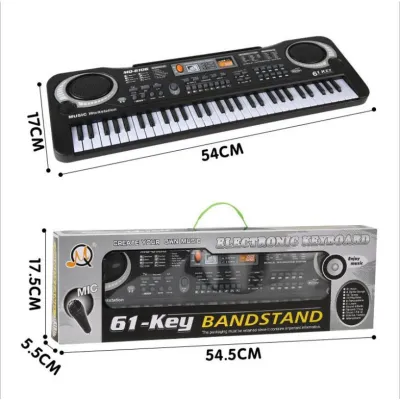
![[✅SG Ready Stock] 61 Key High Quality Music Keyboard Piano kids toys new player beginner Electric Piano](https://img.lazcdn.com/g/p/1f34b80fc1c4ffa462a06ed0ad2ca2fd.jpg_400x400q80.jpg_.webp)
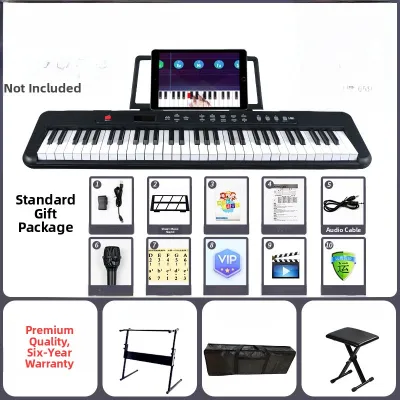
Prices are valid at publication and may change. Please refer to the product page for the latest price.
A 61-key keyboard is often the sweet spot for absolute beginners, especially if you face space constraints in a typical Singapore apartment. This size easily fits on a small desk or a compact stand, and it is light enough to pack away when not in use. For learning basic chords, pop melodies, and introductory music theory, 61 keys provide more than enough range. However, you will eventually run out of notes at the lower and upper ends if you attempt classical arrangements or complex two-handed pieces.
A 76-key keyboard offers a practical middle ground. It provides an expanded range that accommodates a wider selection of modern sheet music and intermediate classical pieces without the full physical footprint of a traditional piano. If you want a bit more room to grow but still need to move the keyboard around easily, this size is worth considering.
An 88-key keyboard represents the full standard range of an acoustic piano. If your primary goal is to learn classical piano, prepare for formal graded examinations, or play advanced repertoire, an 88-key instrument is highly recommended from the start. It allows you to develop a complete spatial awareness of the keyboard layout, ensuring you never have to transpose music or skip notes.
Regardless of the key count you choose, verifying the physical size of the individual keys is critical. You must look for “full-sized” keys that match the dimensions of an acoustic piano key. Avoid “mini-keys” or toy-sized keyboards, as practicing on narrow keys will hinder your muscle memory, making it incredibly difficult to transition to a standard instrument later on.
Touch Sensitivity and Key Action: Why It Matters
The way a keyboard feels under your fingers is the single most important factor in developing proper playing technique. When browsing specifications, you will encounter terms like touch sensitivity, velocity sensitivity, and weighted action. These features determine how the instrument responds to the force of your touch.

Touch sensitivity, also known as velocity sensitivity, means the keyboard detects how quickly or hard you press a key. If you strike a key gently, it produces a soft, quiet sound; if you strike it quickly, it produces a louder, brighter tone. This feature is a baseline requirement for learning keyboard music. Without touch sensitivity, every note you play will sound at the exact same volume, stripping your music of emotion, dynamics, and expression.
Key action refers to the mechanical design beneath the keys, which falls into three primary categories:
- Synth-Action: These keys are light, springy, and offer very little physical resistance. They are excellent for fast synthesizer leads or organ sounds, and they keep the instrument incredibly lightweight. However, they do not mimic the feel of a real piano.
- Semi-Weighted: These keys use spring tension combined with small weights to add a bit of resistance. They offer a comfortable middle ground, providing more control over dynamics than synth-action keys while remaining portable and budget-friendly.
- Fully Weighted Hammer Action: These keys use actual mechanical hammers or counterweights to replicate the physical resistance of an acoustic piano. The keys feel heavier to press, especially in the lower register, and require more finger strength.
Starting with at least touch-sensitive, semi-weighted keys is highly recommended to prevent bad habits, such as playing with flat fingers or failing to control your volume. If your budget and space allow, a fully weighted hammer action keyboard is the gold standard for classical training. However, keep in mind that weighted key beds significantly increase both the weight of the instrument and its price tag, making them less portable.
Sound Quality and Built-in Learning Tools
A beginner’s keyboard does not need thousands of novelty sound effects, flashing lights, or complex synthesizer controls. Instead, you should focus on the quality of the core sounds and the practicality of the built-in educational features.
When testing a keyboard or listening to audio demonstrations, pay close attention to the primary acoustic piano tone. It should sound natural, warm, and resonant, rather than thin, metallic, or artificial. A high-quality electric piano tone and a basic string patch are also useful, but the acoustic piano sound is what you will spend the vast majority of your practice time using.
Another critical specification to check is polyphony. Polyphony refers to the maximum number of individual notes or voices the keyboard can produce at the exact same time. For a beginner, a minimum of 32-note polyphony is required, though 64-note or higher is preferred. If the polyphony limit is too low, notes will abruptly cut off when you play fast passages or hold down the sustain pedal, which can be highly frustrating as your skills progress.
Look for practical built-in tools that actively support your daily practice:
- Metronome: An essential tool for developing a steady sense of rhythm and timing.
- Basic Recording: The ability to record and play back your own performance is invaluable for self-evaluation.
- Lesson Modes: Many beginner keyboards include built-in tutorials that guide you through simple songs, showing you which notes to play on an integrated screen.
Be cautious of instruments that market excessive novelty features, such as hundreds of sound effects, auto-accompaniment styles, or DJ pads. While these can be fun to experiment with initially, they often inflate the retail price without adding any real educational value. Focus your budget on sound realism and reliable key response instead.
Connectivity and Accessories to Budget For
When purchasing your first keyboard, the instrument itself is only part of the equation. You must also consider how it connects to other devices and factor essential accessories into your total startup budget.
Modern learning often relies on digital tools, making connectivity a key consideration. Look for a keyboard with a USB-to-Host port (sometimes labeled as USB MIDI). This interface allows you to connect the keyboard directly to a computer, laptop, or tablet. With this connection, you can use interactive learning apps, music notation software, or basic digital audio workstations to expand your practice sessions.
Silent practice is essential for maintaining peace in shared living spaces or high-density residential areas. Ensure the keyboard has a dedicated headphone jack—either a standard 3.5mm mini-jack or a larger 6.35mm stereo jack. If the keyboard uses a 6.35mm jack, you may need a simple adapter to plug in standard consumer headphones.
To avoid unexpected costs, remember to budget for these essential accessories:
- Sustain Pedal: This foot pedal plugs into the back of the keyboard and allows notes to ring out after you release the keys. It is vital for playing smooth, connected melodies.
- Keyboard Stand: A sturdy, adjustable stand (such as an X-stand or double-braced stand) keeps the instrument at the correct height and prevents it from wobbling.
- Adjustable Bench: Proper posture is crucial for preventing wrist strain. An adjustable bench allows you to sit at the correct height relative to the keys.
- Power Supply: Always verify if the power adapter is included in the box, as some models require you to purchase the power supply separately. Additionally, ensure the adapter matches the local voltage and plug standards used in Singapore.
Before finalizing your purchase, double-check the compatibility of the keyboard’s USB interface with your specific tablet or computer operating system to ensure a seamless setup.
How to Build Your Beginner Keyboard Shortlist
To find the perfect instrument without getting overwhelmed, follow this structured, step-by-step framework to narrow down your options and make an informed decision.
Step 1: Define Your Primary Musical Goal Identify what style of music you want to play. If your goal is to learn classical piano and sit for formal exams, you should prioritize an 88-key keyboard with fully weighted keys. If you want to play pop songs, learn basic chords, or experiment with music production, a compact 61-key keyboard with touch-sensitive keys and USB connectivity will serve you perfectly.
Step 2: Set a Realistic Total Budget Determine how much you are willing to spend in S$, keeping in mind that you need to cover the keyboard and its accessories. A basic, high-quality 61-key beginner keyboard package typically ranges from S$200 to S$400. If you are looking for an entry-level 88-key weighted digital piano, expect to budget between S$600 and S$1,000. Setting a clear limit prevents you from overspending on professional-grade features you do not yet need.
Step 3: Filter by Non-Negotiable Specifications Use your goals to filter out unsuitable models. Eliminate any keyboard that lacks touch sensitivity, full-sized keys, or a USB-MIDI port. This step will quickly narrow down the massive market to a handful of reliable, education-focused instruments.
Step 4: Verify Warranty and Local Support Before making your final purchase, check the warranty terms and return policies. Buying from an authorized local distributor in Singapore ensures you receive a valid manufacturer’s warranty, which typically covers electronic or mechanical defects. Local support is incredibly valuable if you ever need to service the instrument or source replacement parts.
Frequently Asked Questions (FAQ)
Do I need an 88-key keyboard to start learning keyboard music?
No, you do not strictly need 88 keys to begin. A 61-key keyboard is perfectly adequate for the first year or two of learning, as it covers the range of most beginner method books, pop songs, and basic classical melodies. However, if you plan to follow a formal classical piano syllabus (such as ABRSM or Trinity), you will need an 88-key keyboard almost immediately to accommodate the wide range of notes required in graded repertoire.
Can I use a MIDI controller instead of a standalone keyboard?
You can use a MIDI controller, but it requires a more complex setup. Unlike a standalone keyboard, a MIDI controller does not have built-in speakers and cannot produce sound on its own. It must be connected to a computer, tablet, or smartphone running music software (such as a digital audio workstation or a virtual instrument app). If you prefer a simple, plug-and-play experience where you can just turn on the power and start practicing, a standalone keyboard is a much better choice for a beginner.
Is it better to buy a used keyboard or a cheap new one?
Both options have clear merits, but they come with different trade-offs. A new keyboard offers peace of mind through a manufacturer’s warranty, guaranteed component reliability, and often includes essential accessories in the box. If you decide to buy a used keyboard to save money, you must test it thoroughly in person before paying. Check every single key to ensure none are sticky or silent, test the headphone jack and power port for loose connections or audio crackle, and verify that all buttons and screens function correctly.

Community discussion
Share your experience or ask a question. Comments are reviewed before publication.