
Choosing the best beginner keyboard for learning music in Singapore depends on balancing your space constraints, learning goals, and budget. Yamaha, Casio, and Roland each offer distinct entry-level instruments designed to help beginners build proper technique, whether you seek traditional piano emulation, ultra-portable interactive designs, or modern digital sound engines. By understanding what to look for in key action, layout, and connectivity, you can select an instrument that supports your musical journey from the very first note.
How to Choose the Right Beginner Keyboard
Before comparing specific brands, it is essential to evaluate your physical space, portability requirements, and budget. Singapore’s residential spaces, such as HDB apartments, often require careful spatial planning. A compact keyboard can easily be stored away or placed on a folding stand, whereas a larger instrument requires a dedicated, permanent spot in your home. Setting a clear budget in S$ is also crucial, as entry-level instruments can range from basic, budget-friendly models to more advanced digital keyboards that represent a larger financial investment.
One of the most critical decisions you will make is choosing between a 61-key and an 88-key configuration. A 61-key keyboard is highly portable, fits easily into smaller rooms, and provides a sufficient range for learning basic music theory, playing simple melodies, and mastering popular songs. However, if your goal is to study classical piano or progress through formal graded examinations, an 88-key keyboard is necessary to accommodate the full range of classical compositions.
Products mentioned in this guide

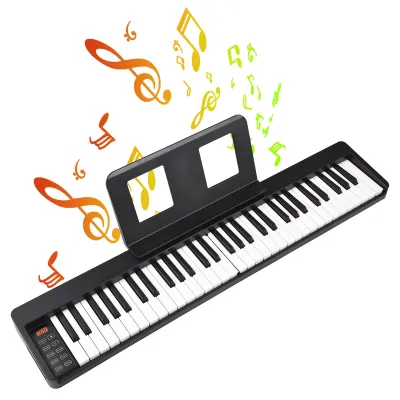
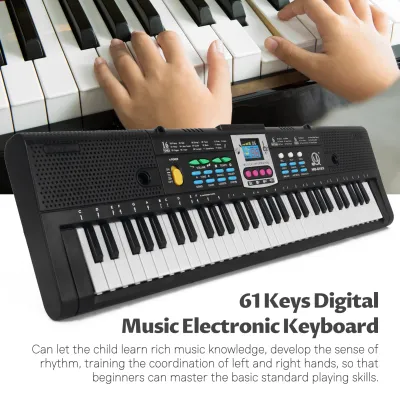
![[ammoon]61 Keys Digital Electronic Keyboard / Piano With MicrophoneUSB CableUser Manual](https://img.lazcdn.com/g/p/e4a8e0dd7c6374c271afdc54fc91cc43.jpg_400x400q80.jpg_.webp)
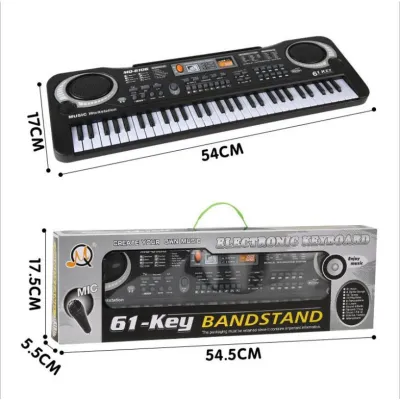
![[✅SG Ready Stock] 61 Key High Quality Music Keyboard Piano kids toys new player beginner Electric Piano](https://img.lazcdn.com/g/p/1f34b80fc1c4ffa462a06ed0ad2ca2fd.jpg_400x400q80.jpg_.webp)
Prices are valid at publication and may change. Please refer to the product page for the latest price.
Additionally, you must consider the type of key action. Unweighted or synth-action keys are light and easy to press, making them highly accessible for young children or casual players. However, they do not mimic the resistance of an acoustic piano. Weighted keys provide physical resistance that helps beginners build finger strength, proper hand posture, and dynamic control, which are essential skills for transitioning to an acoustic piano later on.
Comparing the Big Three: Yamaha, Casio, and Roland
Yamaha, Casio, and Roland dominate the beginner keyboard market, yet each manufacturer approaches instrument design with a unique philosophy. Yamaha focuses heavily on traditional acoustic piano emulation and structured, built-in educational tools. Casio prioritizes high portability, slim profiles, and interactive, app-driven learning experiences. Roland targets modern players by emphasizing premium digital sound modeling, robust build quality, and wireless connectivity. Understanding these distinct brand strengths allows you to align your purchase with your personal learning style.

Yamaha: Traditional Feel and Educational Tools
Yamaha leverages its extensive history of manufacturing acoustic grand pianos to design beginner keyboards with a strong emphasis on traditional sound and feel. Their entry-level instruments often feature sound engines that deliver clear, bright acoustic piano tones. The key action on Yamaha’s beginner models is engineered to feel consistent, helping students develop a reliable sense of touch and dynamics even on non-weighted keys.
For education, Yamaha integrates structured learning suites directly into many of their entry-level models. These built-in systems guide beginners through classical pieces and standard exercises by showing which keys to press and waiting for the correct input before moving forward. This traditional approach is highly beneficial for students who plan to take formal music lessons and want to learn how to read sheet music systematically.
The ideal Yamaha learner is someone who values a classic piano sound, prefers a structured and academic approach to practice, and intends to focus on classical or traditional repertoire.
Casio: Portability and Interactive Learning
Casio has established itself as a leader in compact and highly portable keyboard designs. Many of their beginner models feature ultra-slim chassis profiles and lightweight builds, making them exceptionally easy to move around a compact home or transport to music lessons. The ability to power many of these instruments using standard batteries adds a layer of convenience for players who want to practice anywhere without being tethered to a wall outlet.
In terms of learning features, Casio excels at interactive and gamified learning systems. Their instruments frequently connect to dedicated learning applications that turn practice into an engaging visual experience. By using a connected tablet or smartphone, beginners can follow falling-note guides, play along with contemporary pop songs, and receive instant feedback on their performance.
This makes Casio an excellent choice for casual learners, younger students, and anyone who needs a space-saving instrument that can be easily packed away when not in use.
Roland: Modern Sound and Build Quality
Roland focuses on bringing professional-grade digital technology to the beginner market. Rather than relying solely on basic recorded samples, Roland utilizes advanced digital sound modeling to recreate the complex, expressive characteristics of an acoustic piano. This results in a highly responsive playing experience where the tone shifts naturally depending on the strength of your key strikes.
Roland keyboards are also known for their robust build quality and modern aesthetic. Their entry-level instruments are constructed with durable materials designed to withstand daily practice sessions over many years. Furthermore, Roland frequently includes wireless Bluetooth MIDI and audio capabilities, allowing players to stream lesson audio through the keyboard’s speakers or connect wirelessly to music production software on a computer or tablet.
The ideal Roland learner is a tech-savvy beginner or an aspiring music producer who wants an expressive, modern instrument with premium sound quality and seamless wireless integration.
Essential Features to Verify Before Purchasing
When evaluating specific keyboard models online or in-store, you should carefully verify several technical specifications. First, check the polyphony count, which is the maximum number of individual notes the keyboard can produce at the same time. For beginners, a minimum of 48-note polyphony is recommended, though 64 or higher is ideal. A low polyphony count can cause sustained notes to cut off abruptly when you play complex chords or use a sustain pedal.
Touch sensitivity, also known as velocity sensitivity, is a non-negotiable feature for anyone serious about learning music. This feature ensures that the volume and character of the sound change based on how hard or soft you press the keys. Without touch sensitivity, every note plays at the exact same volume, making it impossible to develop musical expression, control dynamics, or build proper finger technique.
Connectivity options are equally important for a versatile practice setup. A standard headphone jack is essential for silent practice, allowing you to play late at night without disturbing others. Look for a USB-to-Host port, which allows you to connect the keyboard to a computer or tablet to interact with educational software. Bluetooth MIDI is another valuable feature that eliminates cable clutter by connecting wirelessly to smart devices.
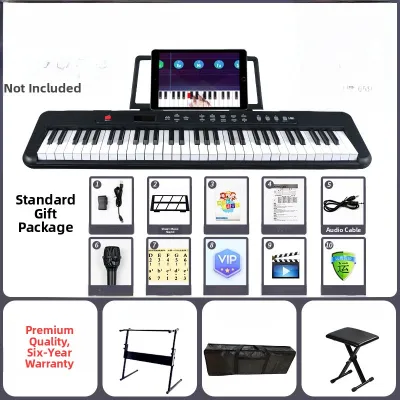
Finally, always verify what accessories are included in your purchase. Many entry-level keyboards are sold as standalone units, meaning you may need to purchase a stable stand, a sustain pedal, a music rest, and a power adapter separately. Be sure to factor these essential accessories into your overall budget to avoid unexpected costs that could delay your ability to practice comfortably.
Buying and Setting Up Your Keyboard in Singapore
When purchasing a keyboard in Singapore, there are several practical local factors to keep in mind. First, verify the voltage compatibility and plug type of the power adapter. Singapore uses a standard 230V supply at 50Hz, with Type G (UK 3-pin) plugs. If you are purchasing an instrument from an overseas online marketplace, ensure the power supply is rated for this voltage and safety certified, or plan to purchase a compatible local adapter to avoid damaging the keyboard’s internal electronics.
It is highly recommended to buy from an authorized local dealer to ensure you receive a valid local warranty. A local warranty provides peace of mind and reliable after-sales support if your keyboard develops electronic faults or key sensor issues. Before finalizing your purchase, clarify the warranty terms, the duration of coverage, and the location of the authorized service center in Singapore.
Proper ergonomic setup is vital to prevent physical strain and support healthy playing habits. Ensure your keyboard stand is adjusted so that the keys sit at a height where your elbows are bent at a slightly greater than 90-degree angle when your fingers rest on the keys. Your wrists should remain straight and relaxed, and your bench height should allow you to sit upright comfortably without slouching.
Singapore’s tropical climate, characterized by high humidity, requires careful instrument maintenance. Keep your keyboard away from direct sunlight and open windows where rain or dust could enter. Use a fitted dust cover when the instrument is not in use to protect the sensitive electronic contacts under the keys. To clean the keys, use a slightly damp, lint-free microfiber cloth, and avoid harsh chemical solvents that could degrade the plastic.
Frequently Asked Questions (FAQ)
Do I need an 88-key keyboard to start learning music?
No, an 88-key keyboard is not strictly necessary for absolute beginners. A 61-key keyboard provides a five-octave range, which is more than sufficient for learning basic music theory, practicing scales, playing simple melodies, and mastering popular songs. However, if your primary goal is to study classical piano or sit for formal graded examinations, you will eventually need to transition to an 88-key keyboard with fully weighted keys to accommodate the wider note range and develop the finger strength required for advanced classical repertoire.
Can I use a standard computer desk as a keyboard stand?
While placing a keyboard on a standard computer desk is physically possible, it is generally not recommended for long-term practice. Standard computer desks are typically designed for typing, which places the surface too high for proper piano playing posture, leading to wrist fatigue, shoulder tension, and poor technique. Additionally, computer desks lack the open leg space required to position a sustain pedal comfortably. A dedicated, height-adjustable keyboard stand ensures the instrument is secure, stable, and positioned at the correct ergonomic height to support healthy playing habits.

Community discussion
Share your experience or ask a question. Comments are reviewed before publication.