
Choosing your first keyboard is a pivotal step in your musical journey. The market is filled with options ranging from feature-heavy arranger keyboards to minimalist digital pianos. Among these, the Casio CT-S1 has gained significant attention for its streamlined design and focus on core piano sounds. This guide will help you evaluate whether this specific model aligns with your learning goals or if an alternative instrument would better serve your musical development.
Quick Answer: Is the Casio CT-S1 the Right Choice for You?
The Casio CT-S1 is highly suitable if you are looking for a compact, lightweight, and aesthetically minimalist 61-key keyboard. It is designed primarily for players who want high-quality essential keyboard tones without the distraction of hundreds of buttons, flashing lights, or complex menus. Its small footprint makes it an excellent fit for modern apartments where space is at a premium, and its portability allows for easy storage when not in use.
However, the CT-S1 may not be the right choice if your primary goal is to learn classical piano technique. Classical training typically requires a full set of 88 weighted keys to build proper finger strength and dynamics. Additionally, if you thrive on interactive, step-by-step built-in lessons or want to play along with automated backing bands, you will likely find more value in a dedicated arranger keyboard or an entry-level digital piano.
Products mentioned in this guide
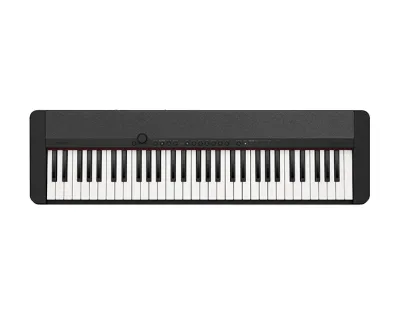
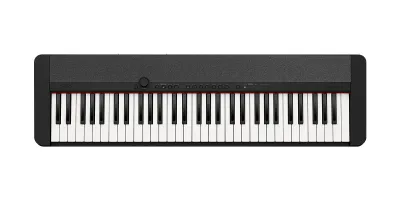
![Casio CT-S1 Digital Keyboard [FREE X-STAND] Portable 61 Keys Musical Instrument for Beginners](https://img.lazcdn.com/g/p/fc21381c7f7ee84408a22e58147d5c42.jpg_400x400q80.jpg_.webp)
](https://img.lazcdn.com/g/p/8e20921ce76b81e0d464dc9a821449cd.jpg_400x400q80.jpg_.webp)
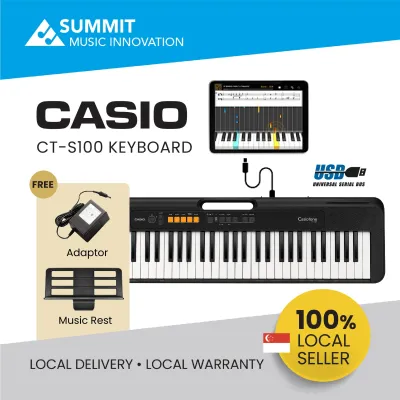
![Casio CT-S1-76 Digital Keyboard [FREE X-STAND] Portable 76 Keys Musical Instrument for Beginners](https://img.lazcdn.com/g/p/70d2952777c0faa1d5c43d84321fe320.jpg_400x400q80.jpg_.webp)
Prices are valid at publication and may change. Please refer to the product page for the latest price.
Ultimately, the right choice depends on your musical aspirations, available space, and budget. Before making a final decision, it is highly recommended to verify the technical specifications of each model and, if possible, test the key action in person to ensure it feels comfortable to your hands.
Key Specifications to Compare Before Buying
When comparing beginner keyboards, looking past the marketing descriptions and focusing on core technical specifications will help you make an objective decision. Understanding these parameters ensures you select an instrument that can support your learning pace for years to come.

Key Action and Key Count
A standard piano has 88 keys, while beginner keyboards typically offer 61 or 76 keys. A 61-key layout is sufficient for learning basic chords, pop songs, and early music theory, but it will limit your ability to play advanced classical pieces. Furthermore, ensure the keyboard features touch-sensitive keys. This feature ensures that the volume changes depending on how hard or soft you press the keys, which is essential for expressive playing.
Sound Engine and Polyphony
The sound engine determines the realism of the instrument voices, while polyphony refers to the maximum number of individual notes the keyboard can produce simultaneously. When playing complex chords or using a sustain pedal, notes will cut off prematurely if the polyphony count is too low. For a beginner keyboard, look for a minimum of 48-note or 64-note polyphony to ensure smooth transitions and sustained notes during practice.
Connectivity Options
Modern learning often relies on software, apps, and silent practice. Verify that any keyboard you consider includes a dedicated headphone jack so you can practice at any hour without disturbing others. Additionally, a USB-MIDI port is essential if you plan to connect the keyboard to a computer, tablet, or smartphone to use interactive learning applications or music production software.
Power Options and Physical Footprint
If you plan to move your keyboard frequently or take it to lessons, check its weight and power options. Many beginner models can run on standard AA batteries in addition to an AC power adapter, offering true portability. Be sure to measure your available desk or stand space and compare it with the manufacturer’s official dimensions to guarantee a proper fit in your home setup.
Casio CT-S1 Profile: Strengths and Limitations
The Casio CT-S1 is designed with a specific philosophy: simplicity and sound quality over excessive features. Understanding its design boundaries will help you determine if its streamlined approach matches your personal style.
Design Focus and Portability
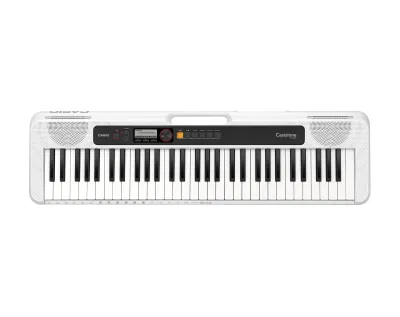
The most striking feature of the CT-S1 is its clean, retro-inspired design. It replaces the typical plastic control panel found on entry-level keyboards with a sleek fabric speaker grille and a minimal selection of buttons. It also features integrated strap pins, allowing you to play while standing, and a built-in carrying handle molded into the underside. This makes it exceptionally easy to carry around the house or transport to different locations.
Sound and Keybed Characteristics
The CT-S1 utilizes a specialized sound source designed to deliver detailed acoustic piano, electric piano, and organ tones. Its 61 keys are shaped like traditional piano keys and offer touch sensitivity, allowing for basic dynamic expression. However, the keybed is semi-weighted (synth-action), meaning it lacks the physical resistance and hammer mechanism of an acoustic piano. You should verify this feel in-store to ensure it meets your expectations for tactile feedback.
Structural Limitations
Because of its minimalist design, the CT-S1 lacks features common in other beginner keyboards. It does not have a pitch bend wheel, a built-in LCD screen for navigation, or an extensive library of hundreds of sound effects. It also lacks advanced auto-accompaniment features, meaning you cannot trigger full backing bands with your left hand. If you enjoy experimenting with diverse sound effects or require visual guidance on a screen, these omissions are important to consider.
Exploring Alternative Beginner Keyboards
If the minimalist, 61-key design of the CT-S1 does not align with your musical goals, several other categories of beginner instruments are worth exploring. Each category serves a distinct learning style and musical preference.
Digital Pianos
For students serious about classical piano training, a dedicated digital piano is the standard recommendation. These instruments feature 88 fully weighted keys that simulate the hammer action of an acoustic piano. This resistance is crucial for developing the finger strength, control, and technique required for formal piano examinations. While they are heavier and less portable than the CT-S1, they provide the most authentic piano-playing experience.
Arranger Keyboards
If you want a highly interactive and versatile learning experience, an arranger keyboard is an excellent alternative. These models are packed with hundreds of instrument voices, drum rhythms, and automatic accompaniment styles. Many also feature built-in lesson suites, interactive chord guides, and screens that display sheet music or finger placements. This variety can make daily practice highly engaging for casual players and young learners.
MIDI Controllers
If your primary interest lies in music production, beat-making, or recording into a computer, a dedicated MIDI controller might be a better investment. These devices do not produce sound on their own; instead, they send data to your computer or tablet to trigger software instruments. They often feature drum pads, faders, and knobs that give you hands-on control over your digital audio workstation, making them highly efficient tools for modern home studios.
Decision Framework: Matching the Keyboard to Your Goals
To finalize your choice, evaluate your primary musical goals, your living space, and how you plan to interact with the instrument on a daily basis.
Choose the Casio CT-S1 if:
- Space and Style: You have limited space and need a compact, stylish instrument that blends seamlessly with modern home decor.
- Focused Practice: You prefer a distraction-free practice environment with a simple interface that lets you focus entirely on playing.
- Portability: You value portability and want the option to power your keyboard with batteries for outdoor use or easy storage.
- Repertoire: Your musical focus is on pop, rock, or basic songwriting rather than complex classical repertoire.
Choose an Alternative Digital Piano if:
- Classical Focus: Your primary goal is to learn classical piano and you plan to take formal practical examinations.
- Authentic Feel: You require the physical feedback of weighted keys to build proper finger technique and dynamics.
- Dedicated Setup: You have dedicated space in your home for a larger, heavier instrument or a permanent keyboard stand.
Choose an Arranger Keyboard if:
- Sound Variety: You want to explore a wide variety of instrument sounds, sound effects, and backing rhythms.
- Interactive Learning: You benefit from visual learning aids, such as built-in lesson programs or interactive display screens.
- Full Band Experience: You enjoy composing music using automated accompaniment styles to simulate playing in a full band.
Verify First:
Before purchasing any model, check the manufacturer’s official specifications to ensure compatibility with your existing devices. If you plan to use specific learning apps, verify that the keyboard’s connection ports match your tablet or computer, and check if any additional adapters or proprietary wireless modules are required.
Purchasing Checklist and Setup Verification
Once you have decided on the right keyboard category, completing a few quick checks at checkout and during setup will help you avoid common compatibility issues and ensure a smooth start.
Confirm Package Contents
Retail packages can vary significantly depending on the retailer and the specific bundle. Always verify whether the AC power adapter, music rest, and a sustain pedal are included in the box. If they are not, you will need to budget extra for them to begin practicing comfortably.
Verify Warranty and Local Support
To protect your investment, ensure you purchase your keyboard from an authorized local distributor or official brand store in Singapore. This guarantees that you receive a genuine product covered by a valid local warranty. Parallel imports may seem cost-effective initially, but they often lack local warranty coverage, meaning you would have to pay out-of-pocket for any repairs or replacement parts.
Test Device and App Compatibility
If you plan to use interactive learning software, connect your keyboard to your tablet or computer as soon as you unbox it. Verify that you have the correct cable (such as a USB-A to USB-B cable or a USB-C adapter) and check that your device recognizes the keyboard as a MIDI input. Testing this early ensures you can resolve any software or hardware compatibility issues within the retailer’s return window.
Frequently Asked Questions (FAQ)
Do I need a sustain pedal for the Casio CT-S1?
Yes, a sustain pedal is highly recommended as you progress beyond basic finger exercises. It allows notes to ring out smoothly after you release the keys, which is essential for playing legato passages and modern piano music. Check the rear panel of the CT-S1 to locate the standard 1/4-inch pedal jack. While some retail bundles may include a basic plastic switch pedal, investing in a sturdy, metal piano-style damper pedal will provide a much more realistic feel and better physical stability during practice.
Can I use the CT-S1 as a MIDI controller for my computer?
Yes, the CT-S1 is fully capable of functioning as a MIDI controller. It features a micro-USB port on the rear panel that supports class-compliant MIDI. This means you can connect it directly to a computer, tablet, or smartphone without the need to download or install external drivers. Once connected, the keyboard will be recognized by most major digital audio workstations and interactive learning applications, allowing you to play and record software instruments.
Are 61 keys enough for a beginner?
For the first one to two years of learning, a 61-key keyboard is generally sufficient. It provides enough range to play most beginner-level pieces, learn scales, practice chords, and understand basic music theory. However, as your skills advance and you begin to study classical repertoire or complex arrangements that span more than five octaves, you will eventually need to upgrade to a full 88-key instrument to play the music as written.

Community discussion
Share your experience or ask a question. Comments are reviewed before publication.