
Choosing your first synthesizer in Singapore involves balancing hands-on control, sound generation types, and local support. Brands like Korg and Arturia are highly regarded for their tactile, analog-style interfaces that make learning synthesis intuitive, while Roland and Novation offer digital versatility and deep sequencing capabilities. Finding the right entry-level instrument depends on your musical goals, space constraints, and how you plan to integrate the device into your home studio or live setup.
Understanding Synthesizer Types for Beginners
To make an informed decision, you must first understand the core technologies that power these instruments. Synthesizers generally fall into three categories based on their sound generation: analog, digital, and hybrid. Analog synthesizers use physical electrical circuits, such as voltage-controlled oscillators (VCOs), voltage-controlled filters (VCFs), and voltage-controlled amplifiers (VCAs), to generate and shape sound waves. This classic signal flow—where raw waveforms are generated and then carved away by a filter—is known as subtractive synthesis. This architecture is celebrated for its warm, organic, and slightly unpredictable character, making it excellent for classic synthwave, ambient, and vintage rock tones.
Digital synthesizers, on the other hand, use microprocessors to generate sound mathematically. This category includes virtual analog (which emulates analog circuits digitally), frequency modulation (FM), and wavetable synthesis. Digital instruments are highly stable, rarely drift out of tune due to temperature changes, and can offer massive polyphony and a vast palette of complex, modern sounds. Hybrid synthesizers combine the best of both worlds, often utilizing digital oscillators for complex, sharp wave shapes and routing them through genuine analog filters to add warmth, grit, and character.
Products mentioned in this guide
![Casio CT-S500 Digital Keyboard [FREE X-STAND] Portable Casiotone 61 Keys Synthesizer Instrument](https://img.lazcdn.com/g/p/14f99d647be620f436cc7c94724704b3.jpg_400x400q80.jpg_.webp)
![Casio CT-S1000v Digital Keyboard [FREE X-STAND] Portable Casiotone 61 Keys Synthesizer Instrument](https://img.lazcdn.com/g/p/ac8414b4d8c59bdac4f61d81b729086d.jpg_400x400q80.jpg_.webp)
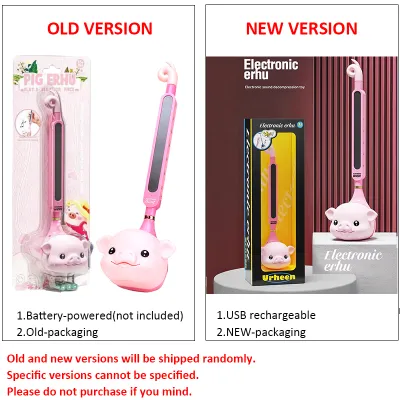
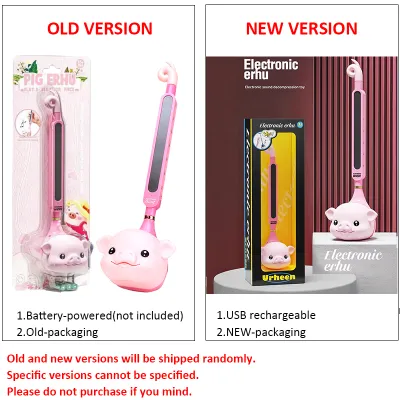

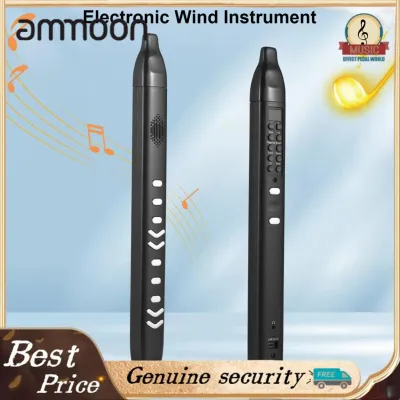
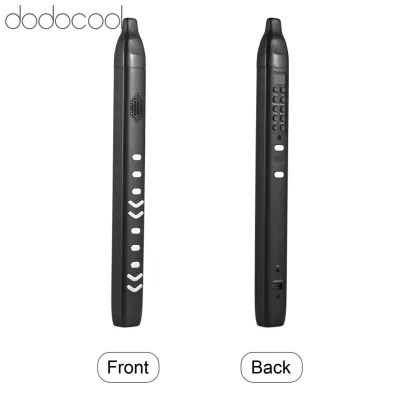
Prices are valid at publication and may change. Please refer to the product page for the latest price.
Another critical decision is choosing between hardware synthesizers and software plugins. While software instruments run on your computer and offer incredible value and convenience, hardware synthesizers provide a dedicated, tactile interface. For a beginner, the physical act of turning a knob to sweep a filter cutoff or sliding a fader to adjust an envelope creates a direct, intuitive connection to sound design. This hands-on feedback loop is often much more effective for learning the fundamentals of synthesis than clicking and dragging parameters with a computer mouse.
Finally, consider the physical form factor. Traditional keyboard synthesizers feature an integrated keyboard, making them self-contained instruments ready to play. Desktop modules omit the keyboard entirely to save space, requiring you to connect an external MIDI controller via a cable. Grooveboxes are another alternative, combining a synthesizer engine with drum machines and step sequencers, allowing you to build complete electronic tracks without needing a computer. For most beginners, a traditional keyboard synthesizer remains the most straightforward entry point.
Key Features to Evaluate in Entry-Level Models
When comparing entry-level synthesizers, several technical specifications directly impact how you play and design sounds. The first is keyboard size and key action. Synthesizers typically feature mini-keys or full-sized keys. Mini-keys allow the instrument to remain compact and portable, which is ideal for small apartments, though players with larger hands or piano backgrounds may find them cramped. Key action is usually “synth-action,” which is light and springy, or “semi-weighted,” which offers a bit more resistance. Additionally, check if the keys support velocity sensitivity (how hard you strike the key affects the volume or timbre) and aftertouch (applying pressure after striking the key modulates the sound), as these features add immense expressive capability. For learning synthesis, a key count of 25 keys is highly portable but limits you to basslines and lead lines. A 37-key layout is often the sweet spot for beginners, allowing for basic two-handed playing, while 49 keys provide enough range for complex chord progressions.

Polyphony is another crucial specification. Monophonic synthesizers can play only one note at a time, making them perfect for thick basslines, soaring leads, and learning the basics of subtractive synthesis. Polyphonic synthesizers can play multiple notes simultaneously, which is essential if you want to play chords, pads, or layered sounds. When evaluating polyphonic models, check the voice count; a four-voice synthesizer allows you to play basic four-note chords, but notes may cut off prematurely if you sustain a chord while playing a melody over it. Some instruments offer paraphony, where multiple oscillators can play different notes but share a single filter and amplifier envelope, offering a unique middle ground between monophonic and fully polyphonic designs.
Connectivity options determine how well the synthesizer integrates with your existing gear and computer setup. Look for a USB-MIDI port, which allows the synthesizer to send and receive MIDI data to and from your computer, turning the instrument into a controller for your Digital Audio Workstation (DAW). Standard 1/4-inch audio outputs are necessary to send the physical sound of the synthesizer to an audio interface, mixer, or amplifier. A dedicated headphone output is also essential for silent practice sessions late at night without disturbing family members or neighbors.
Lastly, consider the balance between built-in presets and manual sound editing. Presets are pre-programmed sounds that let you start playing immediately, which can be highly motivating. However, to truly learn synthesis, you need an instrument that makes manual sound design accessible. Look for a “one-knob-per-function” layout, where key parameters like filter cutoff, resonance, attack, decay, sustain, and release (ADSR) have dedicated physical controls on the front panel. This layout demystifies sound design, allowing you to hear exactly how each adjustment alters the sound in real time.
Evaluating Popular Beginner Synthesizer Brands
Different synthesizer manufacturers approach instrument design with distinct philosophies, resulting in unique workflows and sonic characters. Understanding these brand identities will help you align your purchase with your musical preferences and learning style.
Korg and Arturia are widely recognized for their user-friendly, hands-on interfaces that excel at teaching classic analog-style workflows. Korg has a rich history of creating accessible instruments, from their ultra-portable pocket-sized modules to their highly acclaimed analog modeling keyboards. Their entry-level designs often feature clear signal paths and visual oscilloscopes that show you the shape of the sound wave as you play, providing valuable visual feedback for beginners. Arturia focuses heavily on tactile control and robust build quality. Their entry-level instruments often combine analog warmth with innovative digital features, offering unique touch-sensitive keybeds and highly interactive modulation matrices that encourage experimental sound design.
In contrast, brands like Roland and Novation place a strong emphasis on digital versatility, modern sequencing, and deep integration with music production software. Roland is famous for recreating its legendary vintage drum machines and synthesizers in compact, digital formats. Their entry-level instruments often pack massive polyphony, multi-timbral capabilities (allowing you to play multiple different sounds at once), and built-in vocal processors or sequencers. This makes them incredibly versatile for solo performers and electronic music producers. Novation is highly regarded for its intuitive layout designs and seamless integration with popular DAWs. Their entry-level synthesizers often feature powerful digital engines paired with deep, easy-to-use step sequencers, making them excellent tools for building electronic beats and patterns quickly.
When matching a brand to your goals, think about your preferred musical genres and production environment. If you are drawn to vintage rock, synthwave, ambient, or classic sound design, the hands-on analog focus of Korg or Arturia will likely feel the most rewarding. If you are focused on modern EDM, hip-hop, pop production, or live performance where you need a wide variety of realistic and electronic sounds at your fingertips, the digital power and sequencing capabilities of Roland or Novation may serve you better. For bedroom producers who want to bridge the gap between physical hardware and software plugins, look for brands that offer dedicated companion software, allowing you to edit sounds on your computer screen and save them directly to your hardware instrument.
Your Pre-Purchase Checklist for Buying in Singapore
Before making your final decision, there are several practical, market-specific factors to consider to ensure a smooth purchasing experience and long-term satisfaction with your instrument.
First, establish a realistic budget in S$. Entry-level hardware synthesizers generally range from S$200 to S$800. While it can be tempting to opt for the cheapest option, investing slightly more in an instrument with a robust keyboard and a comprehensive control panel can prevent you from outgrowing the device too quickly. Remember to allocate a portion of your budget for essential accessories, such as high-quality audio cables, a sturdy keyboard stand, a sustain pedal, and a reliable pair of studio headphones.
Second, prioritize purchasing from authorized local dealers in Singapore. While buying from overseas online retailers might occasionally seem cheaper, purchasing locally ensures you receive a valid local warranty and access to official after-sales support. Synthesizers are complex electronic instruments; if a key stops responding or a knob becomes faulty, having a local service center to handle repairs is invaluable. Additionally, local dealers can offer hands-on demonstrations, allowing you to feel the key action and hear the sound quality in person before committing.
Third, verify the power supply specifications. Singapore operates on a 230V, 50Hz electrical system and uses UK-style Type G three-pin plugs. Ensure the synthesizer you purchase includes a compatible local power adapter or can be powered via a standard USB connection. Importing a model designed for other regions may require you to purchase a separate power adapter or a step-down transformer, which adds unnecessary cost, bulk, and potential electrical hazards to your setup.
Fourth, assess your physical space and environmental conditions. Singapore’s tropical climate features high humidity levels, which can affect the longevity of electronic components and physical keybeds over time. If possible, keep your synthesizer in an air-conditioned room or use a dehumidifier to maintain a stable environment. Dust is another factor; when combined with high humidity, it can form a conductive grime inside sliders and potentiometers, causing crackling sounds when adjusted. Investing in a simple dust cover is a highly recommended, low-cost way to protect your instrument. Measure your desk or studio space carefully before buying; a compact 25-key or 37-key synthesizer is often much easier to integrate into a typical bedroom or study room than a bulky 49-key or 61-key instrument. Finally, clarify the retailer’s return and exchange policies, as many local shops do not accept returns on electronic musical instruments once the packaging has been opened, unless a manufacturing defect is present.
Frequently Asked Questions (FAQ)
Do I need an amplifier or studio monitors for a beginner synthesizer?
Unlike digital pianos or portable keyboards, most dedicated synthesizers do not have built-in speakers. To hear your instrument, you will need to connect it to an external audio system. For silent practice and detailed sound design, a high-quality pair of studio headphones is the most practical and budget-friendly option. If you want to play out loud, you can connect the synthesizer to a pair of active studio monitors or a dedicated keyboard amplifier. If you plan to record your synthesizer into a computer, you will also need an audio interface to convert the instrument’s analog audio signals into a digital format for your DAW.
Can I use a MIDI controller instead of a standalone synthesizer?
Yes, but the workflow is fundamentally different. A MIDI controller does not generate any sound on its own; it simply sends control data (such as which key you pressed and how hard) to an external device, usually a computer or tablet running software synthesizers. This setup is highly cost-effective and offers access to thousands of virtual instruments, making it a popular choice for computer-based music production. However, a standalone synthesizer contains its own internal sound engine and physical circuitry, allowing you to turn it on and play immediately without needing to boot up a computer or configure software. For many beginners, the immediacy and tactile nature of a standalone hardware synthesizer offer a more engaging and focused learning experience.

Community discussion
Share your experience or ask a question. Comments are reviewed before publication.