
Neither tool is universally ideal for language learning; the right choice depends entirely on your primary reading medium, budget, and need for a distraction-free environment.
An english dictionary pen excels at maintaining reading flow through physical books and minimizing screen time, while free translation apps offer versatile, zero-cost solutions for digital texts and conversational practice. Use this guide to evaluate your specific study habits and verify device specifications before making an investment.
How Dictionary Pens and Apps Change Your Reading Flow
Gliding a physical scanning pen across a printed page offers a tactile continuity that screen-based tools rarely replicate. When you run the tip of a dictionary pen over a line of text, the motion is closely integrated with the physical act of reading. This physical interaction allows you to look up unfamiliar words almost instantly without lifting your eyes far from the page, preserving your visual and mental momentum.
Products mentioned in this guide
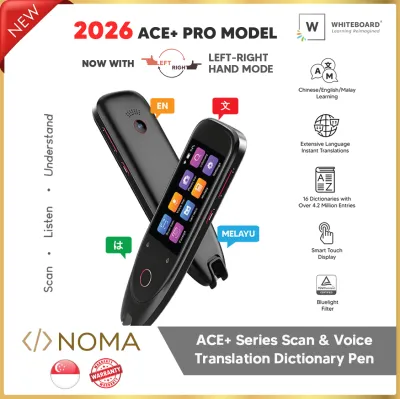
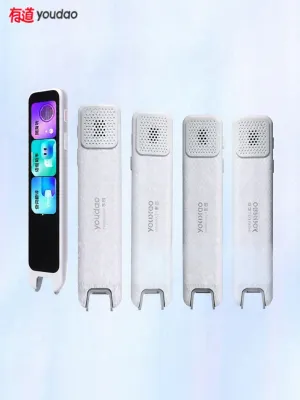
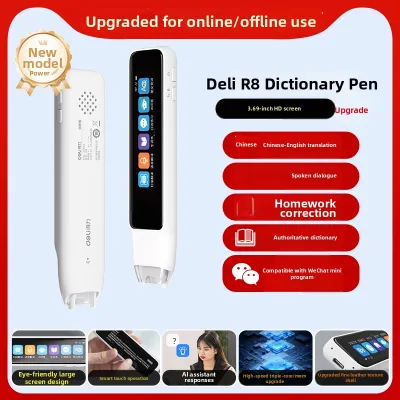
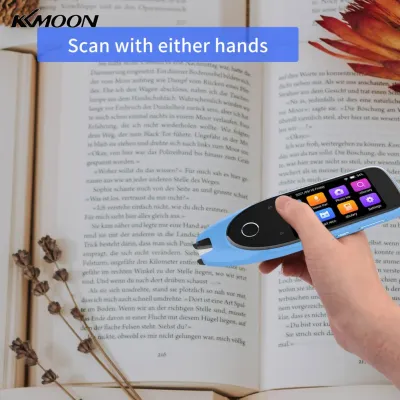
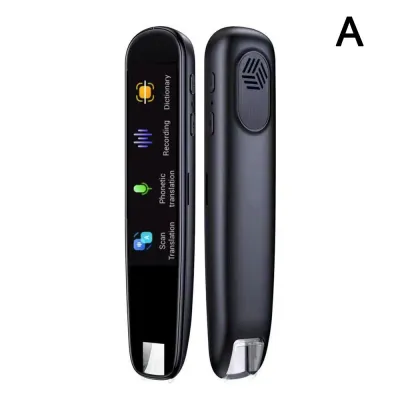
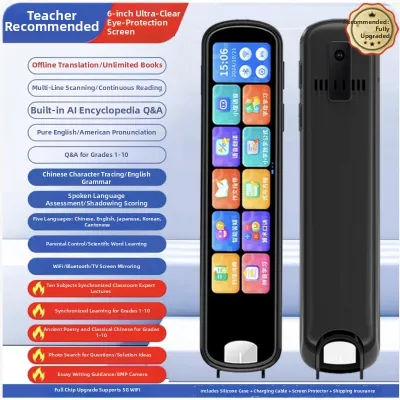
Prices are valid at publication and may change. Please refer to the product page for the latest price.
In contrast, using a translation app on a smartphone requires you to shift your attention entirely away from your book. You must unlock your phone, open the application, and either type the word or align your camera with the text. This multi-step process introduces frequent micro-distractions, especially when notifications or other apps compete for your attention on the same screen.
Dedicated single-purpose devices like dictionary pens are designed to minimize this cognitive load. Because they lack social media, email, and web browsers, they help you maintain a state of deep focus during study sessions. A smartphone, while highly capable, constantly demands cognitive control to resist distractions, which can deplete your mental energy over long study periods.
Audio pronunciation is another area where these tools diverge in practice. While both options provide spoken word examples, the physical speaker quality on a dictionary pen can vary significantly depending on the hardware design. A smartphone typically offers a more robust audio system and clearer playback, though a pen with a dedicated headphone jack can provide a highly focused, private listening experience during quiet study hours.
Key Factors to Compare Before You Decide
The medium of your study materials largely dictates which tool feels more convenient. For physical books, printed worksheets, or paper-based exam preparation, a dictionary pen is significantly faster than manually typing words into a phone. However, if you primarily read digital texts, e-books, or web articles on a tablet or computer, copying and pasting text directly into a translation app is virtually instantaneous and eliminates the need for physical scanning.

Offline reliability is a critical consideration for students who study in libraries, on public transport, or in areas with spotty connectivity. Many dictionary pens come pre-loaded with comprehensive offline dictionary databases, allowing for instant lookups without any network connection. While some translation apps offer downloadable offline language packs, these offline modes sometimes restrict advanced features like voice recognition or full-paragraph translation.
The financial commitment represents a clear divide between the two options. Purchasing a dictionary pen requires a one-time hardware investment in S$, which can be a significant upfront cost depending on the brand and features. Translation apps, on the other hand, are often free to download, though some may require ongoing subscriptions or display advertisements to access premium dictionaries and advanced features.
Contextual translation and sentence-level parsing also vary between dedicated hardware and mobile software. High-end translation apps backed by cloud-based neural networks often excel at translating complex, idiomatic sentences and parsing difficult grammatical structures. A dictionary pen may rely on more rigid, word-for-word translation databases when offline, though some models can access advanced cloud translation engines when connected to Wi-Fi.
Choose an English Dictionary Pen If You Need Focus and Paper Support
An english dictionary pen is highly beneficial if your study routine revolves around physical media. Students preparing for paper-based exams, researchers working with printed academic journals, and avid readers of physical novels will find the scanning motion much more natural than typing. The immediate on-screen definition allows you to keep your place on the physical page without interruption.
This dedicated hardware is also an excellent choice if you want to establish strict screen-time limits or create a distraction-free study environment. By removing the smartphone from your desk, you eliminate the temptation to check messages or browse the internet. This makes the dictionary pen a powerful tool for building disciplined, long-term study habits.
Furthermore, the simplicity of a dedicated scanning device is ideal for younger learners or older adults who may find complex smartphone interfaces overwhelming. A dictionary pen typically features a straightforward, single-purpose interface that requires no account setup, app updates, or navigation through nested menus. You simply turn the device on and begin scanning, making the learning process highly accessible.
Choose Translation Apps If You Read Digitally or Want Zero Upfront Cost
Mobile translation apps are the logical choice if your reading material is already digital. When studying e-books, PDF documents, or foreign-language websites on a tablet or laptop, you can use built-in system dictionaries or translation apps to look up words with a simple tap. In these digital environments, using a physical pen to scan a glowing screen is often redundant and less efficient.
For learners on a strict budget, translation apps offer a distinct advantage by providing robust tools at zero upfront cost. If you only need occasional word lookups or casual translation assistance, investing in dedicated hardware may not be financially justifiable. Free apps provide immediate access to multiple bilingual dictionaries without requiring any financial commitment.
Additionally, smartphones leverage powerful hardware to offer advanced features that most dictionary pens cannot match. Features such as camera-based full-page translation, real-time augmented reality (AR) text overlays, and interactive voice translation for conversational practice are standard on many mobile apps. If your language learning goals extend beyond reading to active speaking and listening practice, the versatility of a smartphone app is highly advantageous.
Specs to Verify Before Buying Any Scanning Device
Before purchasing a dictionary pen, it is essential to verify the manufacturer’s specifications to ensure the device aligns with your learning goals. Start by checking the list of supported offline languages and the specific dictionary databases pre-installed on the device. Some pens only include basic translation databases, while others feature authoritative, licensed dictionaries that offer deeper grammatical insights and usage examples.
Optical character recognition (OCR) compatibility is another critical specification to examine. Review the product documentation to see how the pen handles different fonts, very small text sizes, and stylized typography. If you plan to scan textbooks with complex layouts, multiple columns, or glossaries, verify that the pen’s scanning window and software are designed to parse these formats accurately.
You should also confirm whether the device requires ongoing subscriptions or mandatory account registration to access its full suite of features. Some manufacturers restrict cloud-based translation, voice synthesis, or system updates behind a paywall or require you to link a personal account. Checking these details beforehand prevents unexpected post-purchase costs and privacy concerns.
Finally, always review the retailer’s return policy and warranty terms before finalizing your purchase. Because physical scanning speed and ergonomic comfort are highly subjective, you may find that a specific pen does not match your personal reading pace or grip preference. Choosing a seller that offers a flexible return window allows you to test the device’s responsiveness on your typical study materials before making a permanent commitment.
Frequently Asked Questions (FAQ)
Can dictionary pens scan handwritten text reliably?
Optical character recognition (OCR) performance for handwritten text varies significantly depending on the manufacturer and the neatness of the writing. Most standard dictionary pens are optimized for printed fonts and may struggle to recognize cursive, irregular handwriting, or faint pencil marks. Before buying, check the product specifications for explicit handwriting recognition support, and if possible, test the device with your own notes at a physical retail demonstration.
Do translation apps work without an internet connection?
Many translation apps offer offline functionality, but you must verify exactly which features and languages remain active without an internet connection. While basic word-to-word translation databases can usually be downloaded for offline use, advanced features like voice-to-text, camera-based document scanning, and real-time conversation translation often require an active Wi-Fi or cellular data connection to function.

Community discussion
Share your experience or ask a question. Comments are reviewed before publication.