
Selecting your first electronic keyboard can feel overwhelming given the sheer volume of brands, technical specifications, and marketing jargon. For a beginner, the right instrument is not necessarily the most expensive one, but rather the one that aligns with your specific learning goals, space constraints, and budget. By focusing on fundamental hardware features rather than superficial digital extras, you can secure an instrument that supports proper technique and remains useful as your playing skills progress.
To kickstart your musical journey, prioritize a keyboard with at least 61 touch-sensitive keys, a dedicated headphone jack for silent practice, and a USB-MIDI port for connecting to modern learning software. While entry-level models often feature hundreds of synthesized sounds, your primary focus should be on the quality of the core acoustic piano tones and the physical responsiveness of the keys. Choosing an established brand with a reliable local support network ensures that your investment is protected by a valid warranty and accessible servicing.
Quick Answer: Essential Features for Your First Keyboard
When evaluating your very first electronic keyboard, three non-negotiable features dictate whether the instrument is a helpful learning tool or a frustrating obstacle. First, look for touch-sensitive (or velocity-sensitive) keys. Without touch sensitivity, the keyboard will produce the same volume regardless of how softly or firmly you strike the keys, making it impossible to learn musical expression or dynamics.
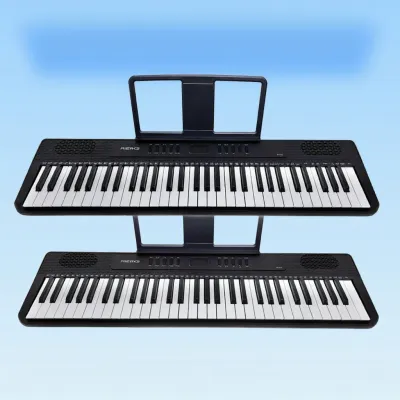
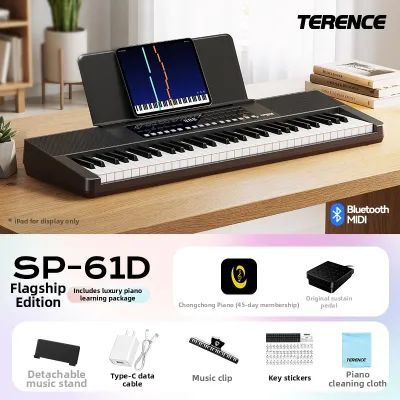
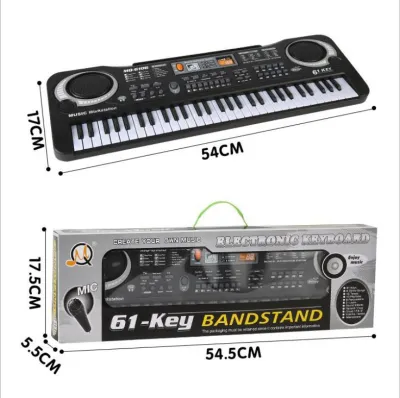
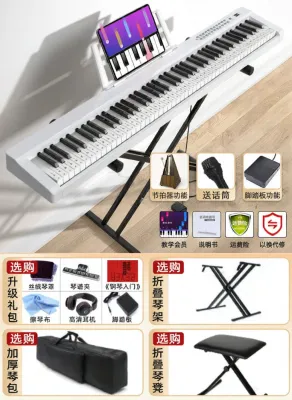
Products mentioned in this guide
![Yamaha PSR-E283 Portable Digital Keyboard ⚫ Black 61 Keys PSRE283 AC Power Adapter PSR E283 Kids Musical Electronic Electric Instrument Absolute Piano The Music Works Store [LIMITED STOCK]](https://img.lazcdn.com/g/p/16a0f813c10e32e5e036a774ae933031.jpg_400x400q80.jpg_.webp)
![[ammoon]61 Keys Digital Electronic Keyboard / Piano With MicrophoneUSB CableUser Manual](https://img.lazcdn.com/g/p/e4a8e0dd7c6374c271afdc54fc91cc43.jpg_400x400q80.jpg_.webp)
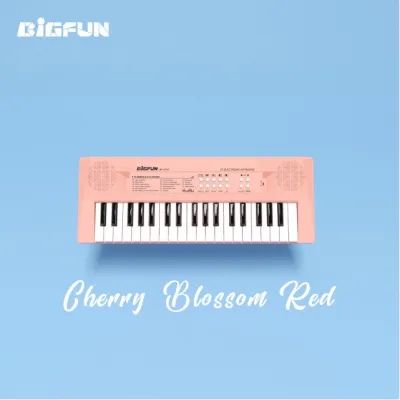
Prices are valid at publication and may change. Please refer to the product page for the latest price.
Second, consider the key count and physical size. A 61-key keyboard is the absolute minimum recommended for beginners, offering enough range for most introductory pieces, popular songs, and basic exercises while remaining highly portable. If your goal is to study classical piano or sit for formal examinations, you should skip intermediate sizes and opt directly for a full-sized, 88-key instrument with weighted keys that simulate the resistance of an acoustic piano.
Finally, ensure the instrument has robust connectivity options. A standard 1/4-inch or 3.5mm headphone output is essential for practicing at any hour without disturbing others. Additionally, a USB-to-Host port (often labeled USB-MIDI) allows you to connect the keyboard to a tablet, computer, or smartphone. This connectivity lets you use interactive learning applications, notation software, and digital audio workstations, which often provide a more engaging educational experience than basic, built-in keyboard lesson functions.
Core Specifications to Compare Across Brands
Keyboard Action and Touch Response
Keyboard action refers to the mechanical design beneath the keys, which determines how the instrument feels to your fingers. Manufacturers categorize these actions into three primary types: unweighted, semi-weighted, and fully weighted (often called hammer action). Unweighted keys use springs and are common on budget-friendly, highly portable keyboards; they offer very little resistance and are suitable for casual play or synthesizer-style music.

Semi-weighted actions add a small amount of resistance using heavier springs or small weights, offering a compromise between portability and control. Fully weighted hammer actions use actual mechanical weights to replicate the physical leverage of an acoustic piano’s hammers. When comparing brands, look for terms like “graded” or “progressive” hammer action, which means the keys feel heavier in the lower register and lighter in the treble, precisely mimicking a traditional acoustic piano.
To verify if a specific model supports dynamic playing, examine the specification sheet for “touch response levels.” A quality beginner keyboard should offer at least three selectable levels of touch sensitivity (such as Soft, Medium, and Hard), allowing you to adjust how the sound engine responds to your physical playing strength.
Sound Engine and Polyphony
An electronic keyboard produces sound by triggering digital recordings (samples) of acoustic instruments or by using software algorithms to model those sounds. The quality of the sound engine determines how realistic the piano tones sound. Higher-end engines capture multiple velocity layers, meaning a hard key strike triggers a sample of a piano played loudly, rather than simply playing a soft sample at a higher volume.
Polyphony is the maximum number of individual notes or voices the keyboard can sound at the exact same time. This specification is crucial when you begin using a sustain pedal or playing complex chords with backing tracks. If a keyboard has 32-note polyphony, playing a rapid passage with the sustain pedal held down will cause older notes to cut off abruptly as the hardware runs out of available voices.
For a beginner, a minimum of 64-note polyphony is highly recommended for basic learning. If you plan to layer sounds (such as playing piano and strings simultaneously) or use advanced pedal techniques, look for instruments offering 128-note polyphony or higher to ensure a seamless, natural sound decay.
Built-In Speakers and Audio Output
The physical speakers built into the keyboard housing dictate how clearly you hear your playing during open-air practice. Speaker performance is generally measured in amplifier wattage (e.g., 2 x 6 watts). For a small bedroom or study room, a total output of 10 to 12 watts is perfectly adequate, but larger living areas may require 15 to 30 watts to deliver a full, rich sound without audio distortion at higher volumes.
In addition to speaker power, check the physical output ports on the back of the instrument. While a headphone jack is standard, some entry-level keyboards combine the headphone output and the main audio output into a single port. If you ever plan to perform in public, connect to an external amplifier, or link the keyboard to a home recording setup, having dedicated auxiliary line-out ports (Left/Mono and Right) is a significant advantage that prevents signal degradation.
Aligning Brand Strengths With Your Learning Goals
Brands with Acoustic Piano Heritage
Manufacturers with a long history of building traditional acoustic grand pianos bring a unique design philosophy to their digital instruments. Brands like Yamaha and Kawai focus heavily on replicating the organic experience of playing an acoustic piano. Their digital sound libraries are built on high-resolution samples of their own world-class concert grand pianos, capturing the distinct tonal characteristics and resonant overtones of those physical instruments.
Furthermore, these brands invest heavily in developing realistic key actions. Their entry-level digital pianos often feature proprietary weighted keybeds designed to build proper finger strength, hand posture, and classical articulation. If your primary goal is to transition eventually to an acoustic piano, or if you are studying classical repertoire, prioritizing a brand with acoustic heritage ensures your physical habits translate correctly to a traditional instrument.
Brands Focused on Digital Innovation and Portability
Other manufacturers approach keyboard design from an electronics and synthesizer background. Brands like Casio, Roland, and Korg excel at packing advanced digital features, modern sound libraries, and wireless connectivity into highly compact, lightweight chassis designs. These instruments are often ideal for modern music styles, songwriting, and mobile use.
For instance, these brands frequently incorporate extensive arranger functions, allowing you to play along with realistic backing bands across various genres. They also tend to lead the market in integrating Bluetooth MIDI and Bluetooth Audio, making it incredibly simple to stream lesson audio from your tablet directly through the keyboard’s speakers. If you have limited space, need to transport your keyboard frequently, or want to explore music production and contemporary genres, these digitally focused brands offer exceptional versatility.
Entry-Level Focused Manufacturers
There is also a category of manufacturers that specialize almost exclusively in budget-friendly, entry-level instruments, such as Alesis or Donner. These brands focus on delivering the maximum number of physical features—such as full-sized weighted keys or extensive accessory bundles—at a fraction of the price of heritage brands. This makes them highly attractive to absolute beginners who are hesitant to make a large financial commitment.
However, choosing an entry-level specialist involves clear trade-offs. While the initial affordability is high, the long-term build quality, keybed durability, and realism of the sound samples may not match those of established brands. As your playing skills progress past the first year or two, you may find yourself outgrowing the expressive capabilities of these instruments sooner, making them better suited for casual hobbyists or those testing their initial interest in the instrument.
Setting a Realistic Budget and Value Expectations in S$
Understanding the Price Tiers
Establishing a clear budget in Singapore Dollars (S$) helps narrow down your options and prevents you from overpaying for features you do not yet need. The beginner keyboard market generally falls into three distinct price brackets:
- Under S$200: This tier consists almost entirely of ultra-portable, 61-key unweighted keyboards. While highly affordable, they rarely offer touch-sensitive keys or realistic piano tones. They are best reserved for young children or absolute beginners testing their interest over a few weeks.
- S$200 to S$600: This is the sweet spot for most adult beginners. In this range, you will find high-quality 61-key keyboards with excellent touch sensitivity, robust sound engines, and comprehensive learning features. You can also find entry-level 88-key digital pianos with semi-weighted or basic weighted actions.
- S$600 to S$1,200: This tier offers entry-to-intermediate 88-key digital pianos featuring fully weighted hammer-action keys, advanced sound modeling, and sturdy wooden cabinet options. These instruments are built to last several years of serious study and formal piano lessons.
Factoring in Essential Accessories
When planning your purchase, remember that the keyboard itself is only part of the equation. Many models are sold as bare units, meaning you must budget separately for essential accessories to ensure a comfortable and ergonomically correct practice environment. A flimsy keyboard stand that wobbles during play can ruin your concentration and affect your technique.
- Keyboard Stand: A sturdy double-X stand or a heavy-duty Z-stand is essential for stability. Expect to spend between S$40 and S$100.
- Adjustable Bench: Proper posture is critical to prevent wrist and back strain. An adjustable padded bench typically costs S$30 to S$80.
- Sustain Pedal: While some keyboards include a basic plastic foot switch, upgrading to a chrome, piano-style sustain pedal with realistic tension (costing S$25 to S$60) is highly recommended for a proper playing feel.
- Headphones: A decent pair of closed-back over-ear headphones (S$50 to S$150) ensures clear audio monitoring without disturbing your household.
Long-Term Durability and Resale Value
Investing in an established, reputable brand often pays off in terms of physical durability and future financial recovery. Well-known brands use high-grade plastics and robust internal sensors designed to withstand years of repetitive key strikes. If you decide to upgrade to an acoustic piano or a professional synthesizer in the future, keyboards from recognized brands retain a significant portion of their value on local secondhand marketplaces in Singapore.
Conversely, lesser-known budget brands tend to depreciate rapidly and can be difficult to sell on the secondhand market. Furthermore, finding replacement parts or repair services for off-brand instruments can be nearly impossible once the initial retailer warranty expires, often turning a minor hardware issue into a total loss.
Pre-Purchase Checklist: Verifying Specs and Compatibility
Physical Dimensions and Space Planning
Before finalizing your purchase, carefully measure the designated practice space in your home. Singapore apartments, such as HDB flats and condominiums, often require smart space utilization. A standard 88-key digital piano is approximately 1.3 to 1.4 meters wide and 30 centimeters deep. Ensure you have enough clearance not just for the instrument itself, but also for the stand, the bench, and your own body while seated.
If space is exceptionally tight, a slimline 88-key model or a high-quality 61-key keyboard may be a more practical choice. Additionally, consider the weight of the instrument. If you need to pack the keyboard away into a closet after every practice session, look for portable models weighing under 12 kilograms. Heavy cabinet-style digital pianos are designed to remain stationary once assembled.
Device and App Compatibility
If you plan to use digital learning platforms to guide your practice, verify the keyboard’s connection protocols before buying. Most modern apps require a direct MIDI connection to analyze your playing in real-time and provide instant feedback. Check the keyboard’s specification sheet for a “USB Type-B” port (often referred to as USB-to-Host).
If you prefer a wireless setup, confirm whether the keyboard has built-in Bluetooth MIDI. Note that Bluetooth Audio (which streams music from your phone to the keyboard speakers) is different from Bluetooth MIDI (which sends your key strike data to an app). Furthermore, check if you need specific adapters—such as an Apple Lightning-to-USB Camera Adapter or a USB-C OTG adapter—to connect your specific tablet or smartphone model to the keyboard.
Local Warranty and Authorized Retailers
Always purchase your electronic keyboard from an authorized local retailer in Singapore to ensure you receive a genuine product and a valid local warranty. Parallel-imported instruments purchased from unauthorized online sellers may seem cheaper initially, but they rarely come with local warranty coverage. If the main circuit board or a key sensor fails, you could face expensive repair bills or find that local service centers refuse to work on parallel-imported models.
Before paying, confirm that the retailer provides an official manufacturer’s warranty (typically 12 to 24 months). Locate the brand’s authorized service center in Singapore and verify their repair policies. Having a physical service center nearby provides peace of mind, ensuring that any technical issues can be resolved quickly by qualified technicians using genuine replacement parts.
Frequently Asked Questions (FAQ)
Do I need a fully weighted keyboard to start learning?
You do not strictly need a fully weighted keyboard if you are a casual hobbyist playing pop songs, electronic music, or exploring basic music theory. In these cases, a touch-sensitive, semi-weighted keyboard is perfectly adequate and much easier to transport. However, if your goal is to learn classical piano, take formal graded exams, or develop proper finger strength and acoustic articulation, a fully weighted hammer-action keyboard is essential from the very beginning to prevent developing poor hand habits.
Can I use a standard electronic keyboard for piano lessons?
Yes, you can use a standard electronic keyboard for introductory piano lessons, provided it has at least 61 full-sized, touch-sensitive keys. Full-sized keys ensure that your hand span and muscle memory develop correctly, making it easier to transition to other pianos. However, as you progress past the beginner stage (typically within the first year of lessons), your teacher will likely require you to upgrade to an 88-key weighted instrument to accommodate advanced repertoire that utilizes the extreme high and low registers.
How do I connect my keyboard to a learning app?
To connect your keyboard to a learning app, locate the USB-to-Host port (usually a square USB Type-B port) on the back of your instrument. Run a standard USB-MIDI cable from this port to your tablet or computer. If you are using an iPad or an Android tablet, you will likely need a compatible OTG (On-The-Go) adapter to convert the cable to USB-C or Lightning. Alternatively, if your keyboard supports Bluetooth MIDI, open the settings menu inside your learning app (rather than your device’s general Bluetooth settings) to pair the keyboard wirelessly.

Community discussion
Share your experience or ask a question. Comments are reviewed before publication.