
To choose the right language pen in Singapore, you must first align the device’s technical capabilities with your specific learning objectives, whether that is mastering business Mandarin, supporting your child’s primary school English syllabus, or navigating overseas travel. A language pen—also known as a scanning translator—uses Optical Character Recognition (OCR) and text-to-speech technology to instantly translate, pronounce, and save printed text. Selecting the ideal device requires evaluating scanning accuracy, offline database completeness, and ergonomic suitability for the intended user.
While marketing campaigns often promise effortless bilingualism, real-world performance depends heavily on the hardware specifications and software ecosystems of individual devices. By understanding how these tools operate under different conditions, you can avoid common pitfalls such as purchasing a device that cannot read localized fonts or one that requires a constant internet connection to perform basic translations.
Key Features to Evaluate When Choosing a Language Pen
Optical Character Recognition (OCR) is the foundational technology of any language pen. When you glide the pen across a line of text, an integrated high-speed camera captures multiple images, which the internal processor then stitches together and converts into digital text. Most manufacturers advertise an OCR accuracy rate of “99%,” but readers must understand that this metric is typically achieved under laboratory conditions using high-contrast, standard printed fonts (such as 12-point Times New Roman) on matte white paper. In everyday use, accuracy can degrade when scanning stylized fonts, very small footnotes, glossy textbook pages, or text under poor lighting conditions.
Products mentioned in this guide
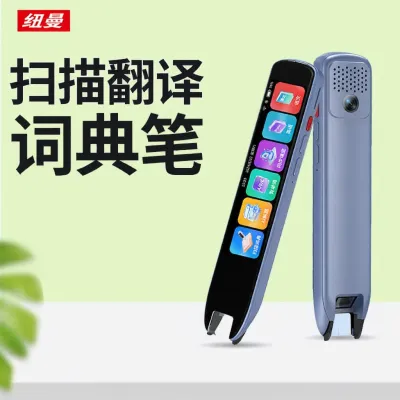
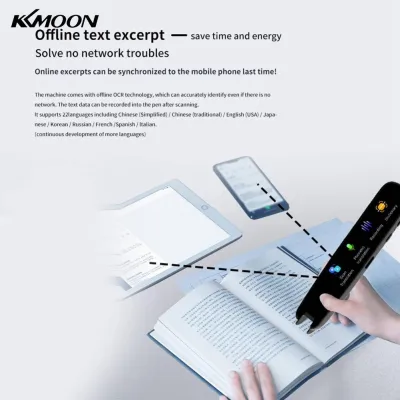
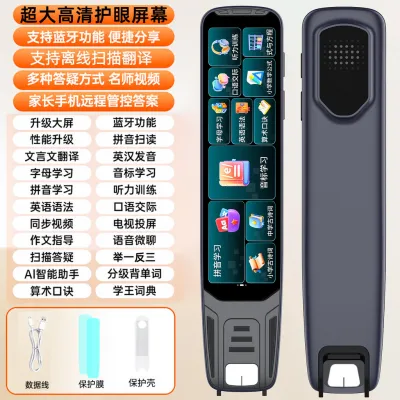
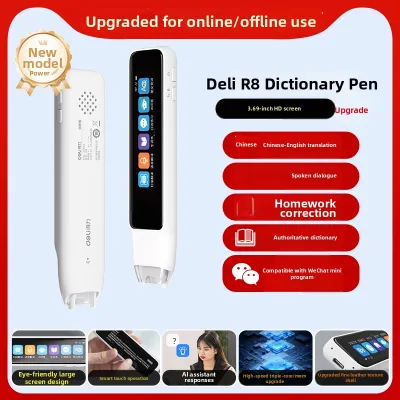
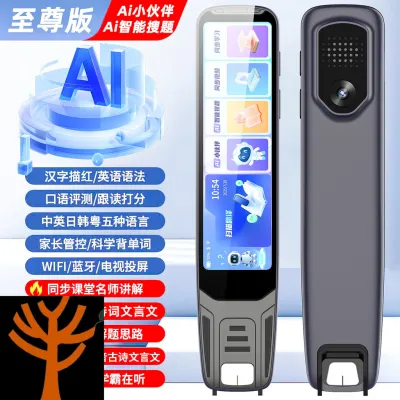
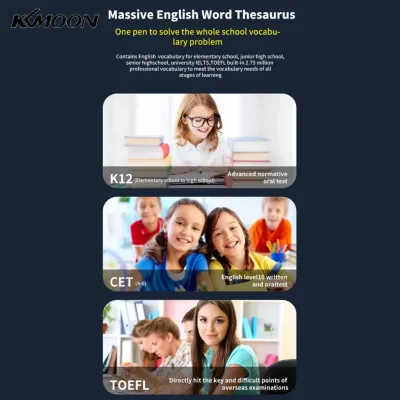
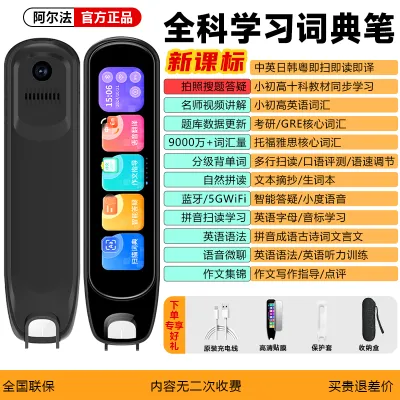
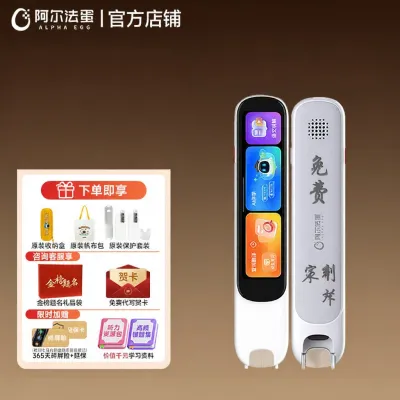
Prices are valid at publication and may change. Please refer to the product page for the latest price.
Another critical distinction lies in how the device processes the scanned text. Basic language pens perform literal, word-by-word dictionary lookups, which are highly effective for building vocabulary but fail to capture the meaning of idioms, phrasal verbs, or complex grammatical structures. Advanced models utilize contextual AI sentence translation, leveraging neural machine translation (NMT) engines to analyze the entire sentence structure before outputting a translation. This contextual processing is essential for capturing the true meaning of academic or professional texts, though it often requires more processing power and an active network connection.
Supported language pairs must be verified carefully before making a purchase. Many language pens developed by Western brands are highly optimized for European languages but struggle with the character recognition and vertical text layouts of East Asian languages. Conversely, pens designed for the Asian market are often exceptionally proficient in Mandarin-English bilingual translation but may offer limited support or lower accuracy for regional languages such as Malay, Tamil, Japanese, or Korean. Ensure the device’s core database is natively optimized for the specific language pair you intend to study.
Text-to-speech (TTS) audio quality directly impacts your pronunciation and listening comprehension. Look for devices that utilize natural-sounding, human-recorded voices or advanced synthetic voices rather than robotic, monotone speech generators. Many high-quality pens allow users to toggle between different regional accents, such as British and American English, or mainland Mandarin and Taiwanese Mandarin, which is particularly beneficial for learners preparing for specific regional environments.
Finally, consider the physical design, ergonomics, and battery life of the device. A language pen intended for a young child should feature a robust, drop-resistant plastic casing with a wide, slip-resistant grip to accommodate developing motor skills. For professionals, a sleek, lightweight, pen-like form factor that fits easily into a breast pocket or laptop sleeve is more appropriate. Battery life typically ranges from three to eight hours of continuous scanning; devices with large color touchscreens and active Wi-Fi connections will naturally deplete their batteries much faster than simpler, screenless models.
Recommended Language Pens for Specific Learning Scenarios
Because no single language pen excels in every environment, selecting the right device requires matching its specific feature set to your primary use case. Model availability, software versions, and retail pricing fluctuate frequently; therefore, you should always verify current specifications and inventory on official brand websites or through authorized local distributors in Singapore before committing to a purchase.

Best for Professionals Learning Mandarin or Business Languages
Professionals operating in Singapore’s multinational business landscape frequently encounter bilingual documentation, legal contracts, and financial reports. For this scenario, a language pen must possess a high-resolution scanning head capable of reading dense, small-print documents without skipping characters. The device should be backed by authoritative, professional-grade dictionaries, such as the Oxford Chinese Dictionary or specialized business, medical, and legal glossaries, to ensure technical terminology is translated with absolute precision.
Key considerations for professional users:
- Traditional vs. Simplified Characters: Ensure the pen can seamlessly scan and translate both Simplified Chinese (used in Singapore and mainland China) and Traditional Chinese (commonly used in Taiwan, Hong Kong, and historical documents).
- Cross-Device Syncing: Look for models that support Bluetooth or Wi-Fi data transfer, allowing you to scan text from a physical document and instantly paste it into a word processor or translation software on your laptop or tablet.
- Connectivity Dependencies: While basic dictionary definitions are usually stored locally on the pen, advanced contextual AI translation and cloud-based document syncing almost always require a stable Wi-Fi connection or a mobile hotspot. If you work in a high-security corporate environment with restricted wireless access, verify that the offline translation capabilities are robust enough for your daily tasks.
- Companion App Usability: Many professional-grade pens rely on companion mobile or desktop applications to manage saved vocabulary and export scanned text. Test the companion app's compatibility with your operating system, and note that some overseas models require a regional phone number or specific regional app store accounts for full activation.
Best for Parents Helping Children with English and Phonics
Parents in Singapore often seek educational tools to support their children’s language development and foster independent study habits. For young learners, a language pen should serve as an interactive tutor rather than a simple translation tool. The device must feature a durable, impact-resistant construction to withstand accidental drops from study desks, along with a user interface that is intuitive and free of distracting non-educational features.
Key considerations for parents:
- Educational Alignment: Verify that the pre-loaded dictionary databases and educational content align with local English language frameworks and standard phonics systems. Some pens are designed to work in tandem with specific interactive children's books, reading the text aloud and playing sound effects when pointed at illustrations.
- Interactive Learning Features: Look for pens that offer pronunciation grading, which uses voice-recognition technology to listen to the child read a word aloud and provide immediate feedback on their pronunciation. Phonics games and spelling quizzes can also help reinforce vocabulary retention in a playful manner.
- Subscription Models: Be cautious of devices that require ongoing paid subscriptions to access their full suite of educational content, interactive books, or advanced pronunciation analysis. Always check whether the core learning features are permanently built into the device or if they entail recurring fees.
- Parental Controls: Ensure the pen allows parents to disable built-in games or limit screen time, keeping the child focused on their primary reading and spelling tasks.
Best for Travelers Needing Quick Translation and Voice Support
Travelers require a highly portable, versatile translation tool that can adapt to rapid changes in their physical environment. When navigating foreign cities, you must read printed text on street signs, subway maps, and restaurant menus, while also managing spontaneous face-to-face conversations. A travel-oriented language pen must prioritize compact design, rapid boot-up times, and extensive offline capabilities.
Key considerations for travelers:
- Scanning vs. Voice Translation: Understand the distinction between a scanning pen and a dedicated voice translator. While scanning pens excel at reading printed text, they are often cumbersome to use during a live conversation. Many modern travel pens combine a scanning tip with dual microphones and speakers to support two-way, real-time voice translation. If your primary need is verbal communication, ensure the voice translation feature is highly responsive.
- Offline Language Packs: Cellular data and public Wi-Fi can be unreliable or expensive when traveling abroad. It is vital to verify which language pairs are pre-installed for offline use. Some devices require you to manually connect to Wi-Fi and download specific offline language databases before departure. Ensure the offline database covers both text scanning and basic voice translation for your destination country.
- Form Factor and Portability: Choose a lightweight device that can be worn on a lanyard or slipped into a small travel pouch. A physical screen is beneficial for displaying translated text in noisy environments where audio playback might be difficult to hear.
Comparing Key Specifications Across Top Picks
To help you finalize your decision, the table below compares the primary specifications and operational requirements of the three main categories of language pens. When reviewing these specifications, keep in mind that actual battery life will vary based on screen brightness, volume levels, and how frequently the device connects to wireless networks. Furthermore, regular firmware updates from manufacturers can expand offline capabilities and modify supported features over time.
| Target User Profile | Key Strength | Offline Language Support | Battery Life | Connectivity Requirements |
|---|---|---|---|---|
| Business Professionals | High-resolution scanning, professional dictionaries, cross-device text transfer | Limited to pre-loaded bilingual dictionaries; advanced context requires cloud access | 4 to 6 hours of active scanning | Wi-Fi or Bluetooth required for AI translation and device syncing |
| Young Learners (Phonics) | Interactive pronunciation grading, durable build, kid-friendly educational content | Pre-loaded phonics programs and simplified dictionaries | 5 to 8 hours of active use | Primarily offline; Wi-Fi needed only for initial setup and system updates |
| Frequent Travelers | Compact size, integrated voice translation, robust offline databases | Extensive pre-downloadable offline translation packs | Full day of intermittent travel use | Offline for scanning; Wi-Fi or mobile hotspot recommended for voice chat |
Pre-Purchase Checklist: Verifying Compatibility and Content
Before purchasing a language pen, performing a few final verification steps can prevent compatibility issues and ensure a smooth user experience. Because these devices are highly specialized microcomputers, their software ecosystems must align perfectly with your existing technology and regional location.
- Check for Region Locks and App Store Restrictions: Some language pens manufactured for overseas markets are region-locked. This can prevent you from downloading the companion application from the Singapore Apple App Store or Google Play Store, or prevent the pen from connecting to local cloud servers. Verify that the device is a global or localized Singapore edition.
- Confirm Companion App Compatibility: If you plan to use cross-device syncing, check the system requirements of the companion app. Ensure it is fully compatible with your smartphone, tablet, or computer's operating system version, and read user reviews regarding the app's stability.
- Verify Dictionary Licensing and Completeness: Do not rely solely on the brand name; check exactly which dictionaries are pre-installed on the device. For serious learners, a licensed dictionary (such as Oxford, Collins, or Merriam-Webster) is far more valuable than a generic, open-source word list. Additionally, verify if future dictionary updates are free or if they require a purchase.
- Assess Warranty and After-Sales Support: Purchasing your language pen from a local authorized retailer in Singapore typically provides you with a local agent warranty, allowing for straightforward repairs or replacements. If you purchase parallel imports from cross-border online marketplaces, you may have to mail the device back to an overseas service center at your own expense if a defect occurs.
Frequently Asked Questions (FAQ)
Can a language pen translate handwritten text?
Most consumer language pens are engineered and calibrated specifically for standard, printed fonts found in books, documents, and digital screens. Their OCR systems generally struggle with handwritten text due to variations in stroke thickness, cursive styles, and individual writing habits. While some high-end pens equipped with advanced AI handwriting engines can interpret exceptionally neat, printed handwriting, the results are often inconsistent. If your primary goal is to translate handwritten journals, notes, or whiteboard text, you will typically achieve better accuracy by using a smartphone camera translation app with dedicated handwriting recognition.
Do language pens require a Wi-Fi connection to work?
Whether a language pen requires Wi-Fi depends entirely on the specific function you are using. Basic tasks, such as scanning a single printed word to view its definition and hear its pronunciation, can be performed completely offline, provided the corresponding offline dictionary database has been pre-loaded onto the device. However, advanced features—such as full-sentence contextual AI translation, real-time voice-to-voice translation, cloud-based pronunciation grading, and cross-device text syncing—almost always require an active Wi-Fi or mobile hotspot connection to access cloud-based processing servers.

Community discussion
Share your experience or ask a question. Comments are reviewed before publication.