
Choosing your first keyboard or digital piano is an exciting milestone, but finding the right support for it is just as critical to your learning journey. A proper piano table or keyboard stand does more than simply hold your instrument off the floor; it establishes the foundation for your physical posture, protects your equipment from accidental falls, and determines how comfortable you will be during long practice sessions. For beginners, navigating the wide variety of stands can be overwhelming, but matching your support system to your specific instrument and practice environment will set you up for long-term musical success.
To make an informed choice, you must balance the physical specifications of your keyboard with your daily living arrangements. If you are using a lightweight, portable keyboard and need to pack your gear away after every session, a folding stand is highly practical. Conversely, if you have invested in a full-sized, weighted 88-key digital piano, you will require a heavy-duty, rigid platform that mimics the stability of an acoustic piano. Understanding these differences prevents common frustrations, such as a wobbling keyboard that disrupts your rhythm or a setup that causes wrist fatigue.
Assess Your Keyboard's Specifications and Weight
Before browsing online marketplaces or visiting a local music store, you must gather the exact physical dimensions and weight of your instrument. These specifications dictate the structural limits your piano table must meet.
Products mentioned in this guide
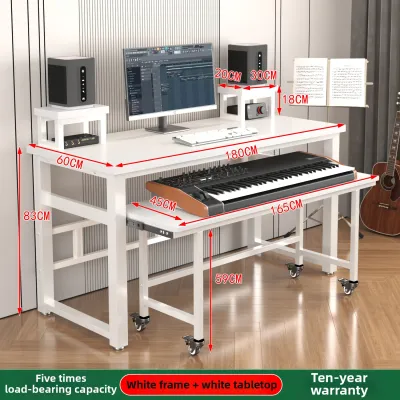
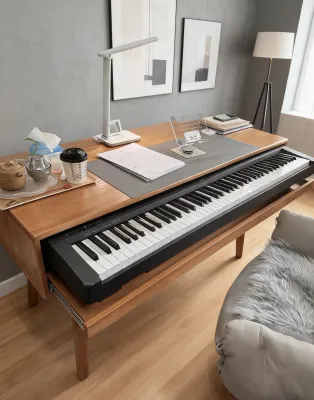
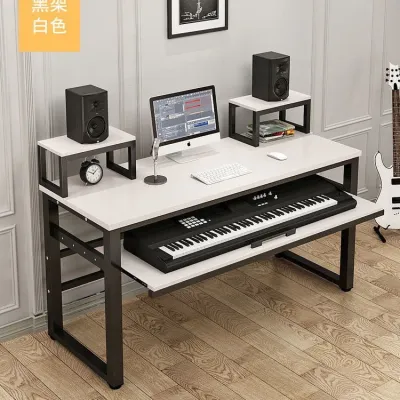
![17vm [In stock]Simple modern piano table Electric Piano Studio worktable music table arranger keyboard tuning table household piano stand F2H6C](https://img.lazcdn.com/g/p/5a26e213877a2f4d703dc9adc9bc38af.jpg_webp_400x400q80.jpg_.webp)
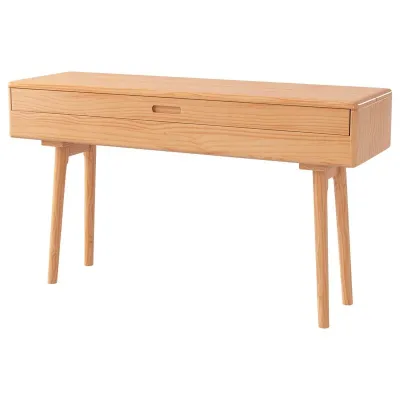
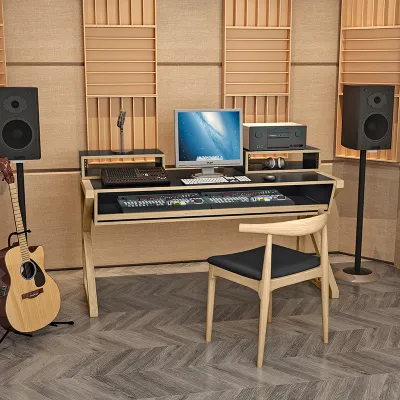
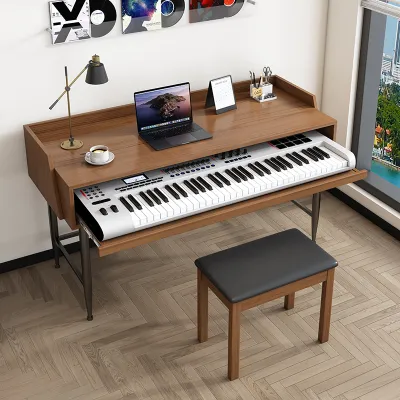
Prices are valid at publication and may change. Please refer to the product page for the latest price.
Key Count and Physical Width Keyboards generally come in three standard sizes: 61-key, 76-key, and 88-key configurations. A standard 88-key digital piano features fully weighted keys and measures approximately 130 to 140 centimeters in length. This wide span requires a stand that supports the instrument near its outer edges to prevent the middle of the frame from sagging over time. Smaller 61-key portable keyboards are much narrower, often measuring under 100 centimeters. If you pair a narrow keyboard with a wide, non-adjustable table stand, the instrument may not reach the support arms, creating an unstable and dangerous setup.
Instrument Weight and Load Capacity The weight of your keyboard is the most critical safety factor to consider. Entry-level keyboards with unweighted plastic keys are remarkably light, often weighing between 3 and 6 kilograms. In contrast, digital pianos designed to replicate the feel of an acoustic piano feature complex hammer-action keybeds, which push the weight up to 12 to 25 kilograms. Always locate the exact weight of your instrument in the manufacturer’s user manual. When selecting a piano table, ensure its certified weight capacity exceeds your keyboard’s weight by a comfortable margin to account for the additional downward force applied while playing.
Center of Gravity and Base Footprint Digital pianos with weighted keys are not only heavier but also deeper from front to back. This design shifts the instrument’s center of gravity, especially when you press down firmly on the keys. A stand with a narrow top support surface can easily tip forward or backward if the keyboard’s rubber feet do not align perfectly with the stand’s resting pads. Measure the depth of your keyboard’s base and compare it to the length of the stand’s upper support arms to ensure the instrument sits fully and securely on the frame.
Match the Stand Type to Your Learning Setup
Your practice environment and lifestyle play a major role in determining which stand design will serve you best. Different stand shapes offer distinct advantages in terms of portability, stability, and legroom.

X-Style Stands for Portability and Small Spaces X-style stands are among the most common supports available, easily recognized by their crossing metal legs that form an ‘X’ shape.
- Single-Braced X-Stands: These feature a single metal bar on each side of the crossing joint. They are lightweight, highly affordable, and fold completely flat for storage under a bed or in a closet. They are highly practical for beginners using lightweight 61-key keyboards who must pack their gear away after practice. However, they are prone to lateral swaying and are not recommended for heavy instruments.
- Double-Braced X-Stands: These upgrade the design with two parallel metal bars on each side, significantly increasing structural rigidity and weight capacity. They provide a much more stable platform for 76-key and mid-weight 88-key instruments.
- The Legroom Trade-Off: While X-stands are highly convenient, their crossing design directly blocks the space beneath the keyboard. If you sit down to play, your knees will likely bump into the metal bars, forcing you to sit further back or adopt an awkward posture.
Z-Style and A-Style Stands for Dedicated Practice If you have a dedicated corner in your home for music practice, Z-style and A-style stands offer excellent ergonomics and stability.
- Z-Style Stands: Named for their Z-shaped side profiles, these stands are incredibly rigid and virtually eliminate side-to-side wobble. Because the support structure is pushed to the outer sides, the space directly beneath the keyboard is completely open. This provides unlimited legroom, allowing you to sit comfortably with your knees bent naturally and your feet flat on the floor.
- A-Style and Column Stands: These are highly robust and often used by gigging musicians who need to support multiple keyboards. While exceptionally stable, they tend to have a larger footprint and can look overly industrial in a cozy home environment.
Fixed Piano Tables and Wooden Console Stands For those who want their digital piano to remain a permanent fixture in their living space, heavy-duty tables or wooden furniture stands are highly stable options.
- Table-Style (Platform) Stands: These feature four independent, adjustable legs, resembling a heavy-duty utility table. They offer the absolute maximum amount of legroom and are virtually impossible to tip over. They are highly recommended for heavy 88-key digital pianos and allow you to slide your bench completely underneath when not in use.
- Wooden Console Stands: Many manufacturers produce custom wooden stands designed specifically for their digital piano models. These stands bolt directly into the underside of the keyboard, transforming it into a cohesive, elegant piece of furniture. They offer exceptional stability and often include integrated three-pedal units, providing the closest possible experience to playing a traditional acoustic piano.
Planning for Future Upgrades As a beginner, your setup may grow as your skills develop. If you plan to add a laptop, a tablet for reading sheet music, or a second synthesizer in the future, look for a stand that supports modular add-ons. Many high-quality Z-stands and table stands allow you to attach a second-tier accessory arm later on. Additionally, ensure the space beneath the stand is clear of low-hanging crossbars so you can place a sustain pedal in a natural, comfortable position without it sliding out of reach.
Verify Ergonomics and Stability Before Playing
An unstable or poorly adjusted piano table can lead to physical discomfort and hinder your technical progress. Establishing proper ergonomics from day one is essential for developing healthy playing habits.
Adjusting Height for Proper Arm Alignment The height of your keyboard keys should allow your body to remain relaxed and tension-free. When sitting on your bench, your shoulders should be completely relaxed, with your upper arms hanging naturally by your sides. Adjust the height of your piano table so that when your hands rest on the keys, your forearms are parallel to the floor, and your wrists are straight or slightly elevated. If the stand is adjusted too high, you will be forced to shrug your shoulders, leading to neck and upper back pain. If it is too low, you will slouch forward, putting unnecessary strain on your lower back.
Testing Stability and Joint Rigidity Before you begin a practice session, perform a quick stability check to ensure your instrument is safe. Place your hands on the keyboard and apply moderate downward pressure on the lowest and highest keys. Next, gently rock the keyboard from side to side to simulate energetic playing. A high-quality stand should remain firmly planted on the ground without twisting, creaking, or swaying. If you notice any joint slippage or flexing in the metal frame, double-check that all locking pins are fully engaged and that the stand is rated for your instrument’s weight.
Coordinating Your Bench and Stand A common mistake is focusing solely on the piano table while ignoring the seat. A standard household chair is rarely the correct height for piano playing and lacks the necessary adjustment options. To achieve the optimal ergonomic alignment, pair your adjustable keyboard stand with an adjustable keyboard bench. This allows you to fine-tune the relationship between your seat height and the keybed, ensuring your elbows remain at the correct angle regardless of your height or the thickness of your keyboard.
Common Setup Mistakes and How to Avoid Them
Even the best piano table can perform poorly if it is assembled incorrectly or placed in an unsuitable environment. Avoiding these common pitfalls will protect your investment and keep your practice space safe.
Over-Tightening Adjustment Knobs Most adjustable keyboard stands rely on hand-tightened plastic knobs or pull-pins to lock the frame into position. A frequent mistake among beginners is using excessive force to tighten these knobs, believing it will make the stand more secure. Over-tightening can easily strip the metal threads inside the frame or crack the plastic adjustment handles. Instead, tighten the knobs until they are snug, and rely on the mechanical locking pins or safety teeth built into the stand’s joints to bear the weight of the instrument.
Placing Stands on Uneven Surfaces A stand placed on an uneven tile floor or a thick, plush rug will wobble, regardless of how sturdy the frame is. To solve this issue, look for a piano table equipped with adjustable leveling feet. These are small, threaded rubber discs on the bottom of the stand’s feet that can be screwed in or out to compensate for minor floor imperfections. If your stand does not have leveling feet, placing a rigid, flat wooden board or a low-pile utility mat beneath the stand can help distribute the weight evenly and eliminate rocking.
Preventing Cable Strain and Snags Your digital piano requires several cables to function, including power cords, sustain pedal lines, and headphone cables. If these cords hang loosely around the stand, they can easily get caught in the folding mechanisms of X-stands or become a tripping hazard. Route your cables neatly along the frame of your piano table, securing them with hook-and-loop straps or cable clips. Ensure there is enough slack in the cords so that they do not pull tightly against the keyboard’s input ports, which can cause internal damage to the jacks over time.
Frequently Asked Questions (FAQ)
Can I use a regular household desk as a piano table?
While it is tempting to place your new keyboard on an existing writing desk or dining table, this setup is rarely ideal for learning. Standard household desks are typically 73 to 76 centimeters high, which is designed for typing on a flat computer keyboard or writing. When you place a digital piano—which itself has several centimeters of height from its base to the top of the keys—on top of a standard desk, the playing surface becomes far too high. This forces your wrists into an unnatural, upward-bent position, increasing the risk of strain. Additionally, many desks feature thick wooden drawers or support panels directly beneath the tabletop, which will block your knees and prevent you from sitting close enough to the keys.
Do I need a double-braced stand for an 88-key keyboard?
Yes, a double-braced stand, Z-stand, or dedicated table stand is highly recommended for any 88-key keyboard. Full-sized keyboards are long and heavy, and the physical force of your hands striking the keys at the far ends of the instrument creates significant leverage. A single-braced X-stand will flex and sway under these forces, causing the keyboard to bounce while you play, which is highly distracting and can ruin your timing. Rather than relying on visual thickness alone, always check the manufacturer’s load specifications for both the keyboard and the stand. Investing in a robust, double-braced or Z-style support ensures your instrument remains highly stable, allowing you to focus entirely on your technique.

Community discussion
Share your experience or ask a question. Comments are reviewed before publication.