
To choose your first MIDI keyboard, you must match the key count, physical action, and control layout to your specific musical goals, available desk space, and software setup. Beginners do not need the most expensive, feature-heavy controller; instead, focus on a device that offers reliable USB connectivity, a key feel that matches your playing style, and seamless compatibility with your digital audio workstation (DAW). By prioritizing the features that align with your immediate learning or production goals, you can avoid overspending on complex hardware that might otherwise clutter your workspace.
Unlike traditional keyboards or acoustic pianos, a MIDI keyboard does not produce sound on its own. It functions as a controller, sending digital data to your computer, tablet, or smartphone to trigger virtual instruments. Understanding this distinction is the first step toward making an informed purchase, as it shifts your focus from the internal speaker quality to the physical build, playability, and integration capabilities of the controller.
Quick Decision Guide: Matching Your Goals to the Right MIDI Keyboard
Selecting the right MIDI keyboard begins with identifying how you plan to make music. Different workflows require distinct hardware configurations, and choosing a device tailored to your primary activity will streamline your learning curve.
Products mentioned in this guide
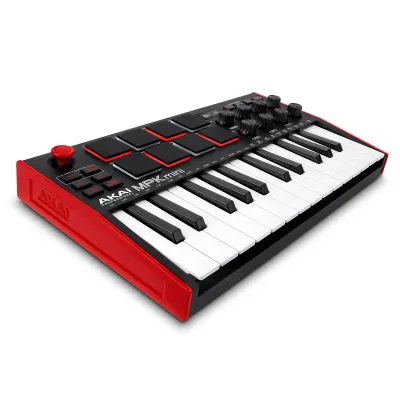
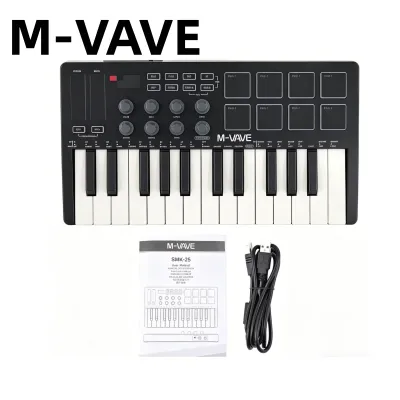
![[ammoon]M-VAVE SMK-25mini 25 Keys USB Keyboard MIDI Controller with 25 Velocity Sensitive Keys 1 Knob](https://img.lazcdn.com/g/p/589228387654254fefa4a845a1fc9f04.jpg_400x400q80.jpg_.webp)
![Akai LPK25 MK2 25 Keys MIDI Keyboard Controller Pro Audio [LIMITED STOCK]](https://img.lazcdn.com/g/p/bde8ee9dff778b26d1bfc47d352bc220.png_400x400q80.png_.webp)
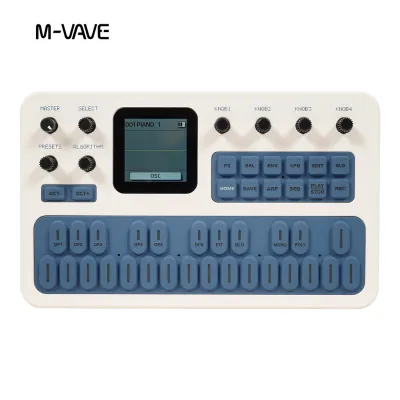
Prices are valid at publication and may change. Please refer to the product page for the latest price.
- The Beatmaker and Producer: If your primary goal is to produce electronic music, hip-hop, or ambient tracks, you will benefit most from a compact controller. Look for a 25-key or 37-key keyboard equipped with velocity-sensitive drum pads and assignable knobs. This setup prioritizes portability and quick parameter adjustments over a wide playing range.
- The Aspiring Pianist: If you are learning traditional piano techniques, a full-sized 88-key controller with fully weighted hammer-action keys is essential. This configuration replicates the physical resistance of an acoustic piano, allowing you to develop proper finger strength and expressive control.
- The Live Performer and Composer: For those who want to play two-handed arrangements, perform live, or compose orchestral scores, a 49-key or 61-key controller with semi-weighted keys offers the ideal balance. It provides enough physical range for complex chords while remaining light enough to transport easily.
The most common mistake for beginners is overspending on fully weighted keys when their primary interest is electronic music production. Weighted keys can actually hinder your ability to program fast drum patterns or play rapid synthesizer leads. Conversely, buying a tiny 25-key controller to learn classical piano pieces will quickly lead to frustration as you run out of physical keys.
Key Count and Size: Matching Your Space and Playing Style
MIDI keyboards are categorized by the number of keys they feature, typically ranging from 25 to 88 keys. The right size for your setup depends on both your musical ambitions and the physical constraints of your workspace.

For those setting up a home studio in a compact urban apartment or study room in Singapore, desk space is often at a premium. A 25-key controller has a tiny footprint, easily sliding in front of a computer keyboard or fitting into a backpack for mobile production. While highly portable, a two-octave range limits you to playing simple basslines, lead melodies, or programming drum loops one hand at a time.
A 49-key controller is widely considered the sweet spot for general music production. It provides a four-octave range, which is sufficient for playing two-handed chord progressions and melodies simultaneously, without dominating your entire desk. If you have a slightly larger workspace and want to avoid shifting octaves frequently during a performance, a 61-key controller offers an expanded five-octave range that accommodates most contemporary music styles.
When physical space is extremely limited, remember that almost all modern MIDI keyboards include dedicated octave shift buttons. These buttons allow you to instantly transpose the physical keys up or down by several octaves. While this feature does not replace the experience of playing a full-sized piano, it effectively allows a compact 25-key or 37-key controller to access the entire pitch range of an 88-key instrument.
Key Action and Feel: Synth vs. Semi-Weighted vs. Fully Weighted
The physical response of the keys—often referred to as the “action”—profoundly impacts your playing experience. Key action determines how much resistance the keys offer when pressed and how quickly they return to their resting position.
- Synth-Action: These keys are light, springy, and offer very little resistance. They are designed for rapid playing, making them perfect for fast synthesizer leads, organ parts, and triggering drum samples. Synth-action keys keep the controller lightweight and budget-friendly, though they lack the expressive dynamic control needed for classical piano music.
- Semi-Weighted: This action combines a spring mechanism with light weights attached to each key. It offers a moderate level of resistance, providing a more substantial feel than synth-action without the heavy physical footprint of a fully weighted keyboard. It is a versatile middle ground for creators who play a mix of piano, synth, and orchestral instruments.
- Fully Weighted (Hammer Action): These keys utilize actual mechanical hammers or complex lever systems to replicate the resistance and inertia of an acoustic piano. This action is crucial for piano students who need to build finger strength and master subtle variations in volume and expression.
Keep in mind that key action directly influences the physical weight and cost of the controller. Fully weighted 88-key controllers are heavy, bulky, and generally require a dedicated, sturdy keyboard stand. If portability or desk space is your primary concern, a synth-action or semi-weighted controller is typically the more practical choice for a first purchase.
Essential Controls and Connectivity: What You Actually Need
Modern MIDI keyboards often look like control panels, covered in pads, knobs, faders, and wheels. While these features can enhance your workflow, beginners should focus on what is truly necessary to avoid paying for unused complexity.
Velocity-sensitive rubber pads are highly useful if you plan to program drums, as they allow you to tap out rhythms with natural volume variations. Rotary knobs and physical faders are excellent for adjusting track volumes, panning, or manipulating synthesizer filters in real-time. Pitch bend and modulation wheels are standard on most controllers and are essential for adding expression, such as vibrato or pitch slides, to your performances.
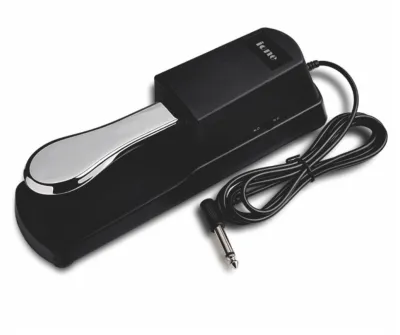
In terms of connectivity, standard USB-MIDI is the most critical port for beginners. A class-compliant USB-MIDI connection allows the keyboard to send data and draw power directly from your computer or tablet through a single cable, eliminating the need for an external power supply. A sustain pedal input (typically a 1/4-inch jack) is also highly recommended, especially if you plan to play piano or ambient pad sounds where sustaining notes is required.
Traditional 5-pin MIDI ports are generally unnecessary for beginners unless you plan to connect the keyboard directly to external hardware synthesizers without using a computer. Similarly, while Bluetooth MIDI offers wireless convenience for mobile setups, it can introduce slight latency (audio delay) depending on your device and operating system, which can be distracting when trying to play in perfect time.
Bundled Software and Compatibility: Evaluating the Real Value
One of the most overlooked aspects of buying a MIDI keyboard is the software package that comes with it. Because a MIDI controller does not make sound on its own, you will need software to generate audio. Many manufacturers bundle their hardware with introductory versions of popular DAWs and high-quality virtual instruments.
These software bundles can represent significant value, sometimes saving you hundreds of S$ on standalone software purchases. Look for bundles that include a beginner-friendly DAW, such as Ableton Live Lite, alongside a few versatile virtual instruments like acoustic pianos, vintage synthesizers, or drum libraries. This ensures you can start making music immediately without facing additional software costs.
Before purchasing, always verify that the keyboard is “class-compliant.” Class-compliant devices use the standard MIDI drivers built into Windows, macOS, iOS, and Android. This means you can simply plug the keyboard in and start playing without having to locate, download, and install proprietary drivers, which can sometimes cause compatibility issues during system updates.
To ensure a smooth setup, use this quick compatibility checklist before finalizing your purchase:
- Operating System: Confirm the controller supports your current OS version (e.g., Windows 11 or macOS Sequoia).
- Connection Ports: Check if your computer has USB-A or USB-C ports, and ensure you have the correct cable or adapter.
- DAW Integration: Verify if the keyboard offers pre-mapped integration for your preferred software, which saves you from manually configuring every knob and pad.
Building Your Shortlist: Feature Profiles for Your Musical Goals
To help you narrow down your options, match your personal goals to one of these three distinct buyer profiles. This approach allows you to focus on the exact specifications you need rather than searching for a single “perfect” model.
Profile 1: The Bedroom Producer
- Ideal Key Count: 25 or 37 keys.
- Key Action: Synth-action for fast playing and compact design.
- Essential Controls: At least 8 velocity-sensitive drum pads, 8 assignable knobs, and pitch/mod wheels.
- Primary Focus: Portability, minimal desk footprint, and seamless integration with production software.
Profile 2: The Aspiring Pianist
- Ideal Key Count: 88 keys.
- Key Action: Fully weighted hammer action to replicate an acoustic piano.
- Essential Controls: Sustain pedal input, velocity-sensitive keys, and minimal extra knobs or pads to keep the interface clean.
- Primary Focus: Realistic playing feel, expressive dynamic control, and compatibility with high-quality virtual piano instruments.
Profile 3: The Hybrid Creator
- Ideal Key Count: 49 or 61 keys.
- Key Action: Semi-weighted for a balanced feel across different instrument types.
- Essential Controls: A mix of drum pads, knobs, faders for mixing, and dedicated transport controls (play, stop, record).
- Primary Focus: Versatility, allowing for both two-handed piano playing and hands-on control over synthesizer parameters.
Once you have identified your profile, establish a pre-purchase checklist. Verify the manufacturer’s warranty terms and the retailer’s return policy, which is particularly important if you find the physical key feel uncomfortable after testing it at home. Finally, look for indicators of robust build quality, such as sturdy USB ports that do not wiggle, keys that do not clack excessively when pressed, and a chassis that does not flex under moderate pressure.
Frequently Asked Questions (FAQ)
Do I need an audio interface to use a MIDI keyboard?
No, you do not need an audio interface to use a standard USB MIDI keyboard. Because MIDI keyboards only transmit digital control data (such as which note was pressed and how hard) rather than actual audio signals, they connect directly to your computer or tablet via a standard USB cable. Your computer’s internal sound card handles the audio generation. An audio interface only becomes necessary if you plan to record external analog sources, such as vocals from a microphone or an electric guitar, or if you want to connect professional studio monitors.
Can I use a MIDI keyboard without a computer?
Most beginner MIDI keyboards cannot be used without a computer, tablet, or smartphone because they do not have internal sound engines or speakers. They rely entirely on external software to translate MIDI data into sound. If you require a setup that operates completely independent of a computer, you should look for a digital piano, a portable keyboard with built-in speakers, or a hardware synthesizer. Alternatively, some MIDI controllers can connect directly to standalone MIDI grooveboxes or hardware sound modules, though this setup is generally more complex and expensive for beginners.
Is a sustain pedal necessary for a beginner?
Whether you need a sustain pedal depends entirely on the style of music you plan to play. If you are learning piano, practicing classical pieces, or playing ambient synth pads, a sustain pedal is highly recommended as it allows notes to ring out smoothly after you release the keys. However, if your primary focus is programming drum patterns, recording simple basslines, or playing fast synthesizer leads, a sustain pedal is largely optional. If you do decide to purchase one, ensure your chosen MIDI keyboard has a 1/4-inch sustain pedal input on the back panel.

Community discussion
Share your experience or ask a question. Comments are reviewed before publication.