
Selecting the right electronic dictionary for a primary school student in Singapore requires balancing curriculum alignment, physical durability, and distraction-free hardware. Because bilingual education is a core pillar of the local school system, an effective device must serve as a reliable companion for both English and Chinese language acquisition. Rather than chasing high-tech novelties, parents should focus on features that actively support daily homework, build vocabulary, and comply with classroom guidelines. A well-chosen dictionary not only assists with immediate translation needs but also fosters independent study habits that carry a student from Primary 1 through to the end of their primary school journey.
Aligning with Bilingual Learning and Local Curriculum Needs
The primary function of an electronic dictionary in this context is to support the bilingual curriculum. Students must navigate both English and Chinese fluidly, which makes bidirectional lookup capabilities a fundamental requirement. A reliable device should allow students to search from English to Chinese and Chinese to English seamlessly. This bidirectional search is particularly helpful when students encounter unfamiliar terms in science or mathematics and need to understand their Chinese equivalents, or when they are reading Chinese texts and require English definitions to grasp the context.
Input methods play a crucial role in how easily a child can access these databases. For Chinese language learning, the device must support Hanyu Pinyin input. This method helps reinforce the phonetic spelling system taught in schools. When a student types the Pinyin, the dictionary should display the corresponding Chinese characters clearly, allowing the student to select the correct character based on visual recognition. This process reinforces the connection between pronunciation, spelling, and character form.
Products mentioned in this guide

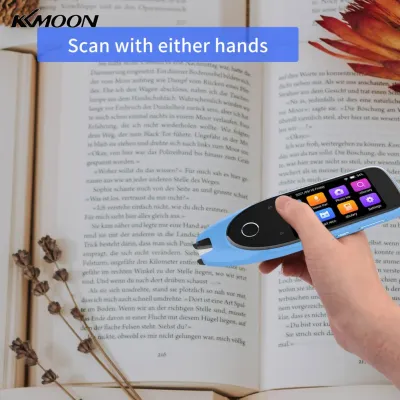
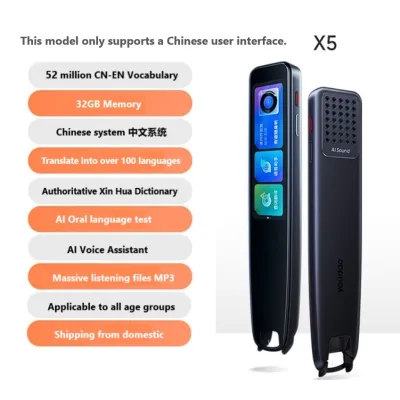
Prices are valid at publication and may change. Please refer to the product page for the latest price.
Beyond basic translation, the built-in vocabulary database must align closely with the local primary school syllabus. Parents should verify whether the dictionary includes vocabulary from the standard primary school Chinese textbooks. A database that mirrors the curriculum ensures that the definitions, example sentences, and character stroke orders the child encounters during self-study are directly relevant to their schoolwork. This alignment prevents confusion and helps students focus on the specific vocabulary they are expected to master at each grade level.
Pronunciation features are equally vital for oral language development. Look for devices that offer clear, natural audio playback rather than robotic, synthesized voices. Some models provide switchable accent options or specific phonics support, which can help students practice their oral communication skills. Clear audio guides assist students in mastering the correct tones and pronunciation, which is excellent preparation for oral examinations and classroom presentations.
Choosing Child-Friendly Hardware and Ergonomic Designs
The physical design of an electronic dictionary determines how easily a primary school student can use it daily. Screen technology is one of the most critical hardware decisions parents must make. Electronic ink (E-ink) displays are highly regarded for their glare reduction and paper-like appearance, which significantly reduces eye strain during long study sessions. Additionally, E-ink screens consume very little power, resulting in exceptional battery life. On the other hand, liquid crystal displays (LCDs) offer vibrant color rendering and faster refresh rates. This color capability can be highly beneficial for showing stroke-order animations, where different colors represent different stroke sequences, though LCDs do require more frequent charging and can produce glare under bright classroom lights.

The choice between a physical QWERTY keyboard and a touchscreen interface also impacts usability. Physical keyboards are excellent for developing typing muscle memory and spelling skills, as students must physically press each key to spell out words or Pinyin. This tactile feedback can reinforce spelling patterns. Conversely, touchscreens allow for handwriting recognition, which is an invaluable feature for primary schoolers. If a student encounters a Chinese character they do not know how to pronounce, they can simply draw the character on the screen with a stylus to look up its Pinyin and definition. A hybrid device that offers both a physical keyboard and a touchscreen often provides a highly versatile learning experience.
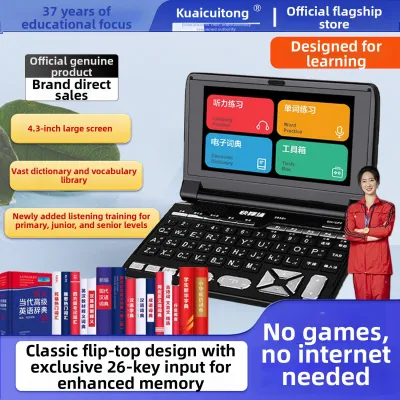
Portability and durability are essential considerations for school-aged children. Primary school backpacks are frequently packed with textbooks, files, and stationery, meaning any additional device must be lightweight and compact. Parents should look for dictionaries with robust casing, such as a clamshell design that protects the screen when closed. Basic drop-resistance or the availability of a fitted protective silicone case can help the device withstand the inevitable bumps and drops that occur during daily school commutes, recess, or study sessions.
Ensuring a Distraction-Free and Focused Learning Environment
A dedicated electronic dictionary should serve as a tool for academic focus, not a source of entertainment. When evaluating devices, parents should confirm that the operating system is entirely closed. A closed system lacks built-in games, web browsers, or access to third-party app stores. This design ensures that when a child is using the dictionary, they are focused solely on their language studies rather than being tempted by digital distractions. The absence of internet browsing capabilities also provides peace of mind for parents, knowing their child cannot access unvetted online content during study time.
Some devices offer basic parental control options that allow parents to monitor and manage usage. These features can include study progress tracking, which lets parents see which words their child has searched for most frequently. This search history can highlight areas where the child might need extra help or vocabulary reinforcement. Other parental controls might include device locking features or customizable screen time limits, helping to establish healthy study boundaries.
Audio output compatibility is another practical feature to consider. Classrooms, school libraries, and public study spaces require quiet environments. A dictionary with a standard 3.5mm headphone jack or reliable Bluetooth connectivity allows students to listen to pronunciation guides and audio examples privately without disturbing those around them. Parents should check if the device includes volume-limiting features to protect the child’s hearing when using headphones.
Building Your Shortlist Based on Grade Level and Study Habits
A child’s academic needs evolve significantly as they progress through primary school, and the electronic dictionary should match their current learning stage. For students in lower primary (Primary 1 to Primary 3), the focus is on building foundational language skills. Dictionaries for this age group should prioritize robust Pinyin assistance, large adjustable font sizes to prevent eye strain, and clear, slow voice playback. The user interface should be intuitive and simple, with a strong emphasis on basic vocabulary, stroke-order animations, and engaging visual aids that make learning characters less intimidating.
As students transition to upper primary (Primary 4 to Primary 6), their academic requirements become more demanding. For these older students, parents should look for dictionaries that offer advanced vocabulary databases, extensive example sentence banks, and composition aids. These aids might include lists of idioms (Chengyu), collocations, and synonyms that help students enrich their writing for situational and continuous composition tasks. Faster processing speeds are also important at this stage, as students need to look up words quickly during timed practice sessions and mock exams.
Before making a final purchase, parents should run through a practical checklist to ensure long-term usability. First, verify the local warranty terms to ensure that any hardware issues can be resolved quickly in Singapore. Second, check the charging interface; a standard USB-C port is highly convenient as it allows the device to share chargers with other household electronics. Finally, research the manufacturer’s track record for providing firmware and database updates. A manufacturer that offers regular updates ensures that the dictionary’s software remains stable and that its vocabulary databases can be updated as curriculum requirements evolve.
Frequently Asked Questions (FAQ)
Dedicated E-Dictionary vs. Tablet Dictionary Apps
While tablet applications offer convenience, dedicated electronic dictionaries provide several distinct advantages for primary school students. Dedicated devices are designed specifically for learning, meaning they are entirely free from notifications, social media, and gaming temptations. This single-purpose design fosters a much higher level of academic focus. Additionally, many dedicated dictionaries feature screens optimized for reading text, which can be gentler on a child’s eyes during extended study sessions compared to the high-glare, high-refresh-rate screens of standard tablets.
School Policies on Bringing E-Dictionaries to Class
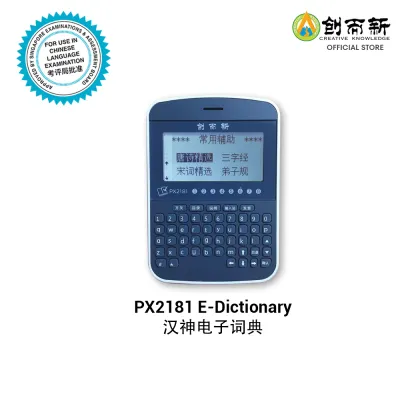
School policies regarding electronic devices can vary, so parents should always consult their child’s specific school handbook or classroom teacher. Generally, many primary schools in Singapore permit the use of approved electronic dictionaries during daily Chinese lessons and composition preparation to encourage independent learning. However, strict regulations apply during formal examinations. Only specific models that have been officially approved by the Singapore Examinations and Assessment Board (SEAB) are allowed in examination halls, and these devices must not contain any unauthorized modifications or external memory cards.

Community discussion
Share your experience or ask a question. Comments are reviewed before publication.