
When choosing a primary school electronic dictionary, the most critical features to look for are curriculum-aligned databases, eye-safe screen technology, clear audio pronunciation, and a completely distraction-free operating system. Unlike general-purpose tablets, a dedicated learning tool must support independent study without exposing young learners to online distractions or excessive eye strain.
By focusing on specifications that match your child’s school requirements and developmental stage, you can select a device that serves as a reliable academic companion for years. Here is a breakdown of the essential features to evaluate before making a purchase.
Core Dictionary Databases and Content Coverage
Evaluating the built-in databases is the most important step in choosing a primary school electronic dictionary. The device must contain authorized, standard dictionaries that align directly with the primary school curriculum. General or adult-oriented dictionaries often use complex definitions that confuse younger learners rather than helping them.
Products mentioned in this guide
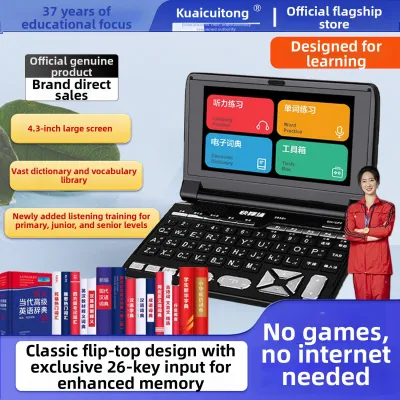
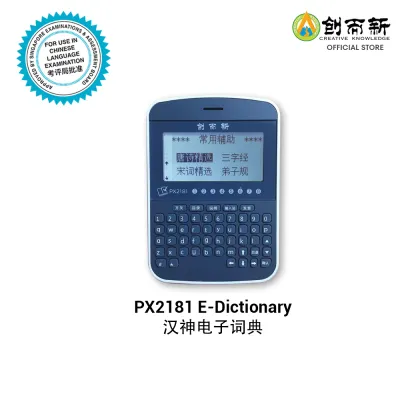

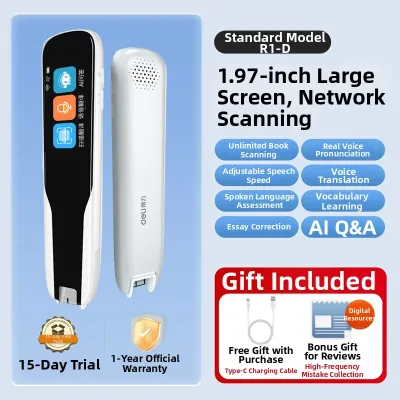
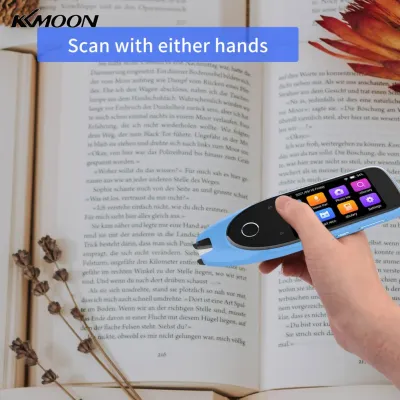
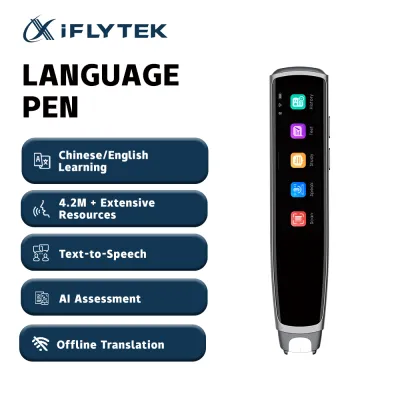
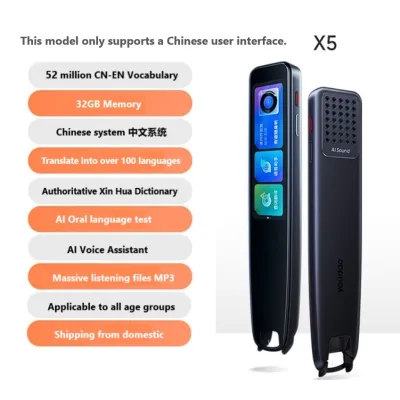
Prices are valid at publication and may change. Please refer to the product page for the latest price.
Look for databases that feature age-appropriate explanations, clear phonetic symbols, and illustrative example sentences. For Chinese language learning, ensure the dictionary includes stroke-order animations, which help children learn the correct sequence for writing characters. For English, look for clear syllable breakdowns and simple grammatical guides.
Verify whether supplementary materials, such as idiom databases or basic grammar guides, add genuine educational value. Some devices inflate their specification sheets with thousands of advanced terms that your child will not encounter for years. Prioritize quality and curriculum alignment over sheer vocabulary volume.
Screen Quality and Eye Protection Features
Primary school students often spend long periods reading dense text on their devices, making screen quality a vital health consideration. The display technology you choose directly impacts your child’s reading comfort and long-term eye health.

Electronic ink (e-ink) screens are highly recommended for reading-heavy tasks. They mimic the appearance of real paper by reflecting ambient light rather than emitting harsh backlighting, which significantly reduces eye strain. However, e-ink screens are typically monochrome and have slower refresh rates, which may make interactive features feel less responsive.
If you opt for a standard color liquid crystal display (LCD), check for built-in eye protection features. Look for hardware-level blue light filters, anti-glare screen coatings, and automatic brightness adjustments that adapt to the surrounding room lighting.
Screen size and pixel density are also critical. A screen that is too small or has low resolution will force your child to squint at complex characters or tiny phonetic guides. Aim for a display that offers sharp, high-contrast text rendering so that dense dictionary entries remain easily readable.
Audio, Pronunciation, and Listening Tools
Accurate pronunciation tools are essential for developing strong speaking and listening skills. When comparing devices, pay close attention to how the audio is generated and delivered.
Distinguish between real human voice recordings and synthetic text-to-speech (TTS) technology. Human voice recordings of native speakers provide natural intonation, rhythm, and accentuation, which are crucial for early language learners. TTS systems can sound robotic and occasionally mispronounce words with multiple meanings.
Evaluate the physical audio hardware of the device. The built-in speaker must deliver clear, undistorted sound even at higher volumes so that subtle phonetic differences are easily audible.
Additionally, ensure the device features a standard 3.5mm headphone jack or reliable wireless headphone compatibility. This allows your child to practice pronunciation and complete listening exercises quietly in school libraries, classrooms, or during commutes without causing a distraction.
Distraction-Free Design and Parental Controls
A primary school electronic dictionary should be a dedicated tool for academic focus. Devices that allow open internet browsing or app installations can quickly become sources of distraction.
Confirm that the device runs on a closed operating system. A closed system prevents children from downloading games, accessing social media, or browsing unrestricted websites. This structural limitation ensures that the device remains strictly an educational tool.
If the dictionary requires internet connectivity for database updates or cloud-based translation features, check the robustness of the parental controls. You should be able to lock specific functions, restrict web access, and monitor or limit daily usage times.
This distraction-free environment is what justifies investing in a dedicated electronic dictionary over a standard smartphone or tablet, helping your child build disciplined study habits.
Build Quality, Battery Life, and Portability
Children’s school gear must be durable enough to survive the daily rigors of classroom life. The physical design of the electronic dictionary should reflect this need for resilience.
Look for robust casing materials, such as high-impact ABS plastic, and reinforced corners that can withstand accidental drops. A clamshell design or an included protective silicone sleeve offers excellent screen protection when the device is packed tightly inside a school bag.
Battery life is another practical consideration. The device should easily last through a full school day on a single charge. Look for models that offer at least eight hours of active use and utilize a standard USB-C charging port, allowing you to use common household cables.
Finally, consider the overall weight and dimensions. The dictionary should be lightweight and compact enough to fit comfortably into a primary school student’s backpack alongside heavy textbooks and water bottles, without adding unnecessary physical strain.
Frequently Asked Questions (FAQ)
Do primary school students need a dedicated electronic dictionary instead of a smartphone app?
Yes, a dedicated electronic dictionary is highly beneficial. Smartphones introduce constant notifications, games, and web browsing temptations that easily disrupt a child’s focus. Furthermore, many primary schools strictly prohibit smartphones in classrooms or during examinations, whereas approved, offline electronic dictionaries are often permitted. Dedicated devices also feature specialized hardware, such as physical keyboards or stylus inputs optimized for writing practice, which standard mobile apps cannot replicate.
How often should the dictionary database be updated?
While core language rules remain stable, educational curricula and vocabulary lists do evolve over time. It is wise to check the manufacturer’s update policy before purchasing. High-quality devices allow database updates via a secure Wi-Fi connection or a USB link to a computer. Ensure the update process is straightforward and does not require ongoing subscription fees, allowing the device to remain relevant throughout your child’s primary school years.

Community discussion
Share your experience or ask a question. Comments are reviewed before publication.