
Choosing your first Novation keyboard depends heavily on how you plan to create music. For most beginners starting with software-based music production, the Novation Launchkey series is the most practical and intuitive entry point. These controllers are designed to integrate seamlessly with Digital Audio Workstations (DAWs), allowing you to control virtual instruments and mix tracks without constantly reaching for your computer mouse.
However, “beginner” means different things depending on your musical goals. A beat-maker needs responsive pads and quick loop control, while someone learning keyboard technique requires more keys and a comfortable keybed action. Before making a purchase, it is essential to check the current generation specifications and bundle contents on the official Novation site or through authorized local music retailers to ensure you get the right tools for your setup.
Key Decision Factors for Your First Novation Controller
The physical and technical dimensions of your keyboard will directly impact your daily practice and production workflow. Understanding these factors beforehand helps you avoid purchasing a controller that is either too complex or too limited for your needs.
Products mentioned in this guide
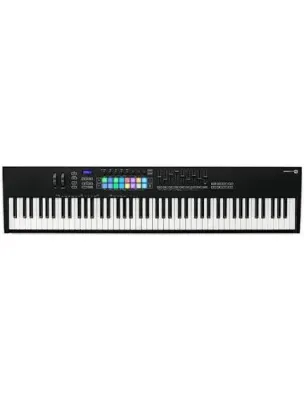
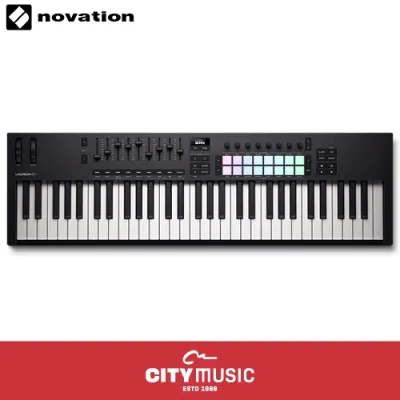
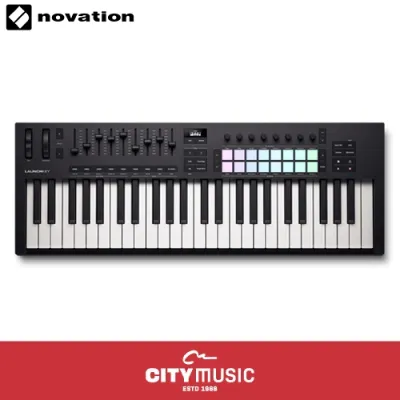
Prices are valid at publication and may change. Please refer to the product page for the latest price.
Key Count and Action
The number of keys you choose impacts both your playing style and your workspace layout. Novation keyboards typically come in 25, 37, 49, 61, or 88-key configurations. A 25-key controller is highly portable and fits easily on a small desk, making it ideal for programming basslines, drum patterns, and simple melodies. However, if you want to learn two-handed piano chords or play complex arrangements, a 49-key or 61-key model is highly recommended.
Keybed action is another critical factor. Most entry-level controllers feature synth-action keys, which are light, springy, and optimized for fast synthesizer lines or drum triggering. Semi-weighted keys, found on higher-end models, offer more physical resistance, providing a more expressive feel that bridges the gap between a synthesizer and an acoustic piano.
DAW Integration
A MIDI keyboard is only as good as its connection to your software. Native DAW integration means the controller’s physical buttons, faders, and knobs are pre-mapped to control your music software automatically. Novation is famous for its deep integration with Ableton Live, but modern models also offer excellent out-of-the-box mapping for Logic Pro, FL Studio, Cubase, and Reaper. This native mapping minimizes setup time, allowing you to focus on making music rather than configuring technical settings.
Pads and Encoders
Velocity-sensitive pads are essential for modern music production, particularly for beat-making and finger drumming. These pads respond to how hard you strike them, allowing you to inject natural dynamics into your drum tracks. Assignable knobs (encoders) and faders give you tactile control over software synthesizers, effects parameters, and mixer volume levels, turning your software setup into a physical instrument.
Space and Portability Constraints
Before purchasing, measure your physical workspace carefully. In compact living environments, such as a typical apartment or study room, desk space is at a premium. A 61-key controller requires a significant amount of desk real estate and may require a dedicated keyboard stand. If you plan to produce music on the go or have a multi-use desk, a compact 25-key or 37-key model that can be easily tucked away when not in use is often the most practical choice.
Matching Novation Keyboard Lines to Your Learning Goals
Novation designs its keyboard controllers with specific workflows in mind. Understanding the core philosophy behind each product line will help you select a model that aligns with your learning goals and creative habits. Because product generations update frequently, always verify the exact feature set of the current model in stock before finalizing your purchase.

The Launchkey Series for DAW-Centric Producers
The Launchkey series is the flagship line for software-based music production. It is designed to act as an extension of your computer, offering a comprehensive layout of keys, pads, knobs, and faders. This series is particularly famous for its deep integration with Ableton Live, featuring dedicated buttons for launching clips, capturing MIDI, and navigating your session.
For beginners, the Launchkey is highly appealing because it typically includes a generous software bundle. This bundle often features a lite version of a major DAW, virtual synthesizers, and high-quality sample packs, giving you everything you need to start producing music immediately. When shopping, always verify the exact software licenses and physical controls included with the current generation model, as these specifications can vary.
The SL MkIII Series for Hardware and Sequencing Enthusiasts
The SL MkIII series is Novation’s premium controller line, designed for users who want to bridge the gap between computer software and external hardware. Unlike standard MIDI controllers, the SL MkIII features a built-in multi-track sequencer and extensive physical connectivity, including traditional MIDI ports and CV/Gate outputs.
This advanced connectivity allows you to control hardware synthesizers, drum machines, and modular gear directly from the keyboard, even without a computer turned on. However, this power comes with a steeper learning curve and a higher price tag. For an absolute beginner, the SL MkIII may offer more complexity than necessary, but it is an exceptional choice if you plan to build a hardware-centric studio setup.
Compact Options for Beat-Makers and Small Spaces
If space is your primary constraint, or if you focus mainly on electronic beat production, compact models like the Launchkey Mini are highly effective. These micro-sized controllers feature mini-keys and a streamlined selection of pads and knobs, allowing them to fit easily into a backpack or onto the smallest of desks.
While highly portable, mini-keys do require some adjustment, especially if you have larger hands or are used to playing traditional piano keys. The trade-off for this extreme portability is the limitation on two-handed playing, making these models best suited for step-sequencing, programming drum loops, and writing simple basslines.
Pre-Purchase Checks: Compatibility and Software Bundles
Before finalizing your purchase, it is essential to perform a few technical checks to ensure a smooth setup process. First, verify the operating system compatibility of both the controller and its bundled software. Ensure your computer’s operating system meets the minimum requirements for the DAW and virtual instruments included in the package.
Next, examine the physical connection types. Modern controllers increasingly use USB-C connections, while older or larger models may rely on USB-B ports. Check what cables are included in the box and ensure you have the correct ports or adapters on your computer. Additionally, while smaller controllers are powered directly by your computer’s USB port (bus-powered), larger models or advanced controllers like the SL MkIII may require an external power supply, which will need a nearby power outlet.
Finally, evaluate the value of the included software bundle against the retail price in S$. For beginners, a high-quality software bundle can save you hundreds of dollars in separate software purchases. Compare the offerings from authorized local retailers to ensure you are getting the current generation model with the complete software package.
Setup and First Steps for New Owners
Once your new Novation keyboard arrives, the first step is to register the hardware on the manufacturer’s official portal. You will need to create an account and enter the serial number found on the bottom of the keyboard. Registration unlocks access to your software bundle, activation codes, and official user guides.
After downloading and installing your chosen DAW and virtual instruments, connect the keyboard to your computer. On modern operating systems, Novation controllers are typically plug-and-play, meaning they do not require manual driver installation. However, you may need to open your DAW’s preferences menu and select the correct MIDI input and control surface script to enable full integration of the pads, knobs, and transport controls.
If you encounter issues where the keyboard is not sending MIDI data or the lights do not turn on, start with basic troubleshooting. Ensure you are connecting the keyboard directly to your computer rather than through an unpowered USB hub, as hubs often fail to supply sufficient power. Verify that the MIDI track in your software is armed to receive input, and check that the controller is set to the correct MIDI channel.
Frequently Asked Questions (FAQ)
Do I need a separate audio interface to use a Novation keyboard?
No, you do not need a separate audio interface simply to use a Novation MIDI keyboard. MIDI controllers do not generate or process audio signals; they only transmit digital performance data (such as which key was pressed and how hard) to your computer. Your computer’s internal sound card handles the actual audio generation.
However, an audio interface becomes highly beneficial as your studio grows. You will need one if you plan to record vocals or acoustic instruments via microphones, connect professional studio monitors, or if you experience noticeable audio delay (latency) when playing virtual instruments on your computer.
Can I use a Novation keyboard to learn traditional piano?
While you can use a Novation keyboard to learn basic music theory, chord shapes, and simple melodies, it is not ideal for learning traditional classical piano technique. Most Novation controllers feature synth-action or semi-weighted keys, which lack the heavy, graded hammer-action feel of an acoustic piano.
If your primary goal is to develop proper piano finger strength and classical technique, you should look for a dedicated digital piano with 88 fully weighted keys. MIDI controllers are designed primarily for music production, sound design, and electronic music performance rather than classical piano practice.
What is the difference between a MIDI controller and a synthesizer?
The fundamental difference lies in how sound is generated. A MIDI controller, such as most Novation keyboards, does not contain any internal sounds or speakers. It must be connected to a computer, tablet, or external hardware synthesizer to trigger sounds.
In contrast, a synthesizer is a standalone musical instrument that generates its own audio signals using internal oscillators, filters, and amplifiers. While some synthesizers can also function as MIDI controllers, a dedicated MIDI controller is generally more affordable and offers deeper integration with modern music production software.

Community discussion
Share your experience or ask a question. Comments are reviewed before publication.