
Finding the perfect stand for your Yamaha keyboard is essential for both playing comfort and instrument safety. The correct match depends entirely on your keyboard’s specific model number, physical base design, and overall weight. While dedicated furniture-style stands offer a tailored fit and high stability for digital pianos, adjustable universal stands provide a flexible and portable solution for lightweight arranger and portable keyboards. By identifying your instrument’s physical mounting points and checking its official specifications, you can easily determine whether a dedicated proprietary stand or a universal adjustable stand is the right choice for your home or studio setup.
Identify Your Yamaha Keyboard Model and Base Structure
Before browsing for a stand, you must identify the exact model of your Yamaha keyboard. This information is rarely printed prominently on the front panel; instead, you will typically find it on a manufacturer’s label located on the bottom casing or the rear panel of the instrument. Write down the complete alphanumeric model name, such as those in the PSR, P, or YPT series, as even a single letter difference can indicate a completely different chassis design and mounting configuration.
Once you have the model number, flip the keyboard over carefully onto a soft surface to inspect its underside. Look for threaded brass screw holes, plastic mounting slots, or specific bracket indentations. Dedicated stands rely on these pre-drilled holes to bolt the keyboard securely to the frame. If your keyboard’s bottom is completely flat with only small rubber feet and no screw holes, it is designed to sit on top of a universal stand rather than being bolted down.
Products mentioned in this guide
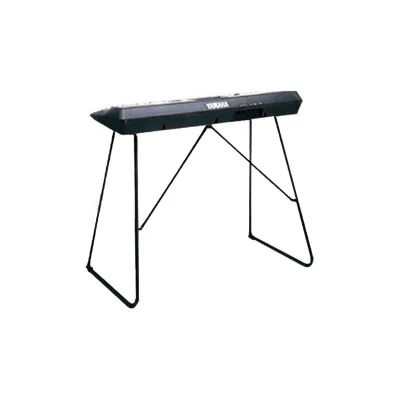
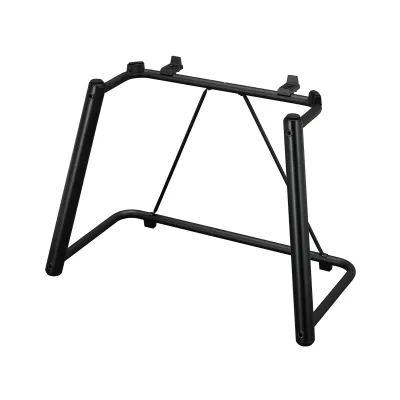
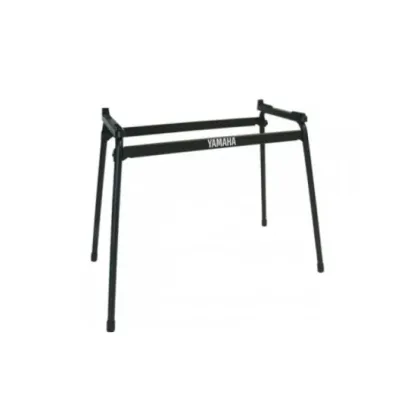
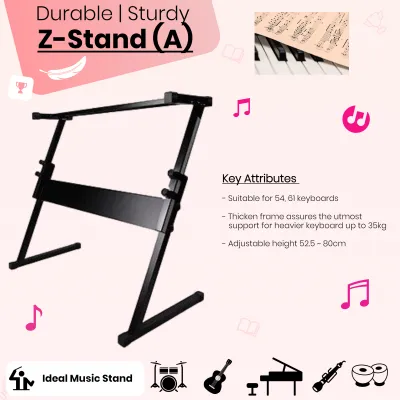
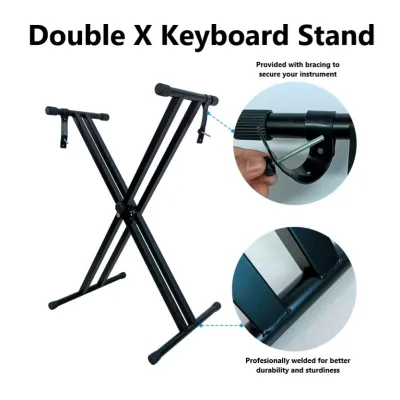
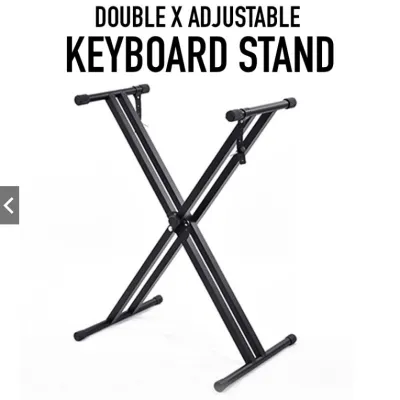
Prices are valid at publication and may change. Please refer to the product page for the latest price.
Finally, use a tape measure to record the physical dimensions of your keyboard, specifically its total width and depth. You should also consult your user manual or use a home scale to find the exact weight of the instrument. Having these measurements ready is crucial if you end up choosing a universal stand, as you will need to verify that the stand’s support arms are wide enough and strong enough to hold your keyboard safely.
Compare Yamaha Keyboard Stand Types
Keyboard stands generally fall into two main categories: dedicated proprietary stands and adjustable universal stands. Choosing between them involves balancing your need for permanent stability, available legroom, and portability. Understanding how these designs interact with your keyboard will help you narrow down the options that suit your playing environment.

Dedicated L-Style and B-Style Stands
Dedicated stands, often referred to as L-style or B-style wooden stands, are designed by Yamaha specifically for individual digital piano models, particularly within the P-series. These stands are constructed from dense composite wood panels that screw directly into the pre-drilled mounting points on the underside of the keyboard. This direct bolting mechanism provides maximum structural rigidity, virtually eliminating side-to-side wobble during energetic playing and giving the setup the appearance and feel of a traditional console piano.
Because these stands are engineered for specific chassis dimensions, they are not interchangeable across different models or brands. A stand designed for one generation of a digital piano will rarely fit a newer or older version, even if the keyboard line shares a similar name. It is absolutely necessary to cross-reference the “Optional Accessories” section of your keyboard’s official specification sheet to confirm the exact stand model code before purchasing, as a mismatch will prevent the mounting holes from aligning.
Universal X-Style, Z-Style, and U-Style Stands
If your keyboard is a portable arranger, synthesizer, or lightweight starter model, a universal adjustable stand is often the most practical choice. These stands do not bolt into the keyboard; instead, the instrument rests directly on top of rubber-padded support arms. The most common design is the X-style stand, which features a classic scissor mechanism that makes it highly portable and easy to fold flat for storage or transport. However, X-style stands can restrict legroom, making them less comfortable for seated players during long practice sessions.
For players who prefer more legroom or have heavier instruments, Z-style and U-style (or table-style) stands offer excellent alternatives. Z-style stands provide a highly stable, rigid frame with open space underneath for your knees and pedals, making them ideal for permanent home setups. U-style stands function like adjustable tables, offering exceptional heavy-duty weight capacity and maximum stability. When selecting any universal stand, always verify that its maximum load capacity comfortably exceeds your keyboard’s weight and that its adjustable width matches your instrument’s footprint.
Verify Stand Compatibility Before You Buy
To avoid the hassle of returning an incompatible product, always perform a thorough compatibility check before making your purchase. Your first and most reliable resource is the official user manual for your specific Yamaha keyboard model. Locate the “Specifications” or “Optional Accessories” section near the back of the manual, where the manufacturer explicitly lists the model numbers of all compatible dedicated stands, pedal units, and carrying bags.
If you no longer have the physical manual, you can easily download a digital copy from the official Yamaha website. Authorized online music stores and local instrument retailers also maintain compatibility charts for major keyboard accessory lines. When reviewing these resources, ensure that your exact keyboard model is listed as compatible with the stand you intend to buy. Do not rely on visual similarities alone, as minor differences in casing design can make a stand unusable.
For universal stands, you must compare the physical specifications of both the stand and your keyboard. Check that the minimum and maximum height adjustments of the stand allow you to play comfortably, whether sitting or standing. Ensure the width of the stand’s top support bars is narrower than the overall width of your keyboard, but wide enough to support its center of gravity securely. Most importantly, verify that the stand’s rated weight limit is significantly higher than your keyboard’s weight to account for the downward pressure applied by your hands while playing.
Perform Safety and Stability Checks During Setup
Once your new stand arrives, careful assembly and positioning are vital to protect your musical investment. Begin by following the manufacturer’s assembly instructions step-by-step, ensuring that every bolt, screw, and locking pin is tightened securely. If you are using an adjustable universal stand, double-check that the safety pull-pin or clutch mechanism is fully engaged in its slot before placing any weight on the frame.
Gently place your keyboard onto the stand and check its alignment. For universal stands, the keyboard must be perfectly centered from left to right and front to back to prevent it from tipping over. Ensure that the rubber end caps or non-slip pads on the stand’s top arms make full contact with the flat areas of the keyboard’s bottom casing. If the keyboard rests unevenly on its own rubber feet or sits at an angle, adjust its position until it feels completely stable.
Before you begin playing, perform a gentle stability test by lightly pushing the keyboard from the sides and front. If you notice any significant swaying, sliding, or structural flexing, immediately remove the keyboard from the stand. Inspect the setup for missing hardware, loose joints, or uneven floor contact. If the instability persists or if you discover that the mounting holes do not align correctly, stop using the setup immediately and consult the manufacturer or a qualified professional to avoid damaging your instrument.
Frequently Asked Questions (FAQ)
Can I use a third-party stand with my Yamaha keyboard?
Yes, you can safely use a third-party universal stand with your Yamaha keyboard, provided it meets the physical requirements of your instrument. Always verify that the third-party stand’s maximum weight capacity is rated to support your keyboard’s weight with a safe margin. Additionally, ensure the stand features high-quality, non-slip rubber padding on its support arms to prevent the metal frame from scratching your keyboard’s plastic casing and to keep the instrument from sliding during performance.
What should I do if my keyboard does not have pre-drilled holes for a stand?
If your Yamaha keyboard lacks pre-drilled mounting holes on its underside, you should not attempt to drill holes into the plastic casing, as this can permanently damage the internal electronics and void your warranty. Instead, rely on a high-quality universal X-style, Z-style, or table-style stand. These stands are specifically designed to support keyboards using gravity and non-slip rubber grips. Simply ensure the stand’s top support arms are adjusted to a width that safely supports the keyboard’s center of gravity.

Community discussion
Share your experience or ask a question. Comments are reviewed before publication.